
Measure Formatting in Pyramid: Special Formatting Techniques
When creating measures in Pyramid, you can customize how numbers display using the measure format.
Measure Formats can be managed in the Data Model:
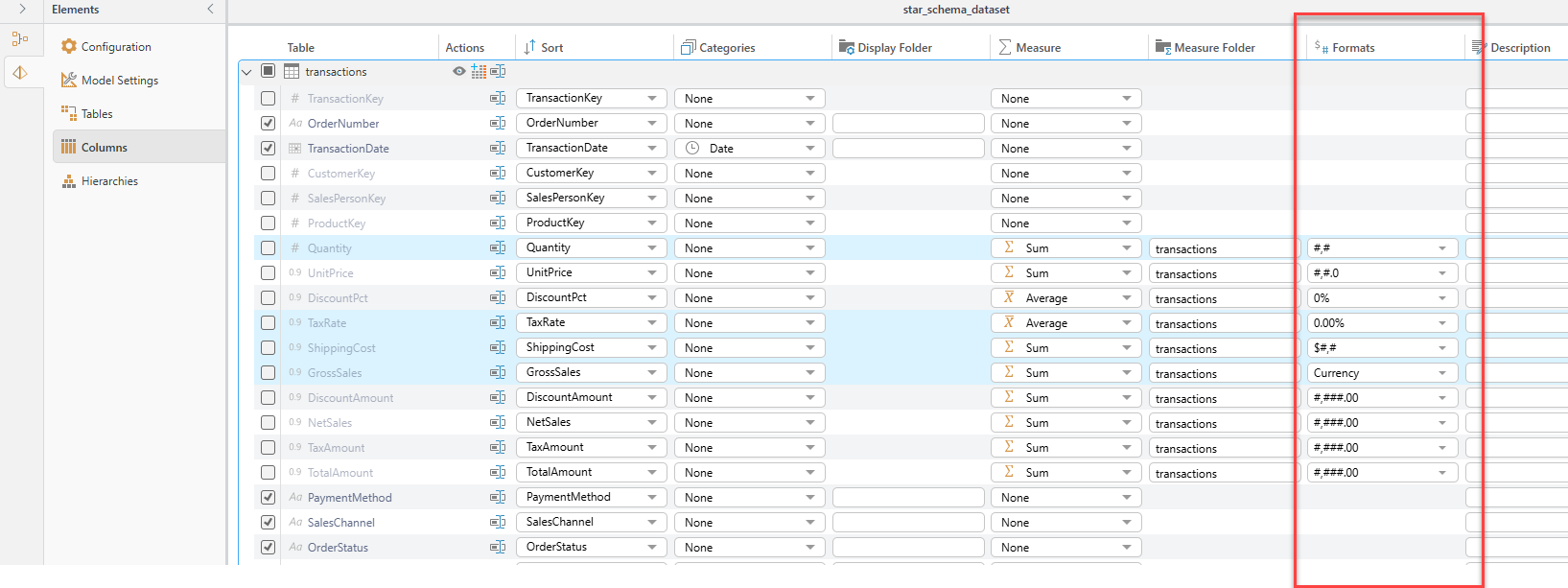
These can be overridden by role in Model Settings in the admin console, or in the discovery by right clicking the measure and choosing properties.
For Formulas, it is the format in the Properties pane:
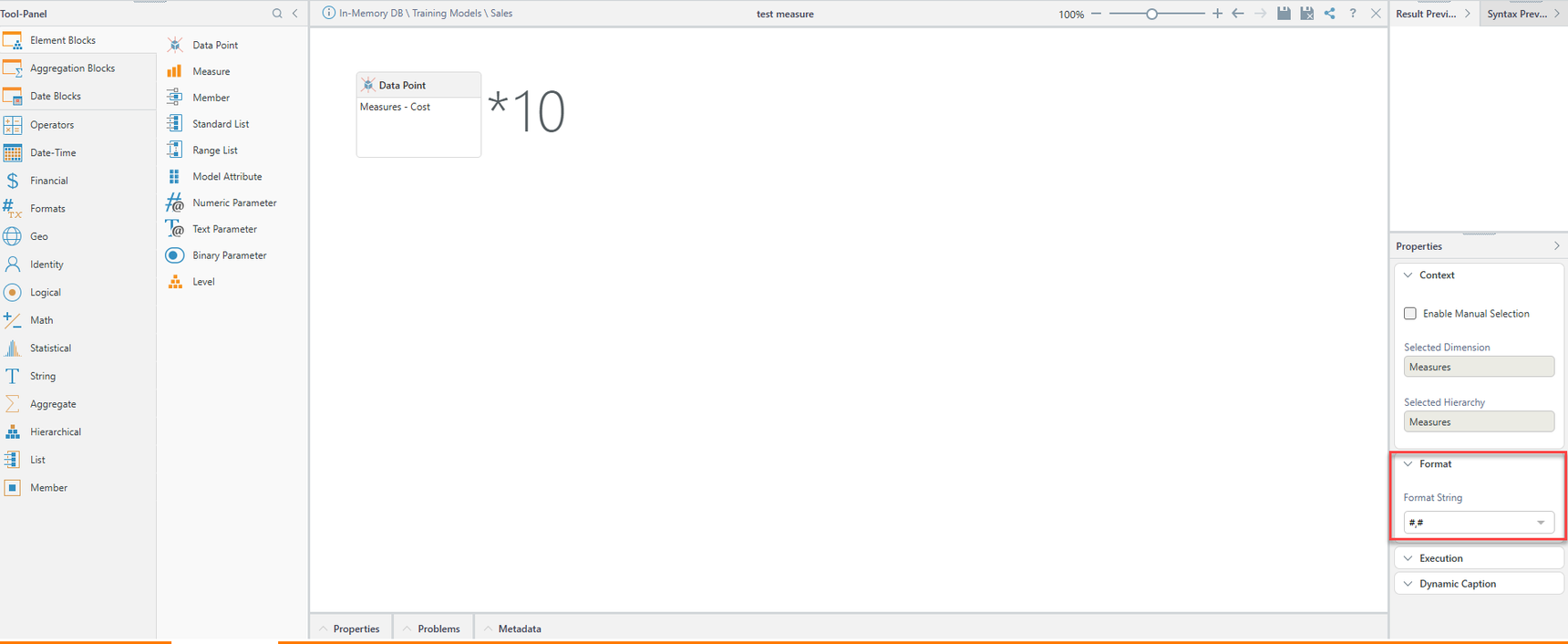
There are many options in the predefined formats you can choose from - but you can also use custom formats of your choosing.
Formatting - The Basics
| Format | Description | Value | Formatted Value |
| # | whole number, no separator | 1234.6 | 1235 |
| #,# | Whole Number with thousands separator | 12346 | 1,235 |
| #,#00 | Whole Number, will always show at least two digits | 4.3 | 04 |
| #,#.# | will show one decimal digit if it isn't 0 | 3450 | 3,450 |
| 1234.6 | 1,234.6 | ||
| #,#.0 | will show one decimal digit always | 3450 | 3,450.0 |
| 1234.6 | 1,234.6 | ||
| 0% | Show the value formatted as percent | 1.2 | 120% |
| 0.013 | 1% | ||
| 0.000% | Show percentage with 3 decimals | 0.013356 | 1.336% |
Format Negatives:
Format |
Description |
Value |
Formatted Value |
| #,#;(#,#) | Whole number, separator, negative in quotes | 13,450.5 | 13,451 |
| -2345 | (2,345) | ||
| #,#;(0.00) | Whole number, separator, negative in quotes with 2 decimals | 13,450.5 | 13,451 |
| -2345 | (2,345.00) |
Format Thousands and Millions
Format |
Description |
Value |
Formatted Value |
| #, | Show the number in thousands - without a thousands separator | 35888 | 36 |
| 1254220 | 1245 | ||
| #,###, | Show the number in thousands - with a thousands separator | 35888 | 36 |
| 1254220 | 1,245 | ||
| #,###,.# | Show the number in thousands with a thousands separator and a decimal for the hundreds id it exists |
35888 | 35.9 |
| 35000 | 35 | ||
| #,###,, | Show the number in millions with a thousands separator | 45320450 | 45 |
| 3445320450 | 3,445 | ||
| #,###,;(#,###,) | Show the number in thousands - with a thousands separator and negatives in parenthesis |
35888 | 36 |
| -1254220 | -1,245 |
Format with Prefix and Suffix
| Format | Description | Value | Formatted Value |
| $ #,# | Add a $ sign before the number | 1254220 | $ 1,254,220 |
| K$ #,###, | Add a K before the number - other formatting will apply | 1254220 | K$ 1,245 |
| $ #,###,. K | Add a $ sign before, format thousands and add a K in the end. For Suffix to work well you need to add the decimal dot |
1254220 | $ 1,245 K |
| #,###,. K$ | Format thousands and add a K$ in the end | 3450 | 3,450 PSI |
| #,###.# PSI | Add PSI at the end | 1234.6 | 1,234.6 PSI |
| #,###.# "°C" | Add °C at the end If Using Unicode or special characters put them in double quotes |
350 | 350 °C |
| #,#.#"°C";"*"#,#.#"°C*" | Show separator, Add °C at the end, put negatives between asterisks | 12.2 | 12.2 °C |
| -12.2 | *-12.2 °C* |
2 replies
-
Hi ,
Could you please provide an example for hours : minutes format for time measures.
Tnx
-
I have a Dimension called MetricName that has data points that require mixed formatting (some currency and the rest normal number). I created a Prefix_Format column in the data model to determine which rows get currency or not and applied the Prefix to two measures (Actual and Budget) in the model's Column section. This solution works when I bring in the regular measures., but it does not work when I create a formula (e.g. MTD using Time Intelligence). How can I get the prefix formatting to apply with a formula?
Content aside
-
5
Likes
- 3 mths agoLast active
- 2Replies
- 733Views
-
3
Following