
0
Top or Bottom X using a Parameter - TIP
Have you ever wanted to toggle between the top or bottom products, items, or whatever by a specific measure?
Here is a simple approach to do so.
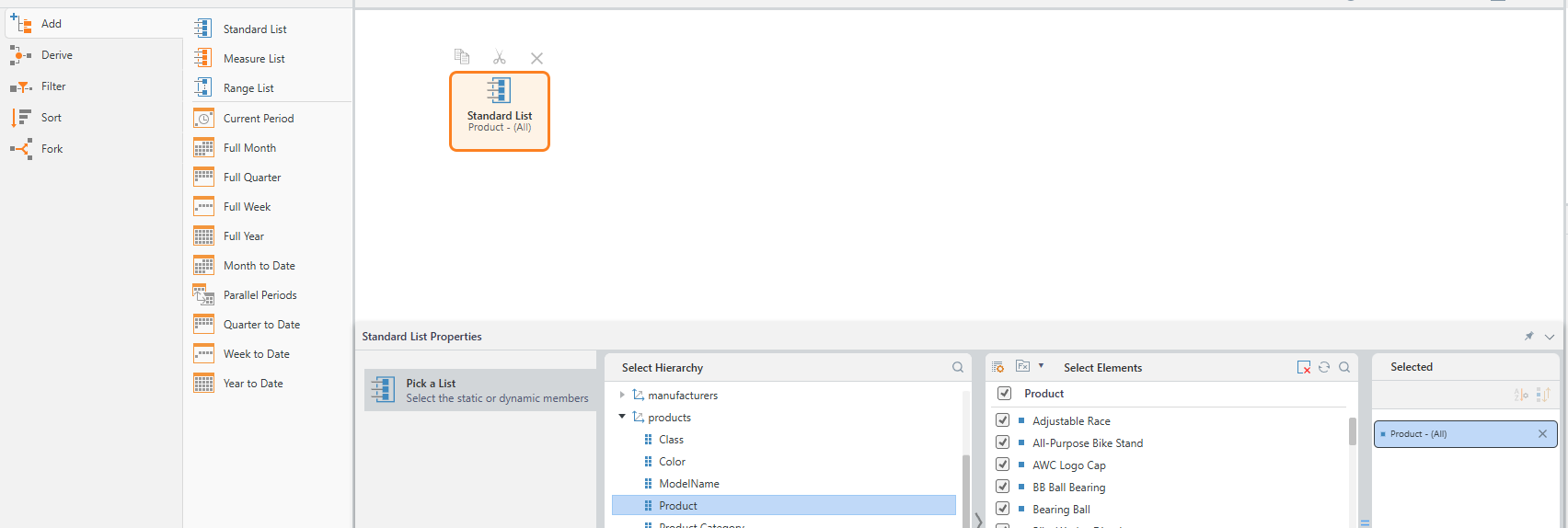
1. Start in Formulate and select a List.
2. Add in Standard List and select your Hierarchy.
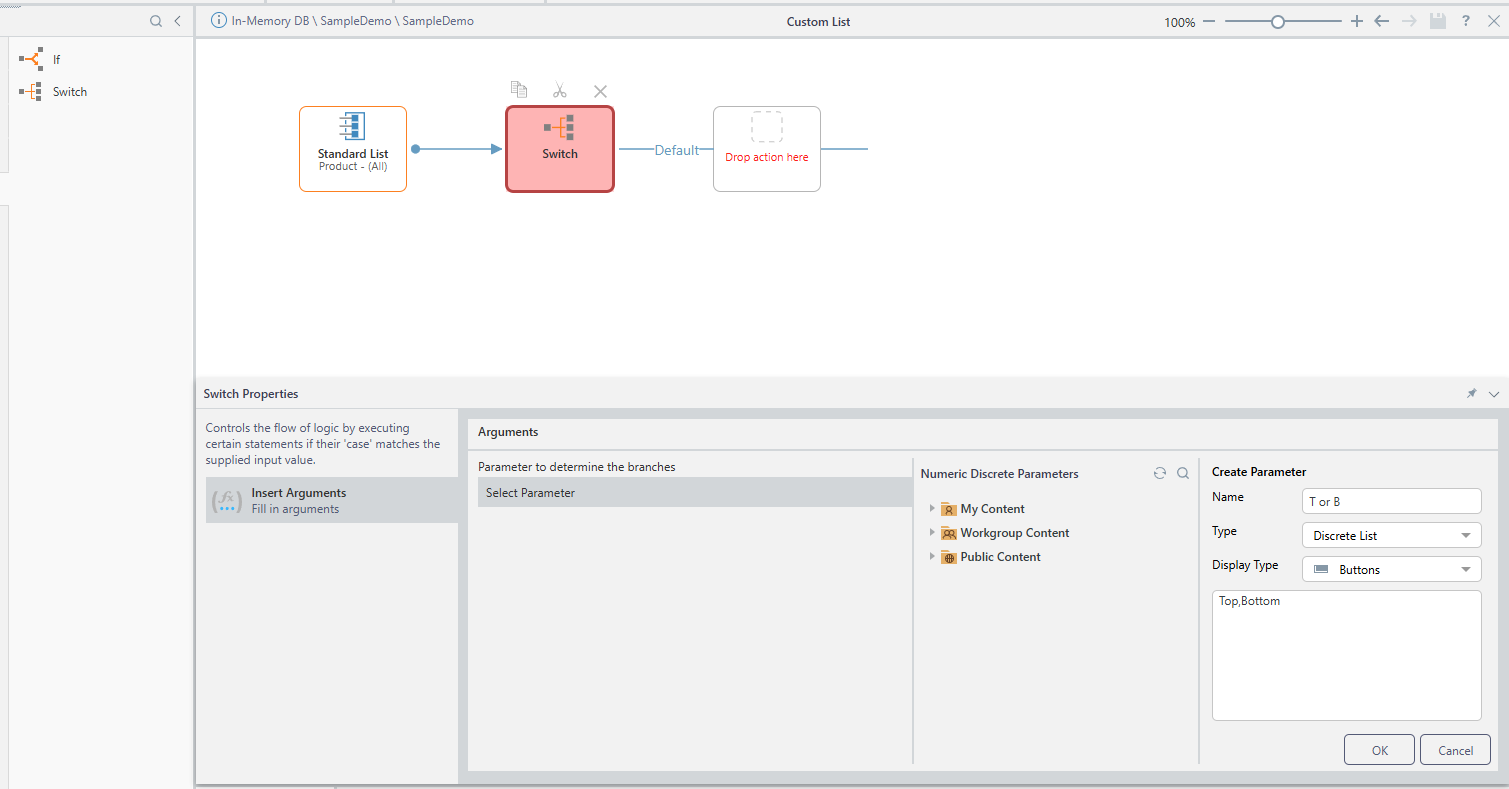
3. Add a Switch and create a new Parameter.
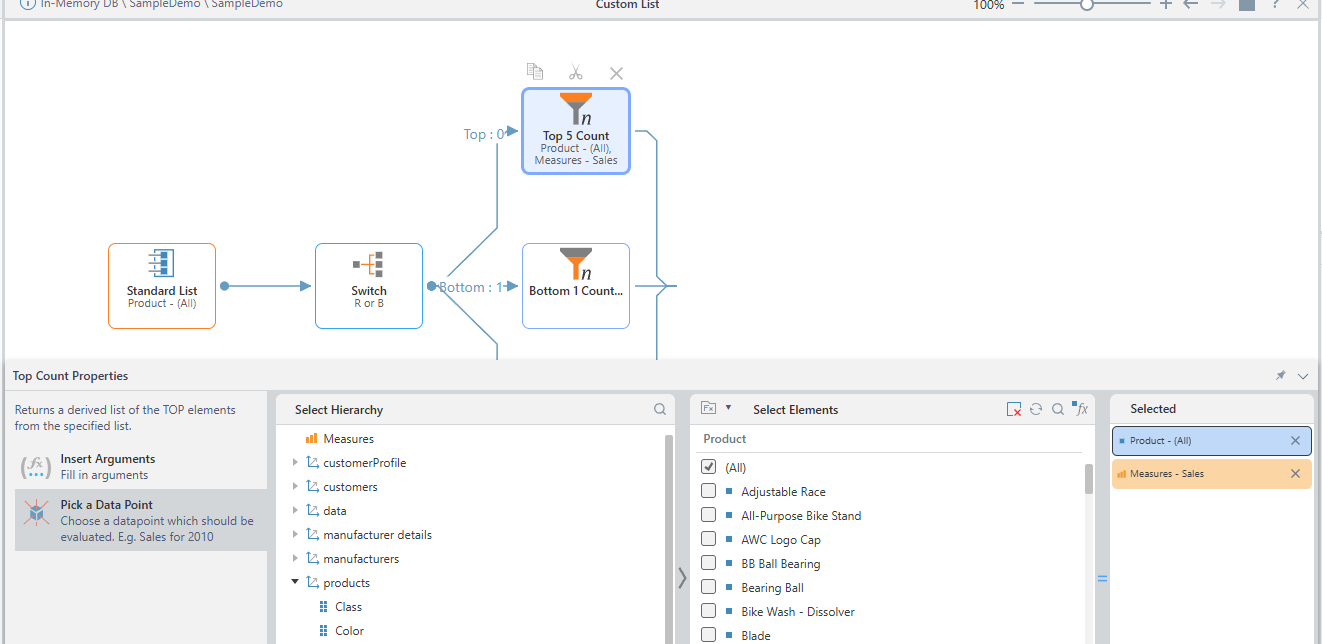
4. Add in a Top Count, Insert your argument and choose your data point. In this case, Sales and Products.
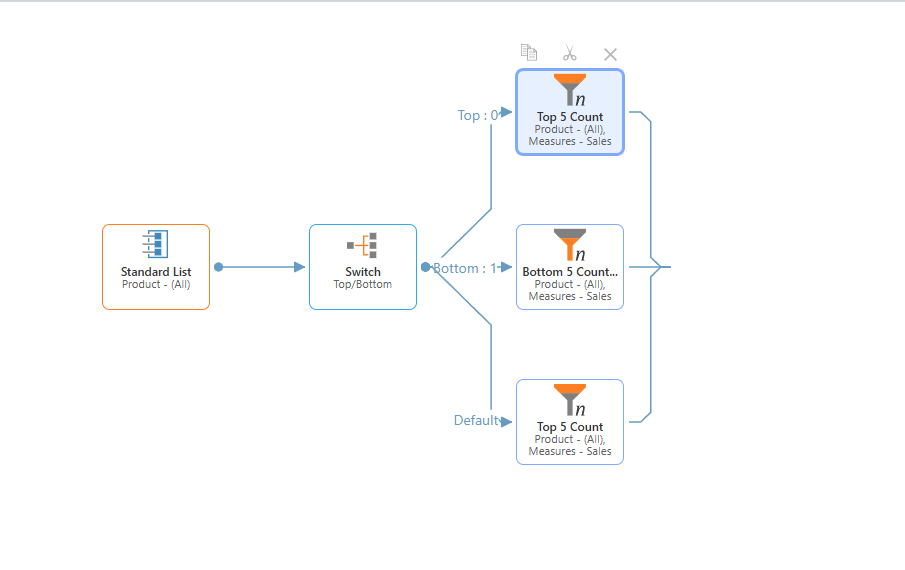
5. Do the same for Bottom and Default as shown below.
6. Do a Quick Discover to Test.
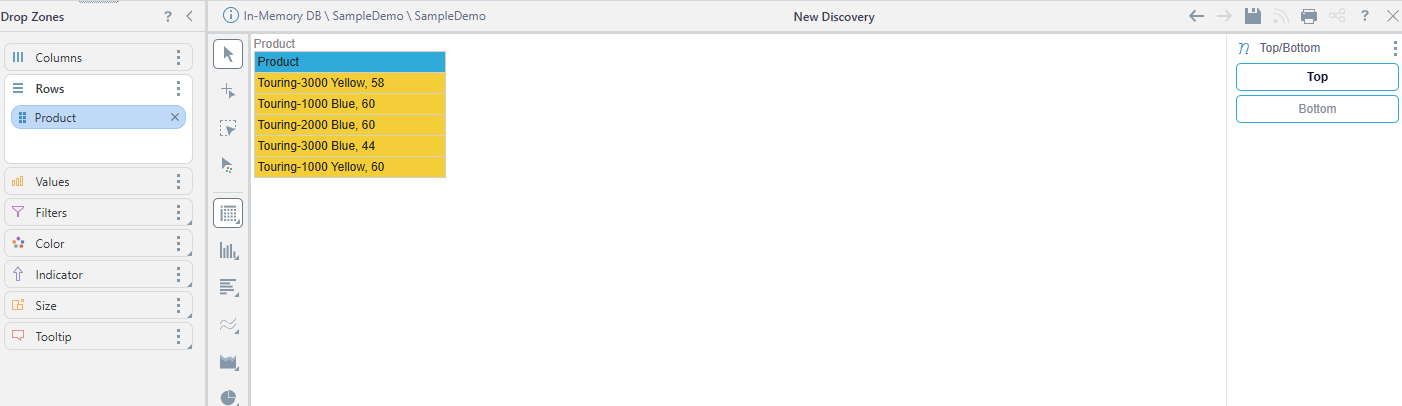
Enoy!!!!!
2 replies
-
A second route to the same outcome:
- Create various lists and save them as individual list items. (Top 10, Bottom 10, etc)
- Go into Discover, open the custom list tree in the hierarchy's elements tree.
- Highlight all the relevant lists, right click and choose create List > variable list from the menu.
- You'll see a new list called "Variable List:xxxx" in the tree. Select it to get a switchable mechanism to choose different lists.
Content aside
- 9 mths agoLast active
- 2Replies
- 350Views
- 2 Following
Related Articles