
Inject Free Text into a Present Action
Purpose
Use this pattern when a dashboard user needs to type free text, such as a note or instruction, and pass it into an action. The flow uses a global free-text parameter, a custom model column, a drop-down filter, and the Captions function in the action.
Procedure
- Create a global parameter:
- Type: Free text
- Validation: None
- Default value: text here (you can use whatever works for you)
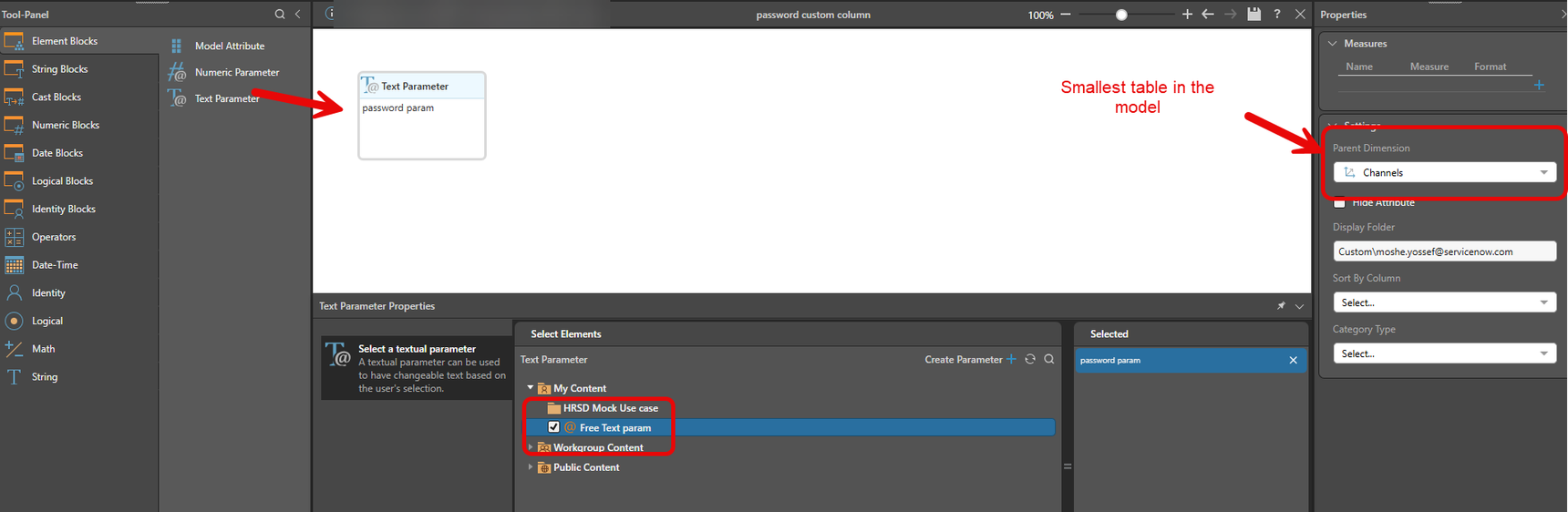
- In Formulate, create a custom column:
Add it to the smallest relevant table.
Name it “Text For Action Column” (you can choose something else).
Set the column value to the global parameter.
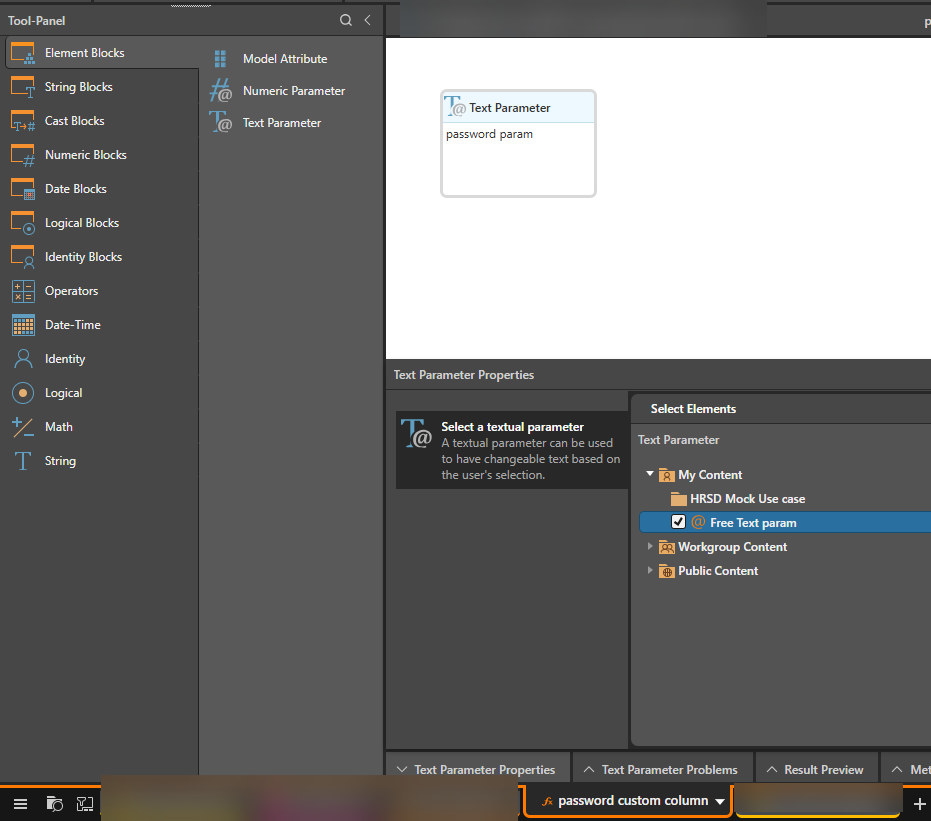
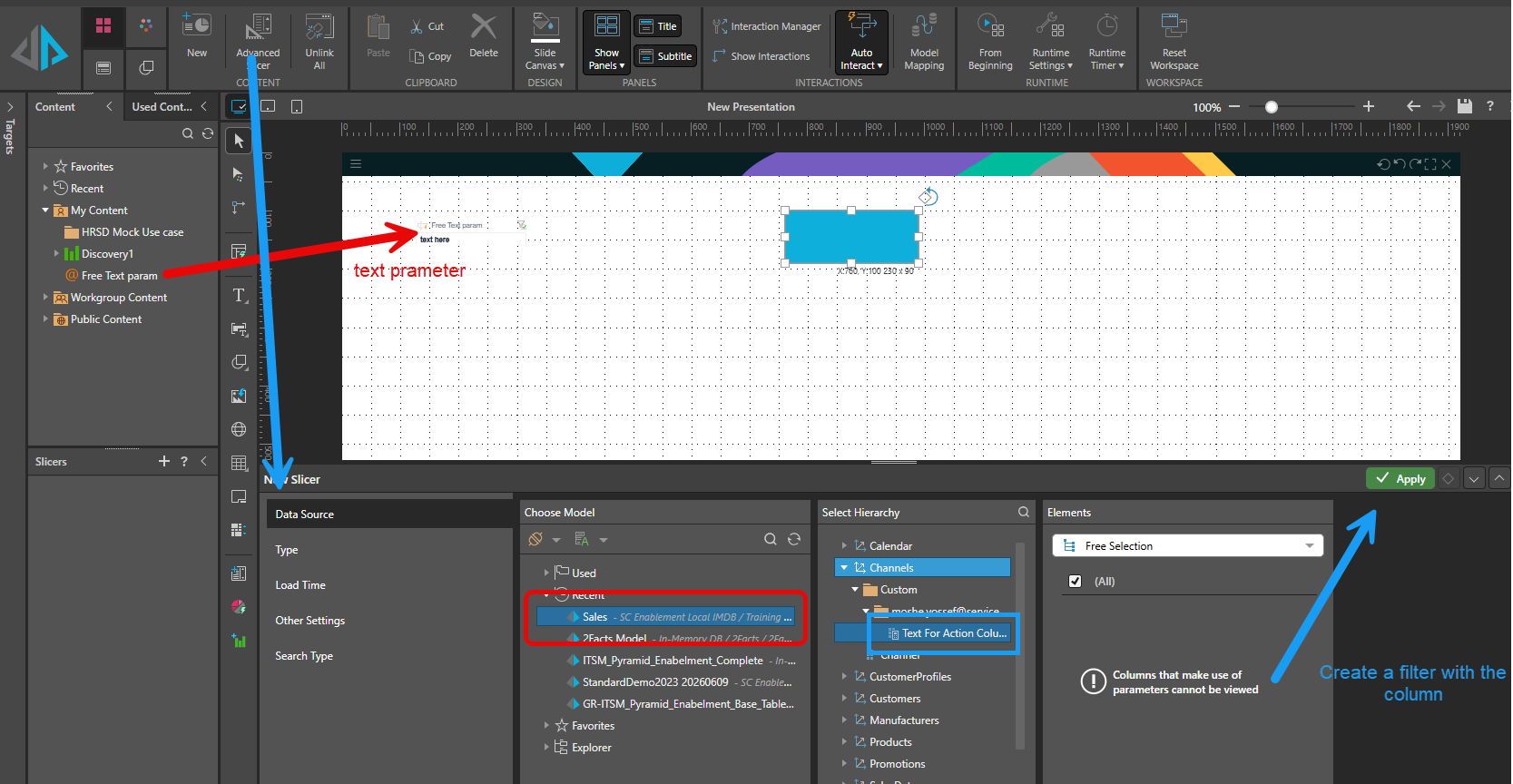
In the presentation, add an item from which the action is done (in this case – a blue rectangle) and add an action (I will use a URL action for this example).
In the presentation, add the free-text parameter (you can drag it from the content tab – red arrow bellow)
Add a drop-down filter based on Text For Action Column (blue arrow):
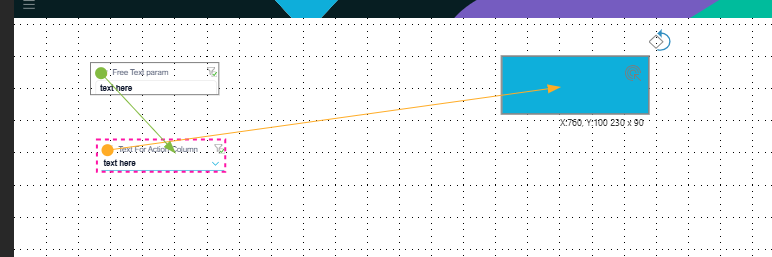
Create an interaction from the parameter to the column filter.
Create an interaction from the column filter to the action component:
In the action, use the Captions function to inject the selected filter caption:
Hide the column filter so you only see the free text parameter in the present.
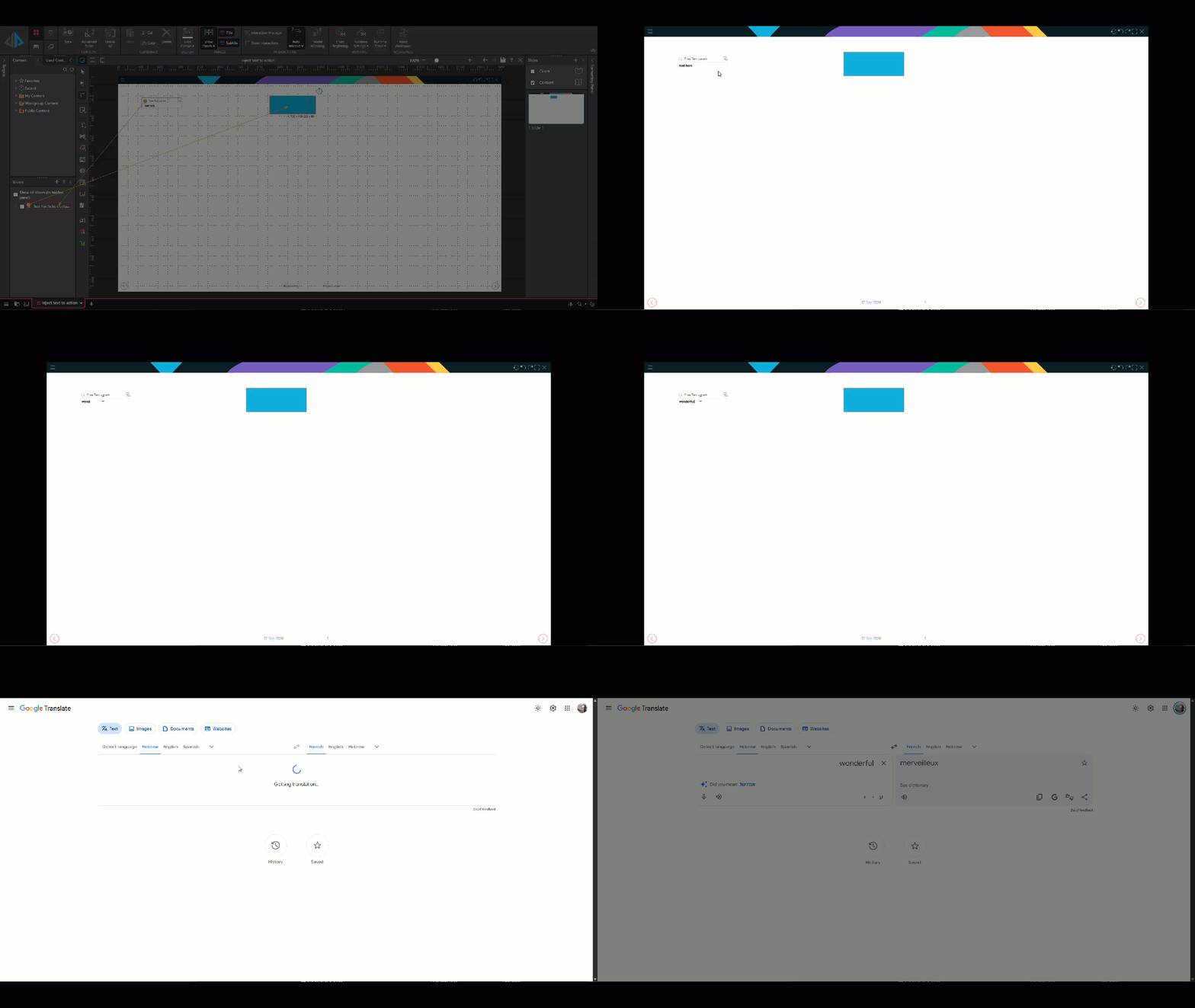
Result
When the user enters text in the parameter, the value is passed through the filter and can be used inside the action:
Reply
Content aside
-
2
Likes
- 1 mth agoLast active
- 49Views
-
1
Following