
Send a Message on Model Failure
This short guide will show you how to use Messaging Components in Pyramid Analytics Model Definitions Master Flow, to send messages upon execution failures.
The main motivation – model failure
When you have model definitions in Pyramid that run often (The most common example: a daily schedule that Ingests data to Pyramid IMDB), you need to consider the possibility of this task failing.
Pyramid allows you to easily manage failures of components.
The examples in the screenshots refer to email messages – but it will work the same for SMS messages.
Notice: For Pyramid to send email and/or SMS notifications, the message settings must first be configured in the Admin Console.
Notice: Master Flow emails have a default template that is selected and designed in Email Templates
Step by Step
- Open the Data Model Definitions. It opens by default on the data flow.
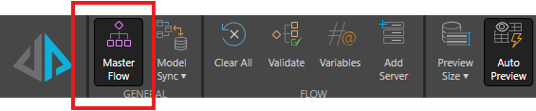
- On the top menu, make sure the Master Flow is pressed.
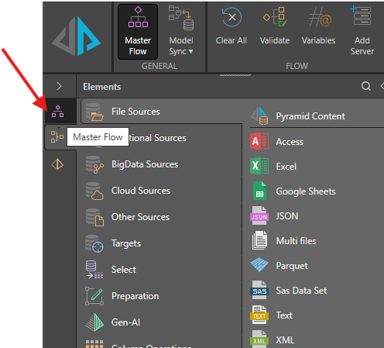
- On the left menu, click the Master Flow button.
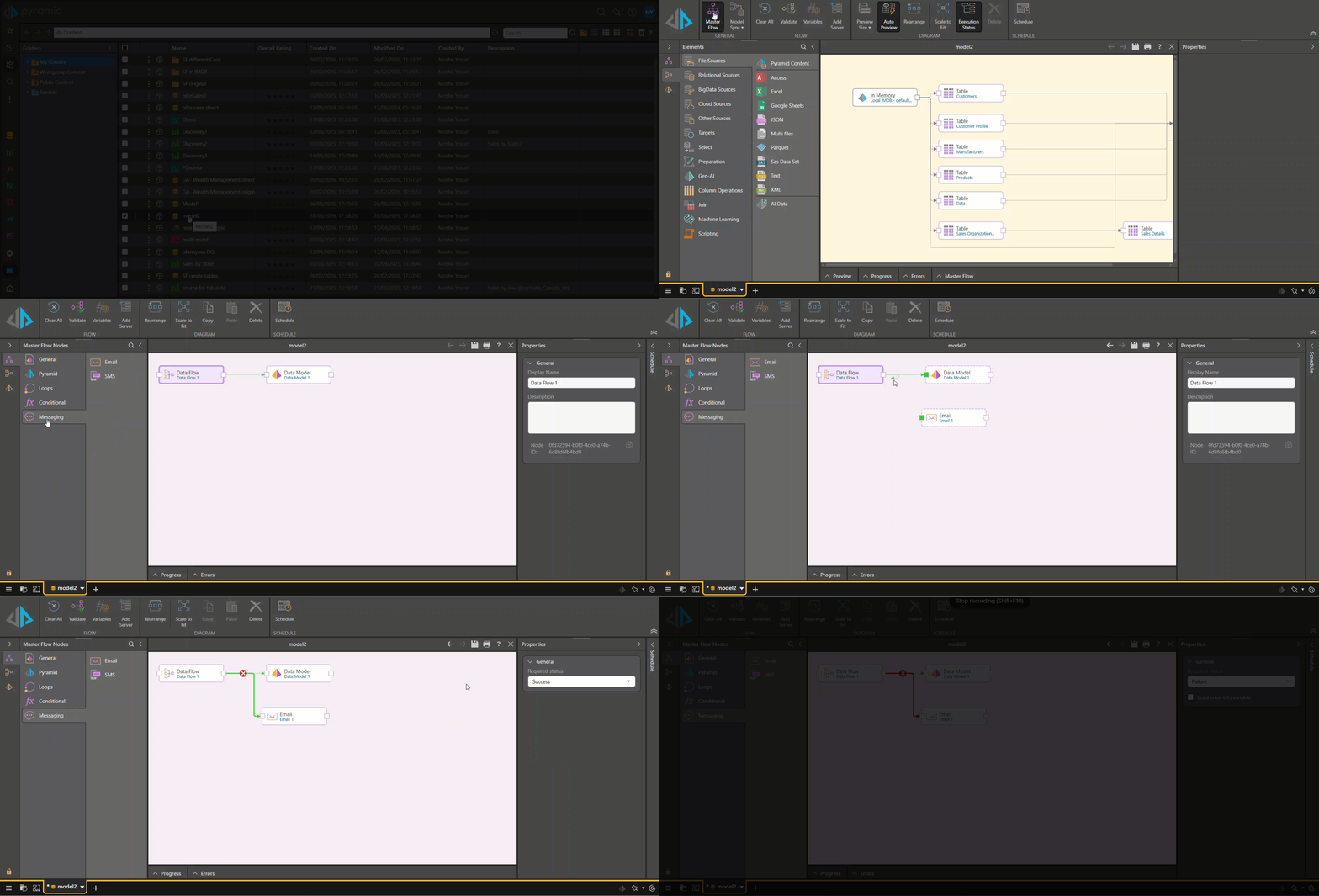
- Add the Messaging component — either email or SMS.
- Drag and drop the messaging component to the canvas.
- Drag an arrow from the data flow to the messaging component.
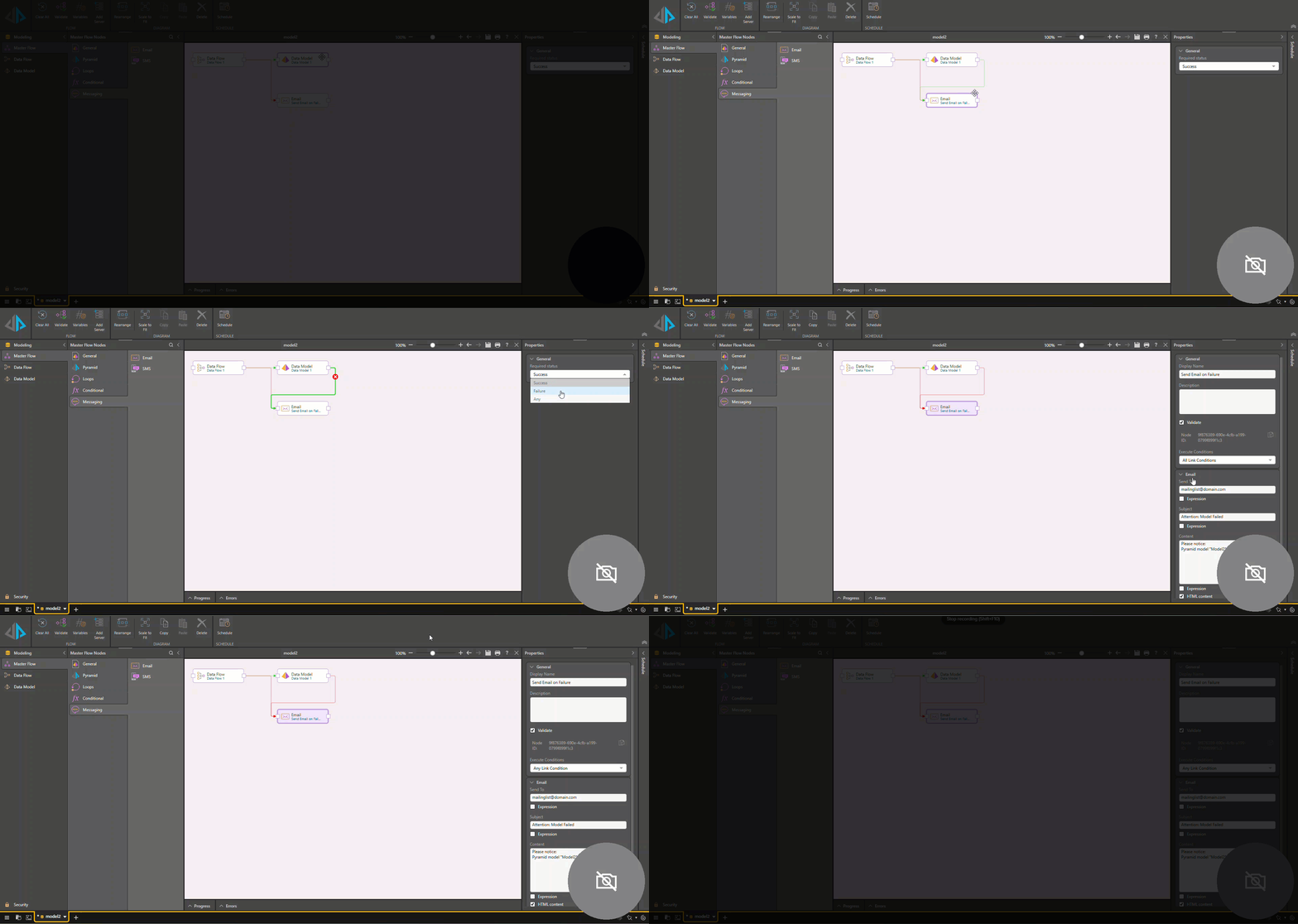
- Double-click the arrow and in the properties pane, choose Failure.
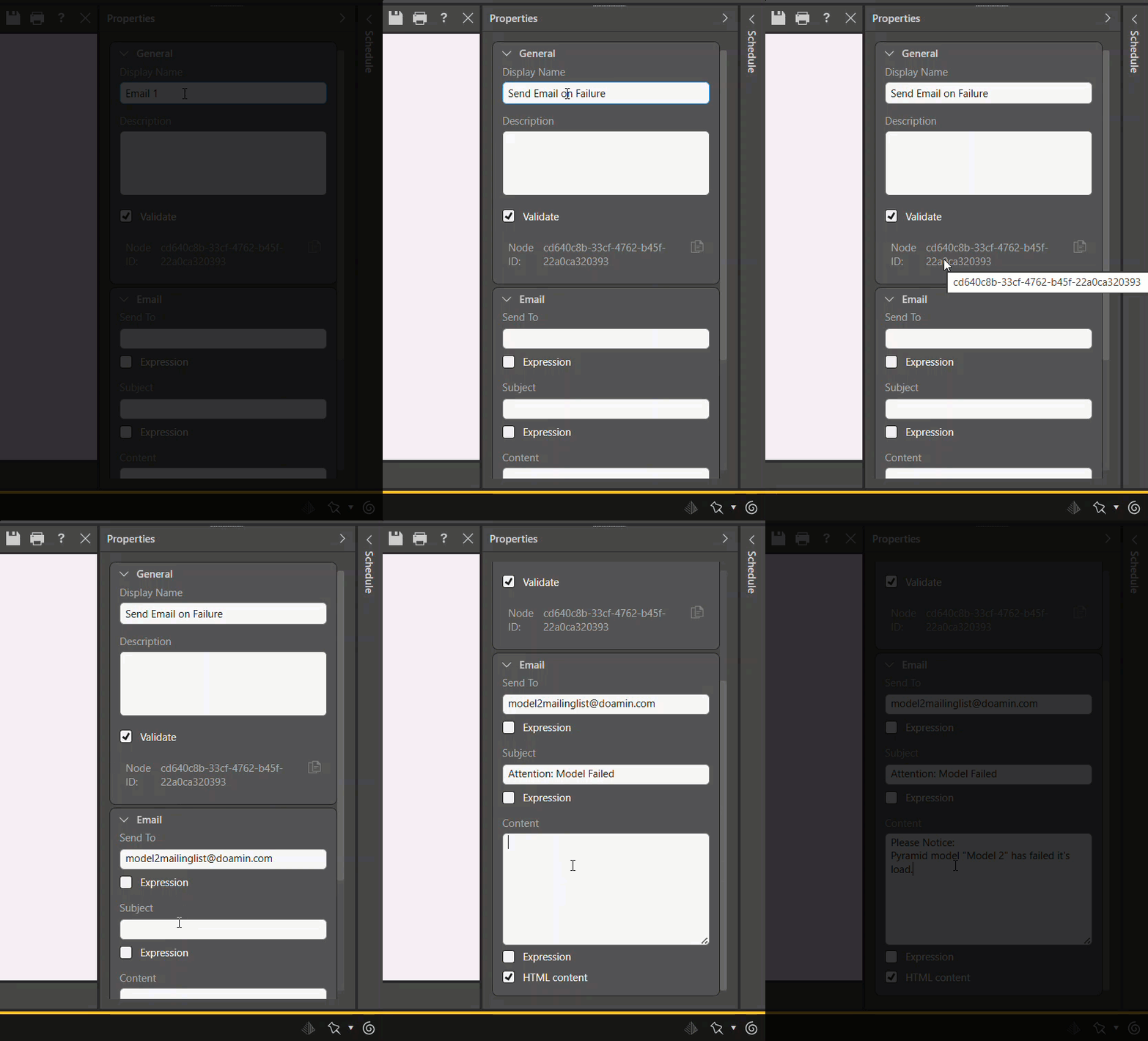
- Set up the Messaging component.
- Select the messaging component.
- In Properties, give the component a display name and fill in the recipients and the text message.
- Smart tip: for emails, use mailing lists rather than specific addresses.
Optional: Add a second route to the error message
In some cases you may have a number of nodes, and you would like a failure in any of them to result in an error notification.
- Connect the Data Model component to the messaging component.
- Click on the arrow and select Failure.
- In the messaging component, set Execute Conditions to Any Link Condition — so if either the data flow or the data model fail, the message will be sent.
Optional: Add as error after the email.
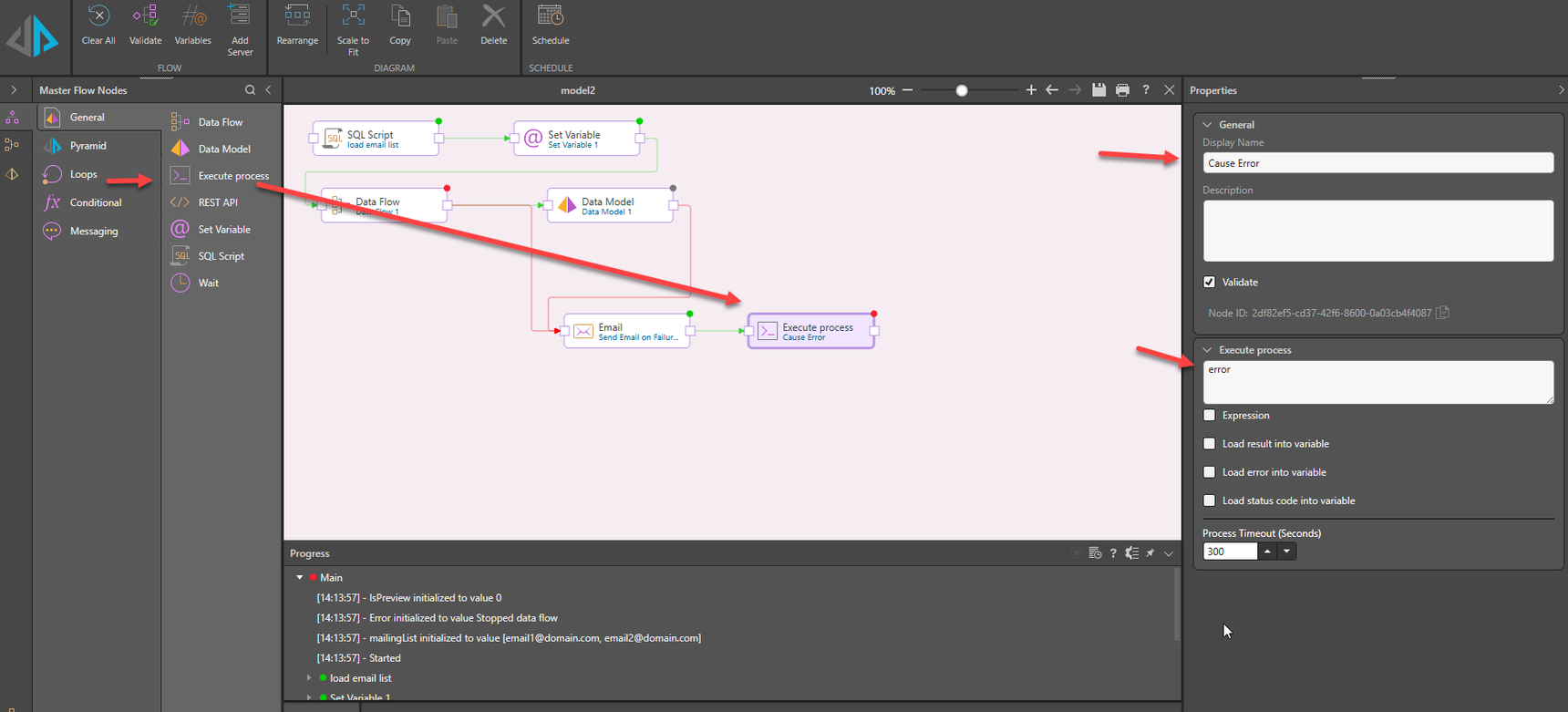
In the current flow, the data flow may fail, but because the email component will not – the execution will appear successful (the last component finished with no error). As a result, the execution log will not show any problem.
Therefore it’s recommended to add a component that will surely fail. A CMD component with an illegal command (something like
"error") is suitable for this:
Test it
- Double click on the data flow.
- Enter a new Calculated Column component into the data flow, and put in a calculation that will cause an error, for example: [string column]/3. It will fail because division expects a number, not a string.
- See the email being sent.
in conclusion
That's the foundation. With a messaging component connected to a failure trigger, you're no longer waiting for users to notice something is wrong. For more control over what those messages say and who receives them, continue to Advanced Messaging Options in Model Master Flow.
Reply
Content aside
- 3 Likes
- 3 mths agoLast active
- 238Views
- 1 Following