
"Model", one word and many meanings
When working with Pyramid Analytics we often mean different things when we refer to “Model” or “Data Model”.
In this post I will clarify the main distinctions between the different model terms.
In essence, there are four elements we could be referring to when using the term “Model”:
Model definitions
Data Model definitions
Materialized Data Model
ML (Machine Learning) Models
ML models are more elaborate in their makeup so I will not go into them in this post. If you have a conversation that includes ML, remember – they are also models and need distinction.
So, lets make Model definitions clearer:
1. Model Definitions
Model Definitions are the items in the Content Management System (represented by the yellow model icons) that are created when we “save” a model:
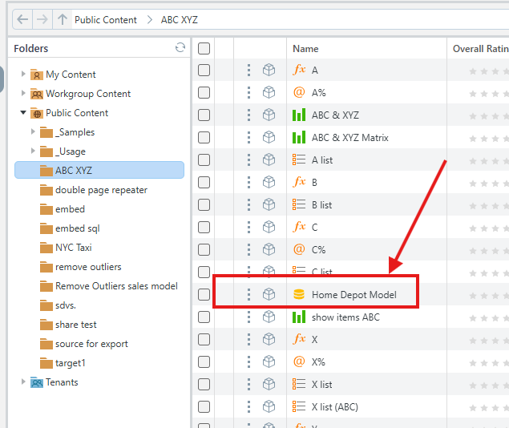
While we might refer to it as a “Model”, it is more accurate to describe it as a Process Automation Directives File.
Model Definitions can store a multitude of actions: Execute data flows, make API calls, execute command lines, send messages, execute scripts and many other tasks, even running loop sequences.
The main usage of Model Definitions is to handle data preparation and define the Semantic Model, upon which the Data Model will be queried.
By default, Model Definitions opens with a Data Flow, where data preparation can be managed, but you can elect to show the Master Flow page and have the ability to add tasks and sequences as needed:
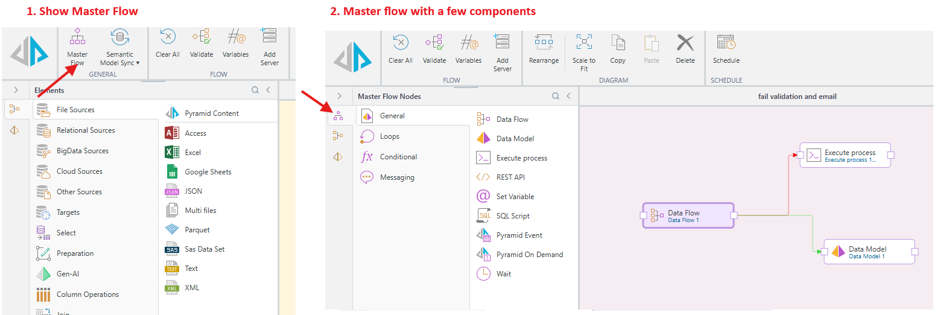
Think of this as the framework and instructions for how data should be processed and modelled.
(It is important to note that you could use Model Definitions just to execute tasks without processing Data Models at all.)
2. Data Model
This is the Logical/Semantic Layer.
It is part of the Model Definitions; you can see it once you click the Data Model icon:
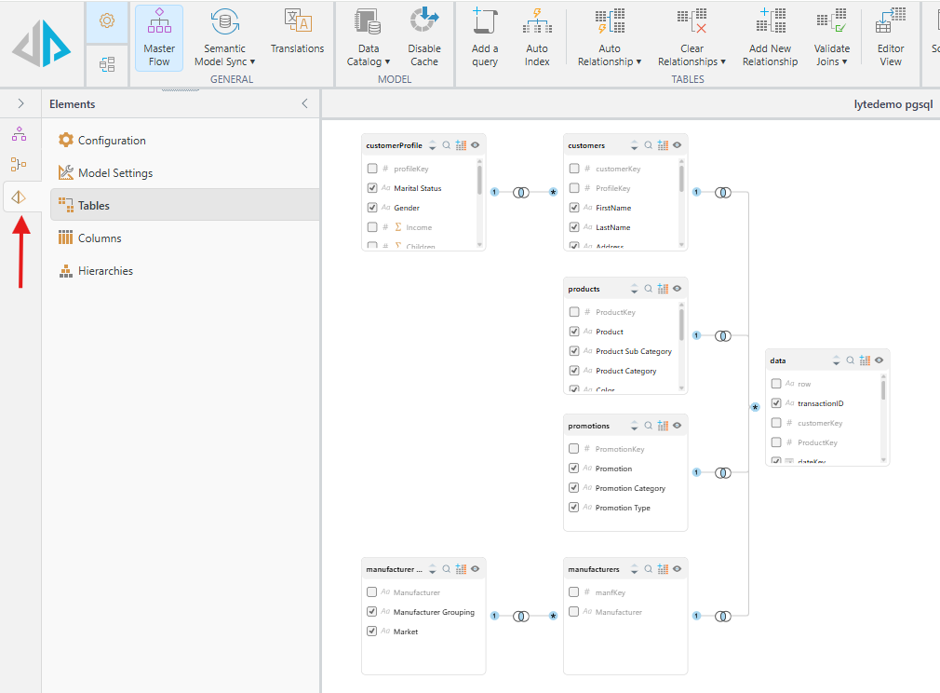
Data Model defines the following:
- Relationships (Joins)
- Measures (aggregations - usually the numeric values)
- Dimensions (columns, the elements we measure)
- Business logic (descriptions, translations, terminology)
Data Models themselves are just the blueprint for a Data Model, you cannot use them to generate discovers and queries. This can only happen once we Materialize the Model.
3. Materialized Data Models
This is the executed (processed), query-ready version of a model. This what can be managed within Pyramid.
Materialized Data Models can be found in the Admin Console Settings, under Data Source Management:
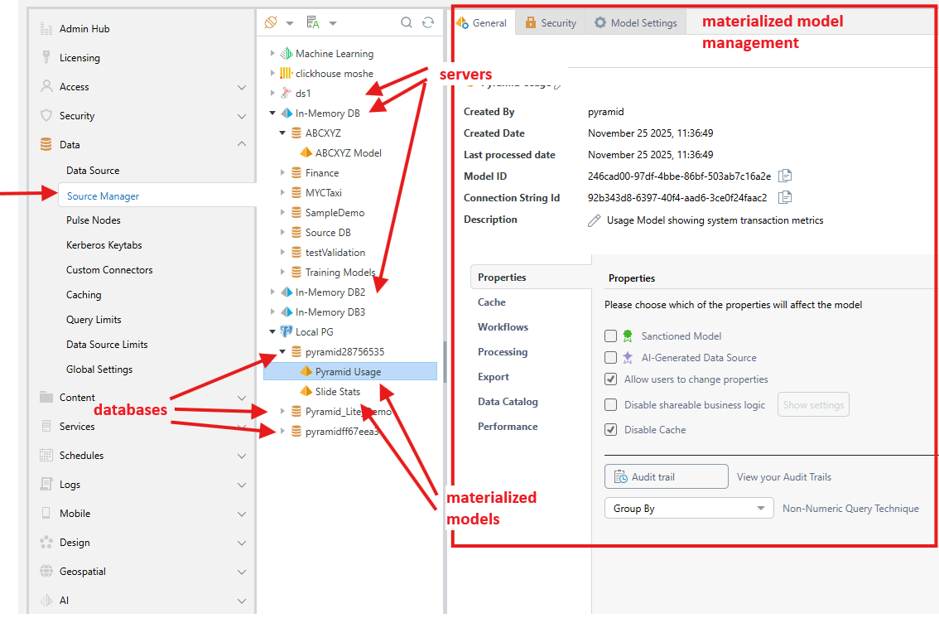
A Materialized Model is created or refreshed when we execute a Model Definitions that has a Data Model defined within it.
When we create a Discover or a Formulate in Pyramid – we are always referencing a single Materialized Model (which is shown on the top with the full path – server\database\model).
In the admin console you can manage permissions, row level security and overlays for the model.
In short:
Model Definitions → data preparation and orchestration.
Data Models → logic and semantics
Materialized Models → persist, make accessible, manage permissions
Special thanks to for helping me with this post :-)
1 reply
-
Thank you for writing this and very helpful!
Content aside
- 6 Likes
- 3 mths agoLast active
- 1Replies
- 624Views
- 2 Following