
Advanced Messaging options in Pyramid Analytics
he Master Flow allows you to send emails and SMS messages, As we've seen before with sending emails upon failures.
You would probably want to send emails that are informative, well formatted and contain dynamic text that is created on the fly.
You might also want the mailing list to be dynamic, perhaps loaded from a table in your database.
To do that, we use different components in the master flow, such as variables and PQL editors.
The examples in this guide will continue from where we left off in the previous guide (sending messages upon failure), however the techniques can be used more broadly.
Notice: For Pyramid to send email and/or SMS notifications, the message settings must first be configured in the Admin Console.
Notice: Master Flow emails have a default template that is selected and designed in Email Templates
Dynamic Text in the email
You can use PQL functions to create a dynamic message that will include the time of failure.
In Master Flow, select the Messaging component.
In the Properties pane, under content, check the expression checkbox.
Now click the PQL editor, And insert the following formula:
Bold("Please Notice") /*Bold text*/
+ LineBreak() + /*new line in the text*/
"Pyramid model ""Model2"" has failed to execute on " /*Change “model 2” to the correct model name*/
+ DateFormat(datetime(),"yyyy-MM-dd HH:mm:ss") /*Format the current Timestamp*/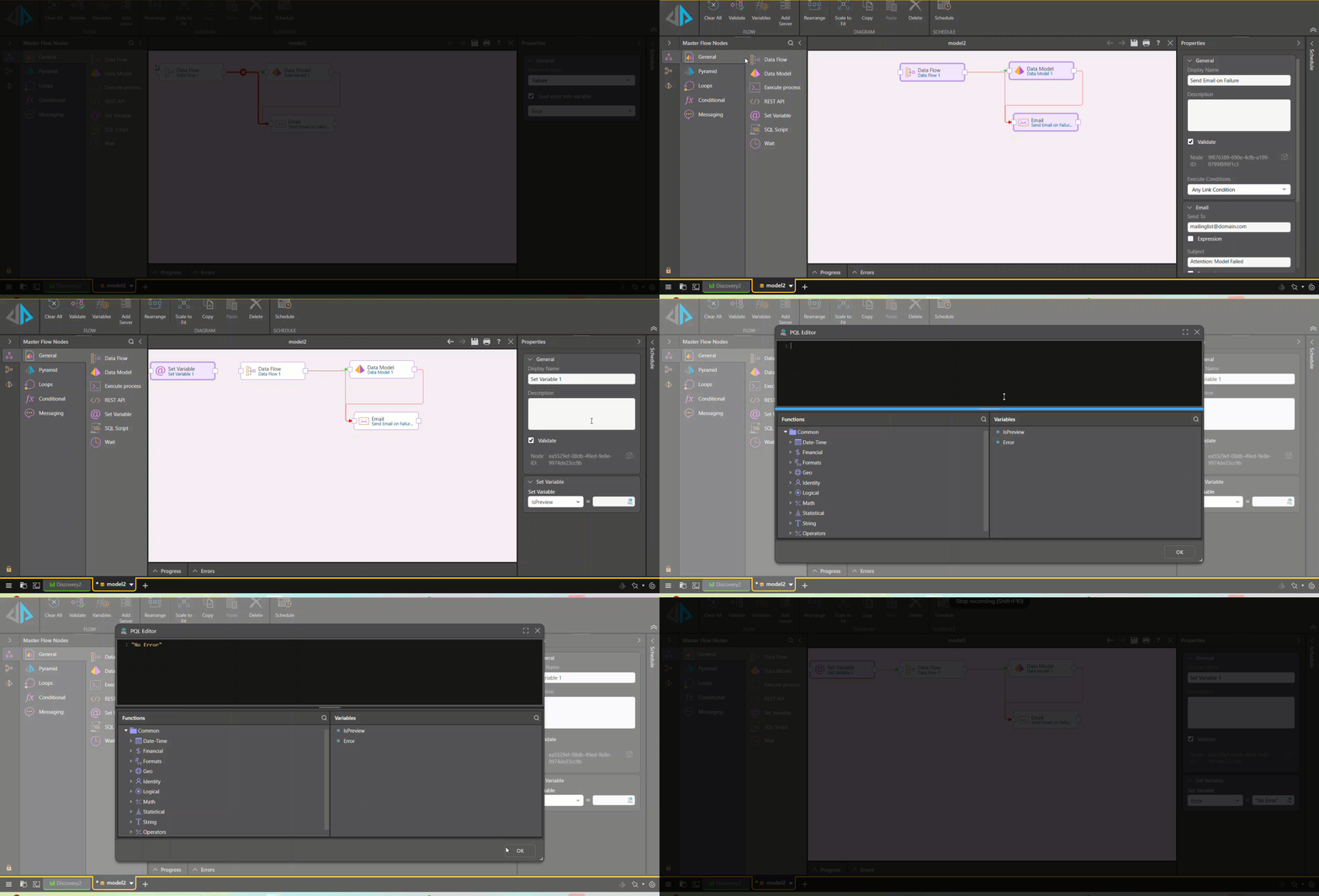
Add the error message to the e-mail:
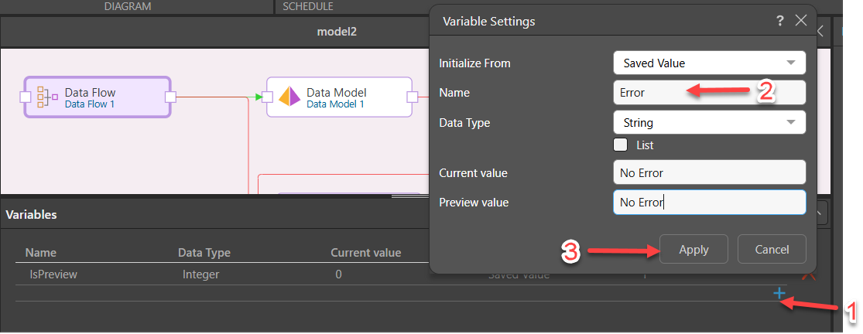
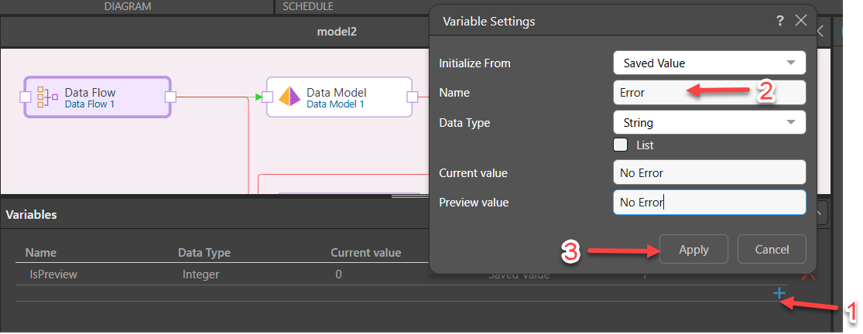
In the Master Flow top menu, click on Variables:

Create a new string variable, name it Error, give it default values and click apply:
Click on the red arrow between the data flow and the messaging component.
Check the “Load Error into variable” checkbox.
Make sure the Error variable is chosen:
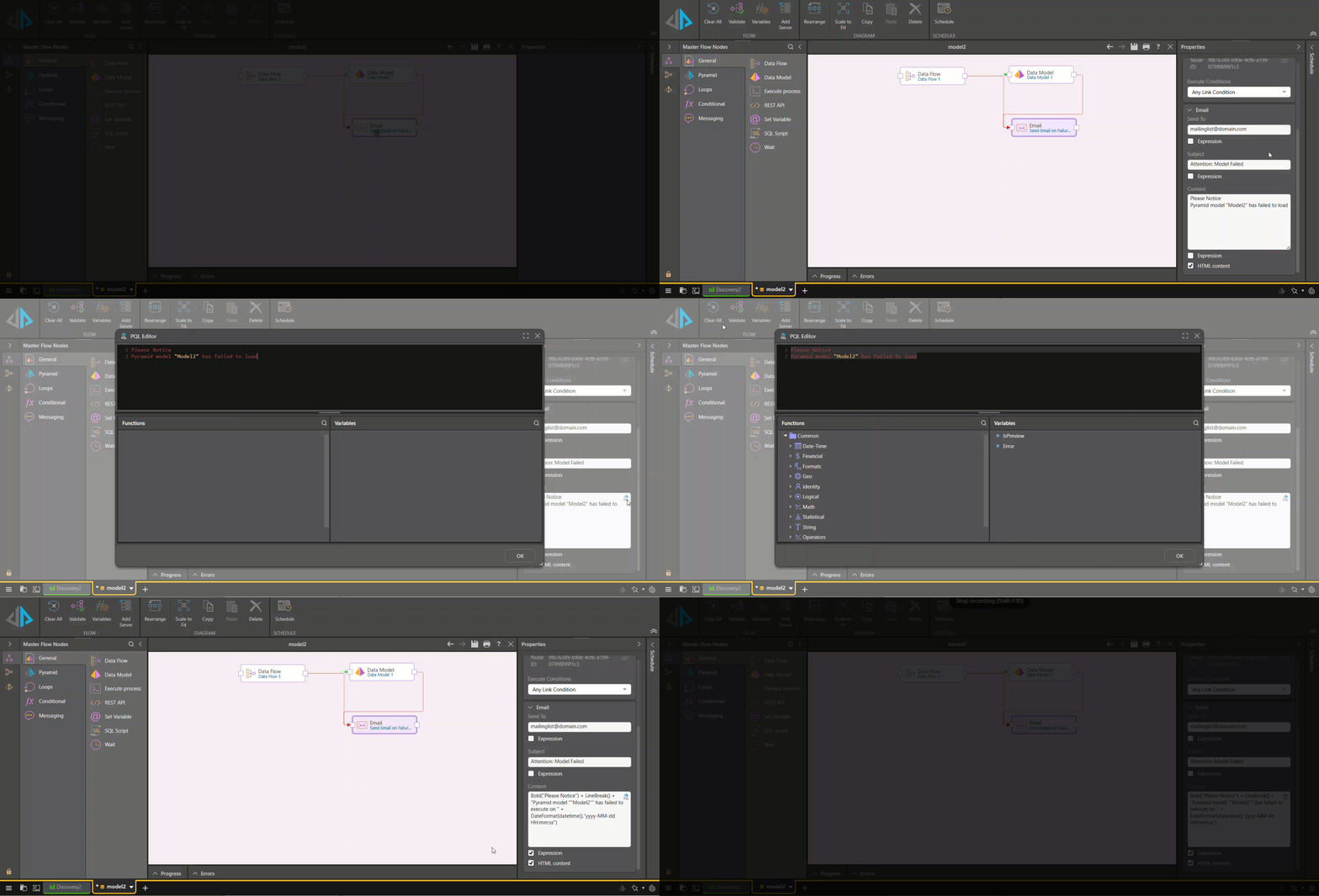
Variable values are persisted between executions, so we need to make sure the initial value for the Error variable is “No Error”
From the General menu on the left, drag a Set Variable component.
On the Properties pane, select the Error variable.
Click on the PQL editor button, enter “No Error” into the formula, and click ok.
- Connect the Set Variable to the Data Flow:
- In the Messaging component change the formula as following:
Bold("Please Notice") + LineBreak() +
"Pyramid model ""Model2"" has failed to execute on " + DateFormat(datetime(),"yyyy-MM-dd HH:mm:ss")
+ LineBreak()
+ "The error message received is: "
+ LineBreak() + @Error
Test it:
- Double click on the data flow.
- Enter a new Calculated Column component into the data flow, and put in a calculation that will cause an error, for example: [string column]/3. It will fail because division expects a number, not a string.
- See the email being sent.
Load the Email Addresses From a Database
You may not have mailing list for every model in your mail server, and instead you want to load addresses directly from a data base – that can also be done:
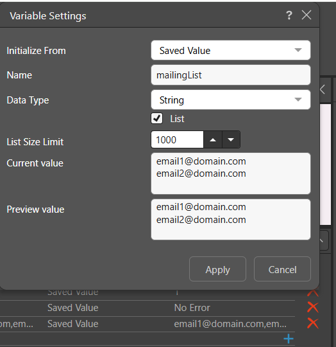
- Create a new list variable of data type string, call it mailingList, enter default values:
- From the General menu, drag and drop a SQL Script component
- Change the display name to “load email list”
- Write a script that will return the relevant email addresses
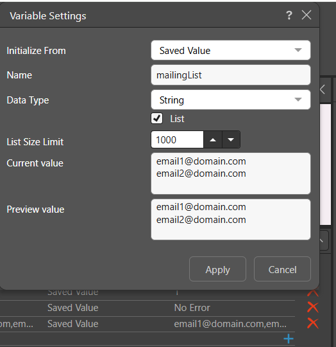
- Check the “Load Results into variables” box, and map the SQL output to the mailingList variable:
- Add a connector from the SQL script to the rest for the master flow.
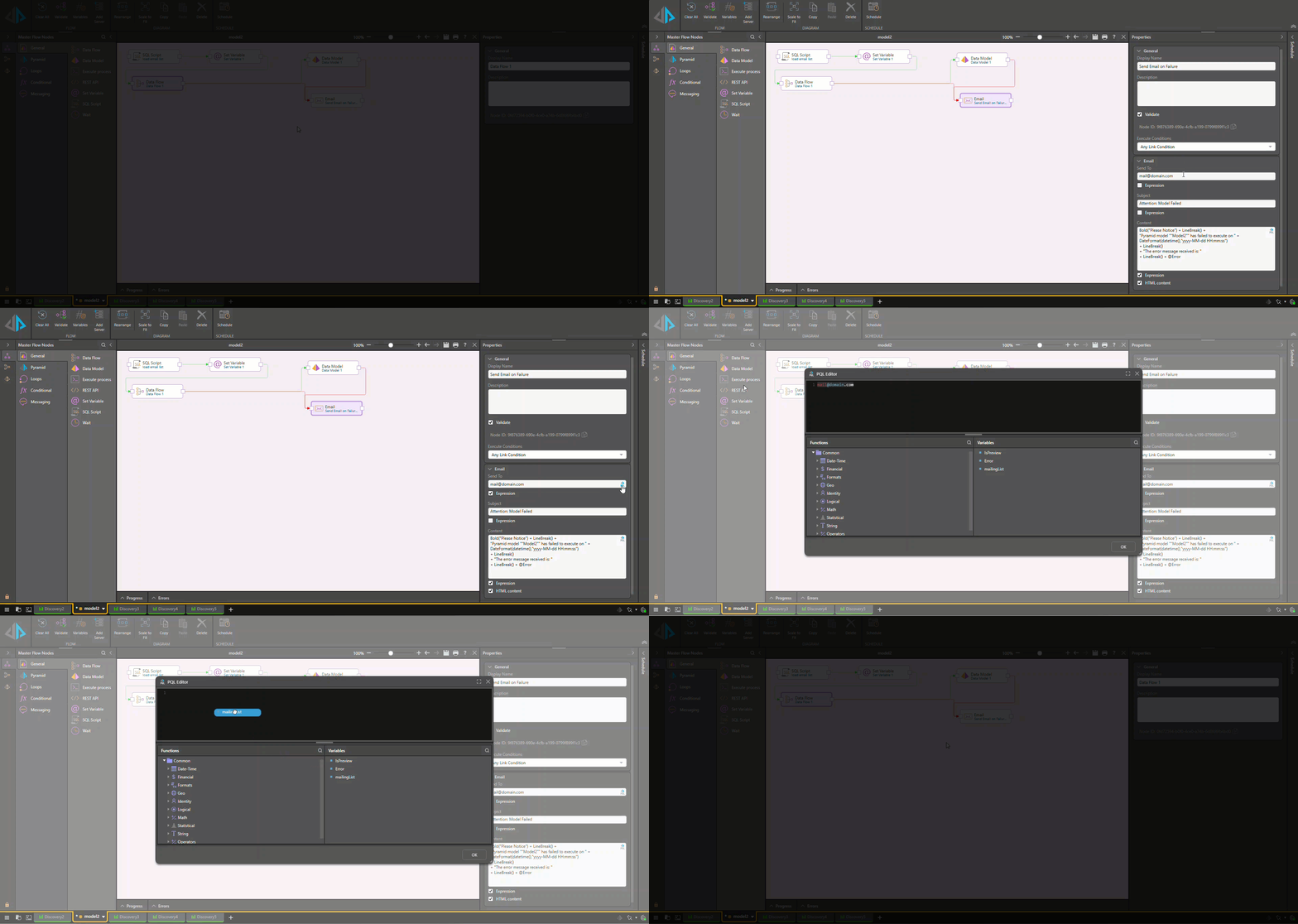
- In the Email Component under “Send To” check the Expression checkbox, open the QPL Editor, double click on the mailingList variable, and click OK.
In Conclusion:
With dynamic text, error variables, and database-driven mailing lists, your failure notifications become a reliable part of your data pipeline — not an afterthought. Both techniques covered in this series feed directly into the broader framework in [Owning Trust: Detecting, Communicating, and Owning Data Problems in Pyramid].
Reply
Content aside
- 4 Likes
- 3 mths agoLast active
- 326Views
- 2 Following