
Need Help Creating Dynamic Previous Month Sales, Current Month Sales & Growth % in Pivot
Hi Team,
I need help creating Previous Month Sales, Current Month Sales, and Growth % in a Pivot.
I have:
A Sales column
A Sales Date column in
yyyy-MM-ddformat
Initially, I created a custom Month column, and the calculation was working correctly. However, when I tried using the actual Sales Date column directly, it stopped working.
I have already tried using Lag() and the Previous option, but it is still not giving the expected result.
My requirement in the Pivot is:
1st Column = Previous Month Sales
2nd Column = Current Month Sales
3rd Column = Growth %
Also, I need the values to be dynamic according to the Sales Date filter selection.
The Sales Date will be used in the filter.
Could someone please suggest the correct way to achieve?
Thank you!
1 reply
-
Hi
Create a Model Parameter using all the dates in your Date dimension:
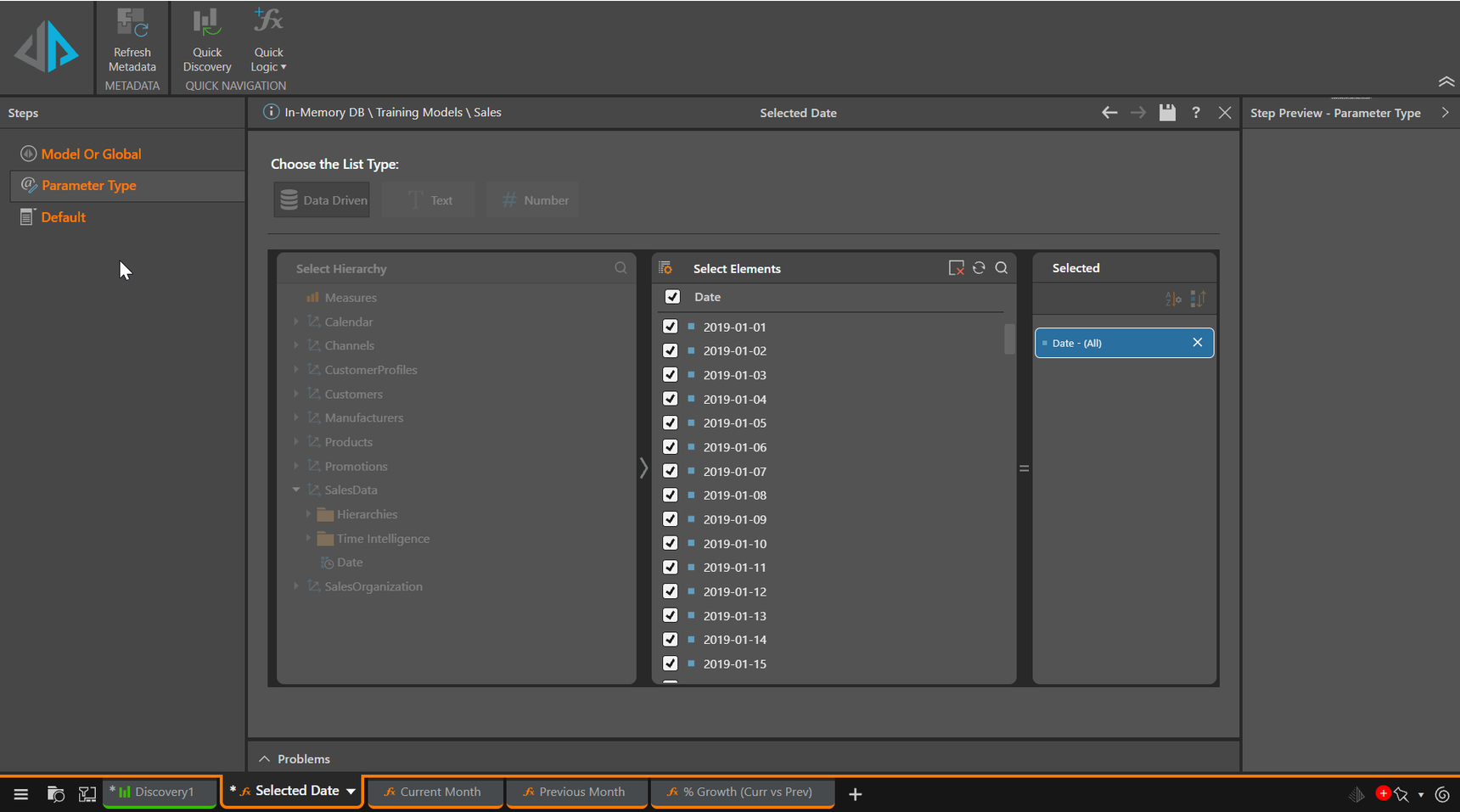
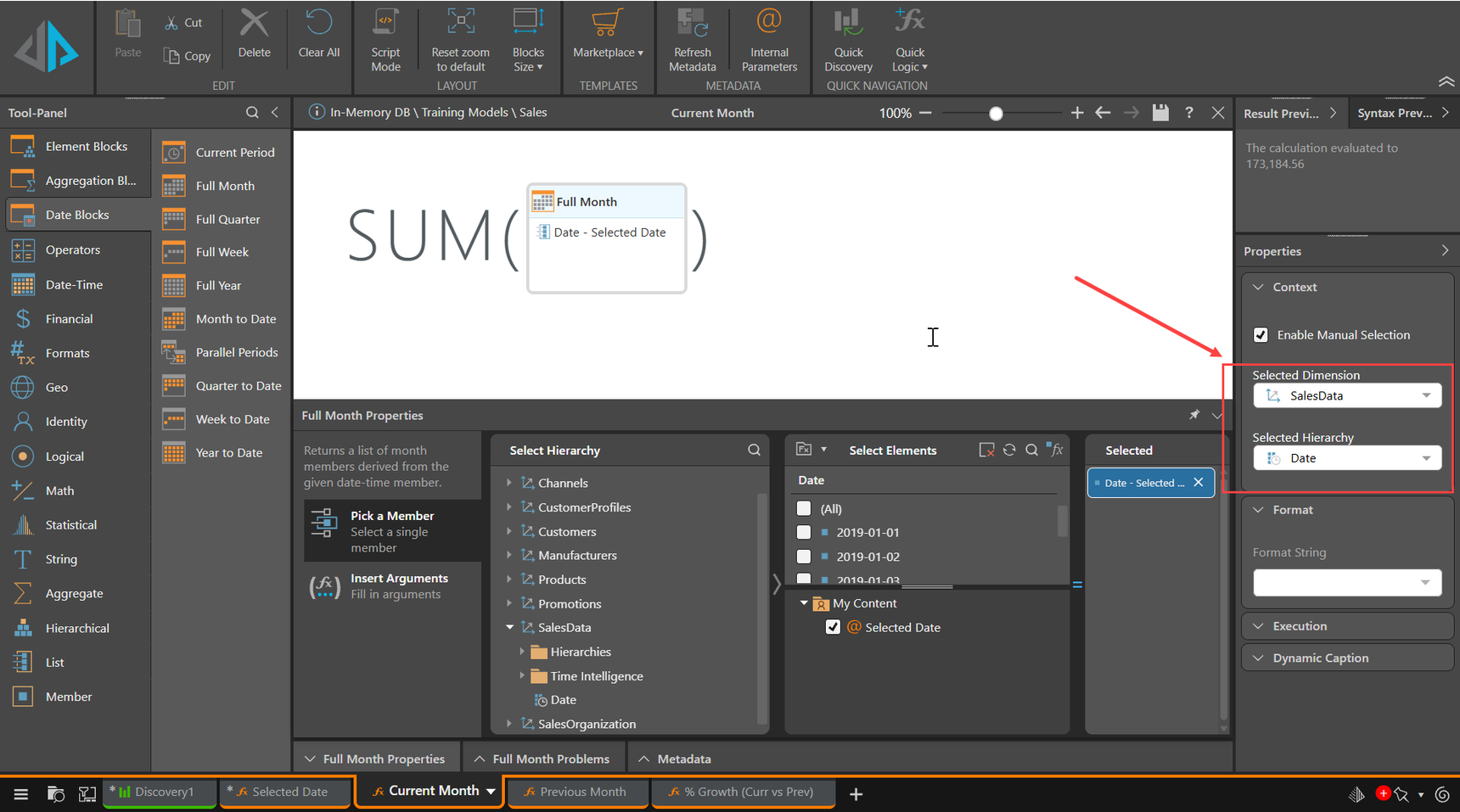
Sum all the Dates in the month using the Date Parameter to give the Current Month. Note that we're not specifying the Measure (Sales) and we're saving that Calculation into the Date dimension. This allows us to use any Measure at run time to show the current month value. Put Dates on the Columns and select the Current Month member we've just built. Select the Measure to use (sales). the Parameter will be brought in automatically as it defines the new member:
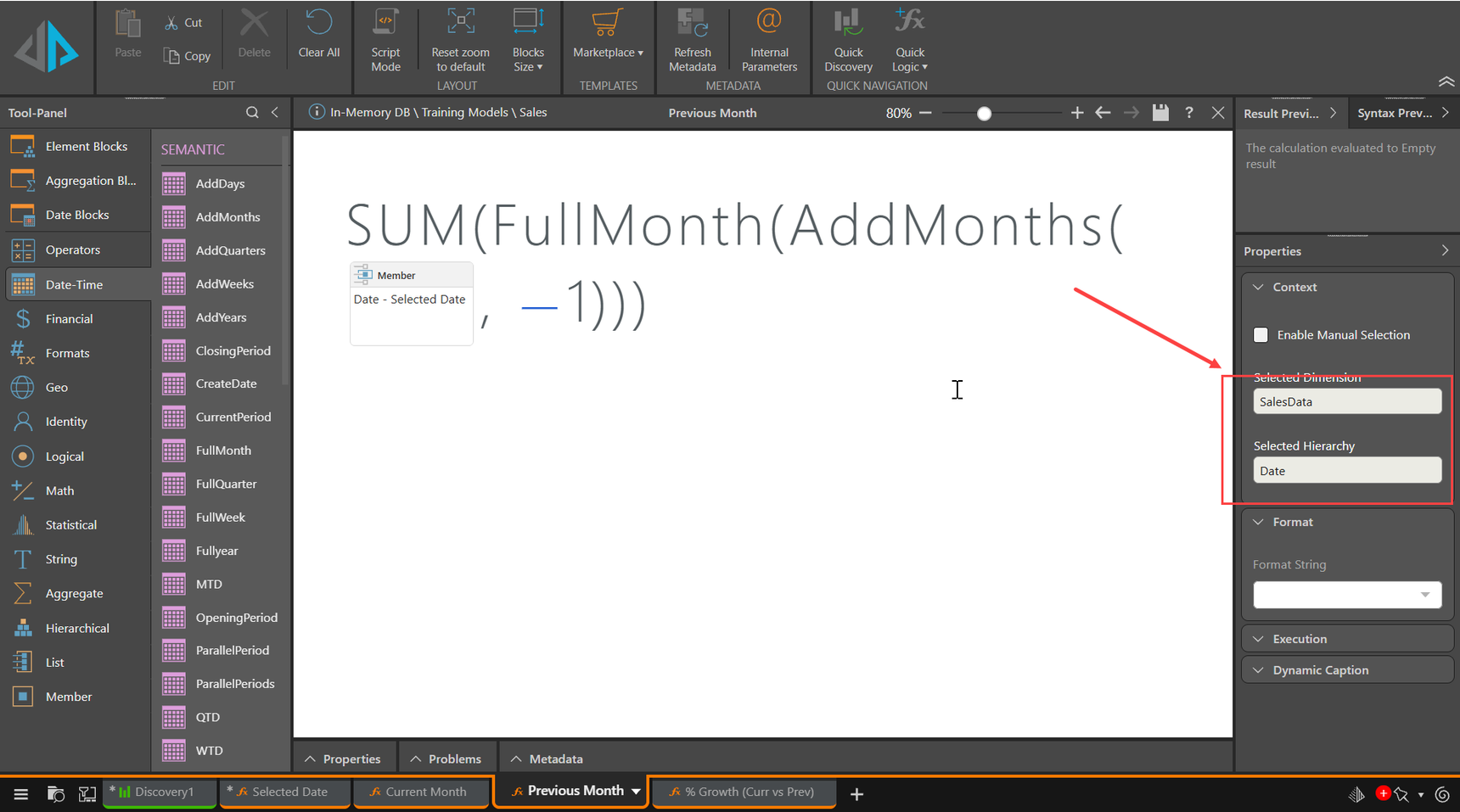
Create the Previous Month by using AddMonths with a value of -1 on the Parameter, then Sum the FullMonth:
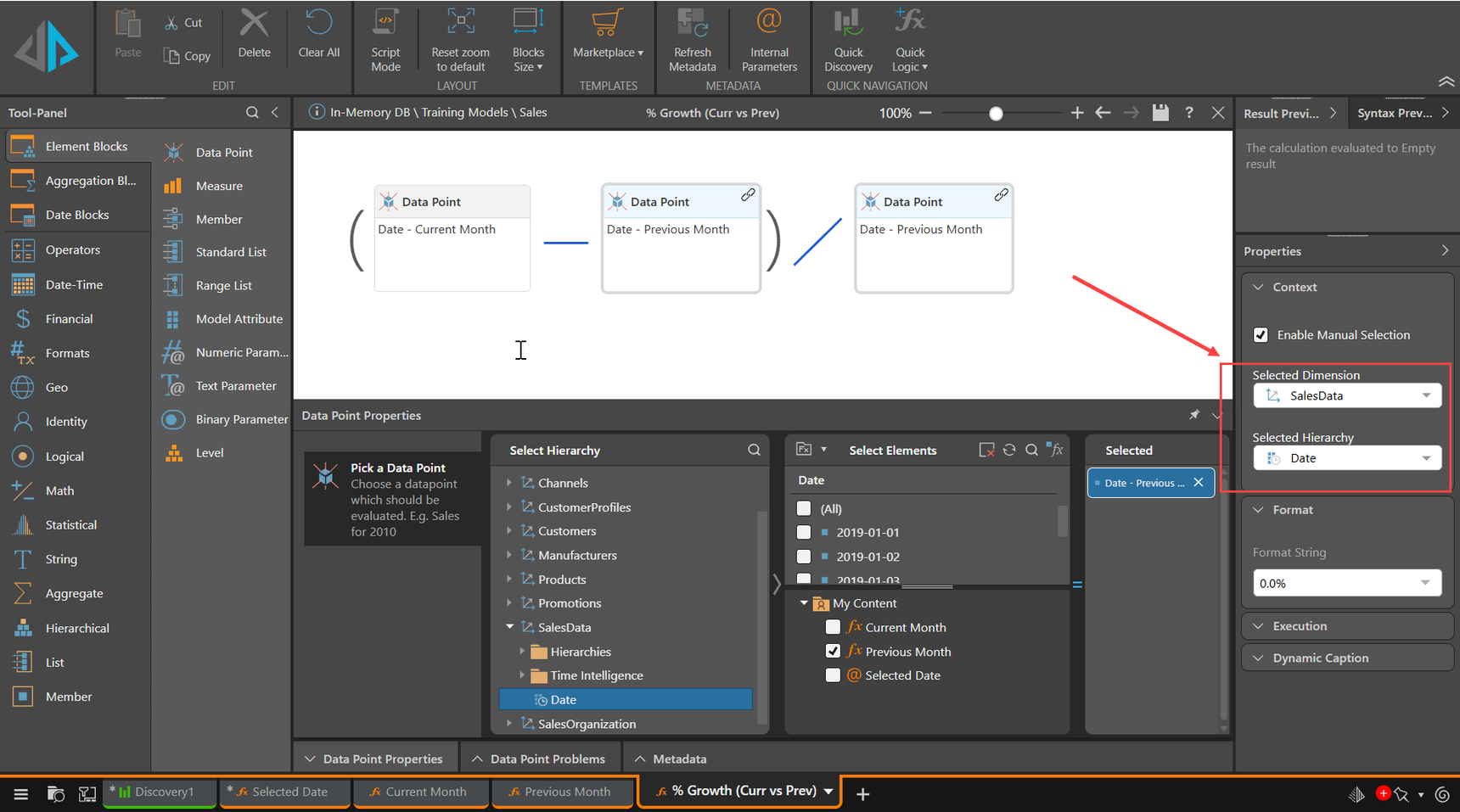
Create the % Growth using Current and Previous Month:
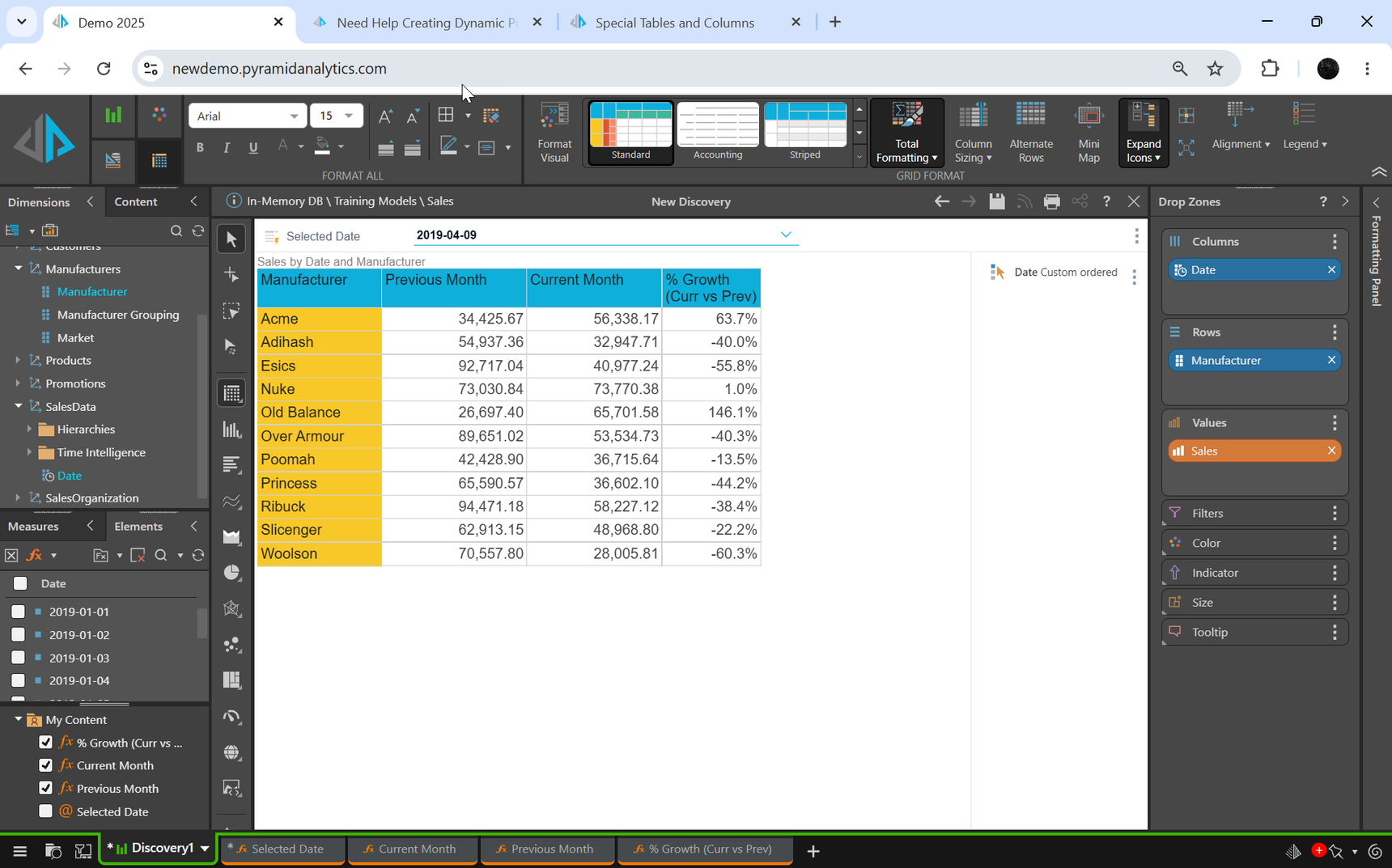
And there you go, selecting a date in April 2019:
And in May 2019:
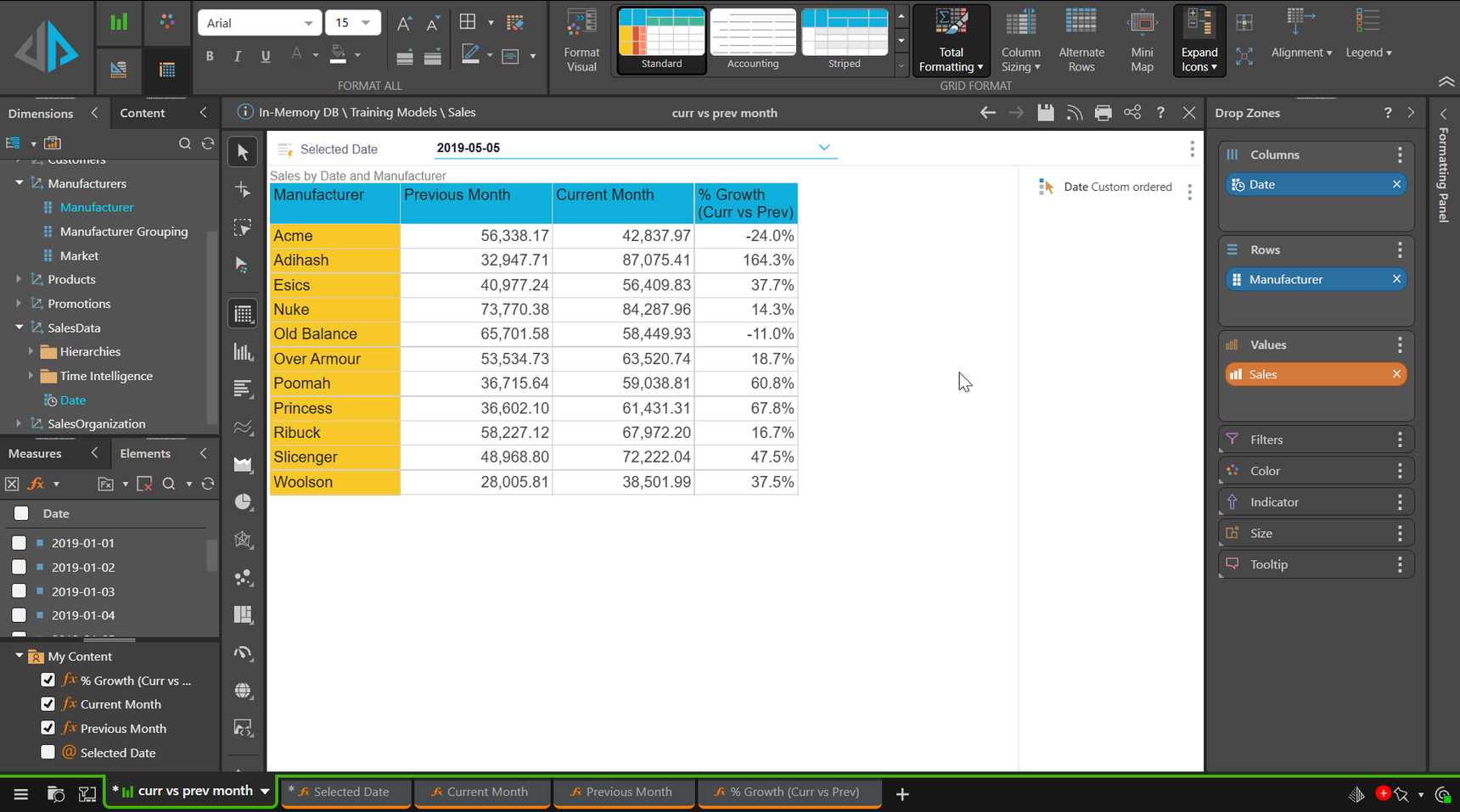
I've used Custom Order on the calculated Date Members to produce the columns in a sensible order.
You could enhance this by using the custom caption option on the calculated members to reflect the selected month name derived from the Date.
Another option would be to use the MTD function to give the months to date monthly values for the selected date, rather than the full month, but that depends on what you need.
Hope that helps.
Ian