
Sorting a measure using N-of-N
How do I sort the 2025 sales highest sales to lowest sales while keeping the subcategories unchanged. i want to sort them winin each subcategory.
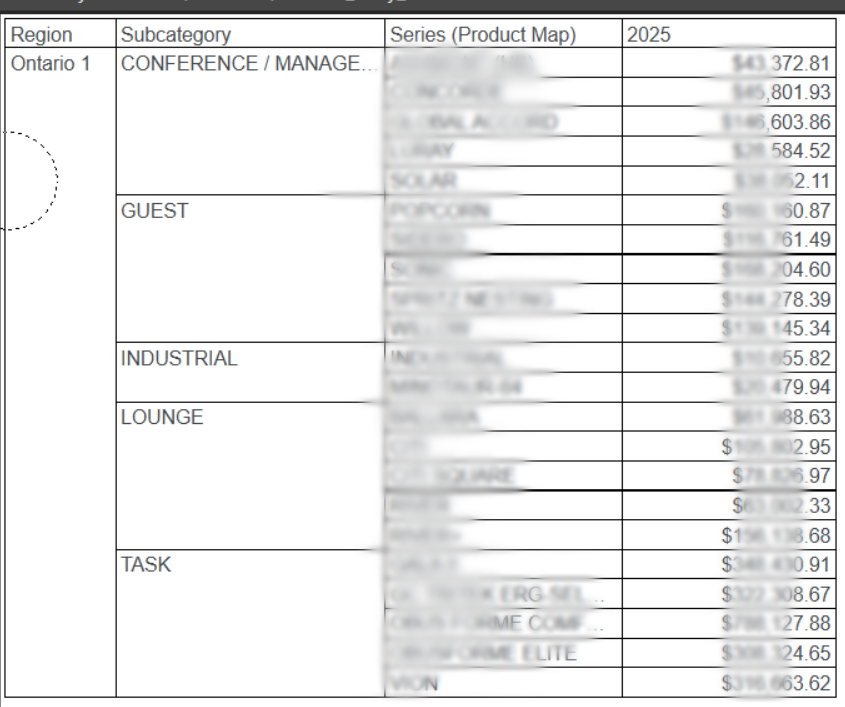
2 replies
-
Hi
One needs to be careful with nomenclature here. Do you mean sorting within the product subcategories, or do you want to sort within the subcategories but also sort the subcategories as well? Latter is strictly called N of N, e.g. the top 5 products within the top 5 subcategories. The former is not N of N as we're not sorting the subcategories by their totals.
From what you said, you want the subcategories to remain the same, from which I take it you want them to retain their natural (A-Z) order.
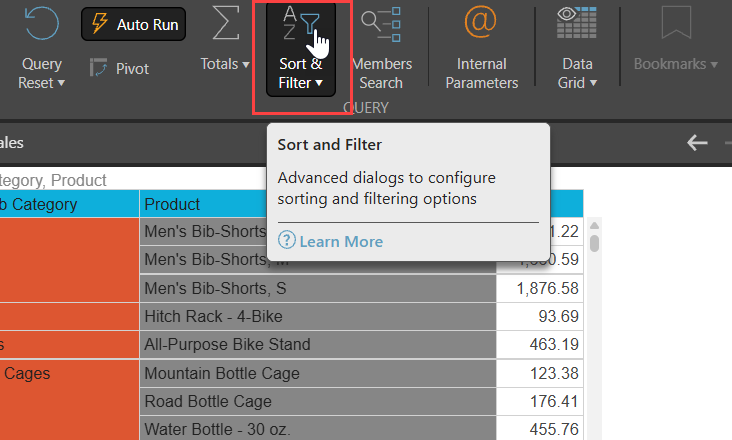
To sort within nested hierarchies, you need to preserve (i.e. not break) them. Click on the Sort button in the menu and select Sort:
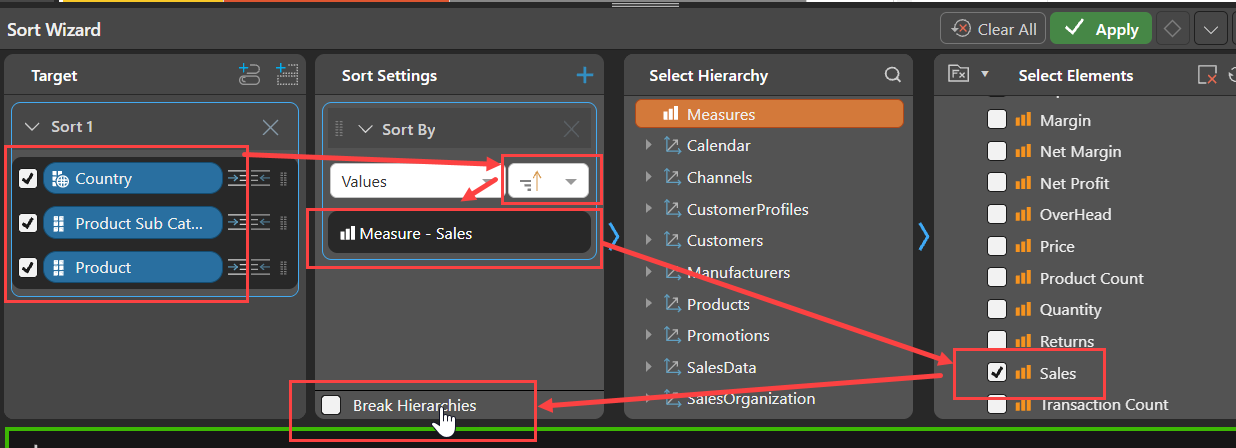
Check all the hierarchy chips in the order in which they appear, set the sort to be descending, choose the Measure to sort by and then the important bit, uncheck the "Break Hierarchies" check box.
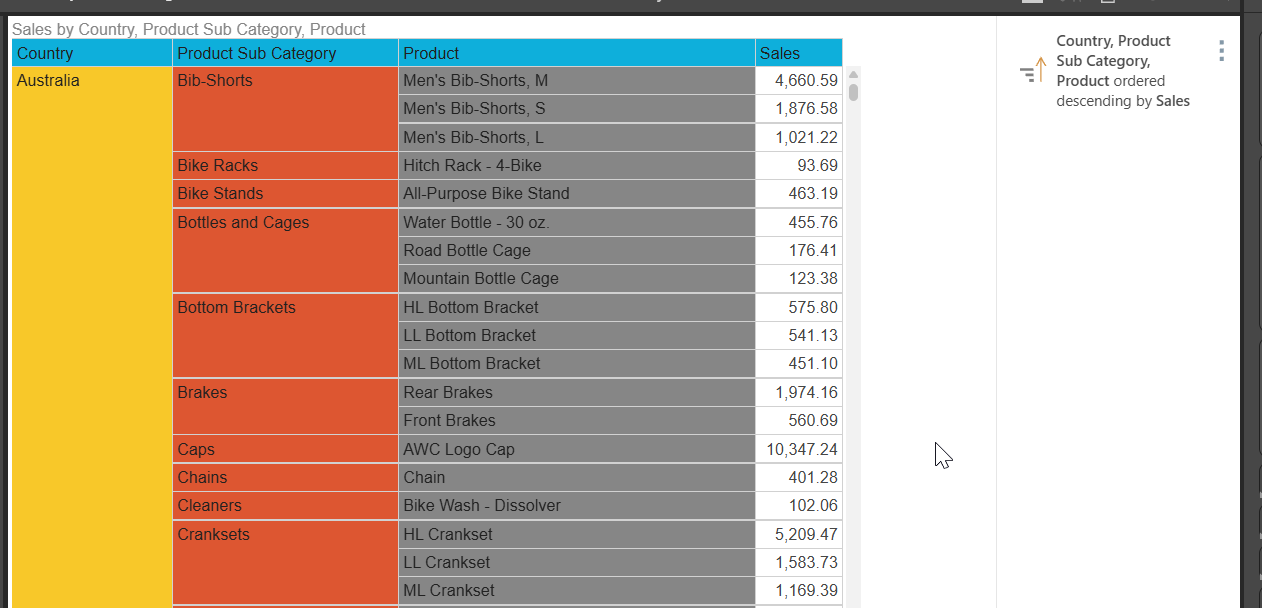
Hit Apply and you should see the result you want:
If you do want to do a true N of N, there is a special operation to do that using the N of N button on the query ribbon.

See Help for further information on N of N.
Hope that helps.
Ian
-
Thanks