
How to Show Multiple Grand Totals without Repeating Measure Under Each Column
I want to show the current sales values per day for the current month with the grand total to the left. As show below. This is easy enough.

However I want to add two extra (in yellow) grand total columns that do not repeat for each date.
First column added as a new Grand Total is the total budget value for current month, the second column is the previous years MTD value. Is this possible to add extra grand total column without them repeating the values under each date.
2 replies
-
Hi
The trick here is make sure that your calculated totals are placed in the Date dimension, rather than the Measure dimension and specify the Measure to be used.
Here's the YTD value for Returns. I've chosen the current Date explicitly here, but that could be set by todays' date (Today()), or a parameter.

and MTD Last Year for Quantity:
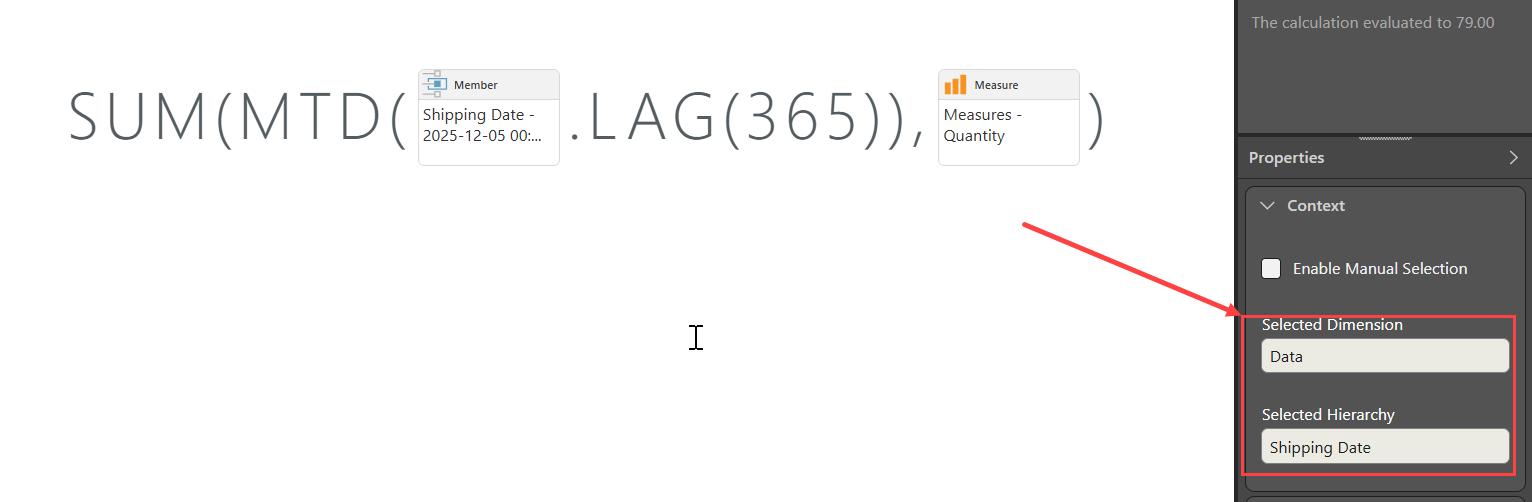
Note that the calculation is saved into the Date dimension.
Add the calculations to the query and then use the Custom Order --> Set element Order dialogue to place them where you need them to be.


Hope that helps.
Ian
-
Your example help a lot. I forgot to say this was from a OLAP source, however your examples helped steer me in the right direction.
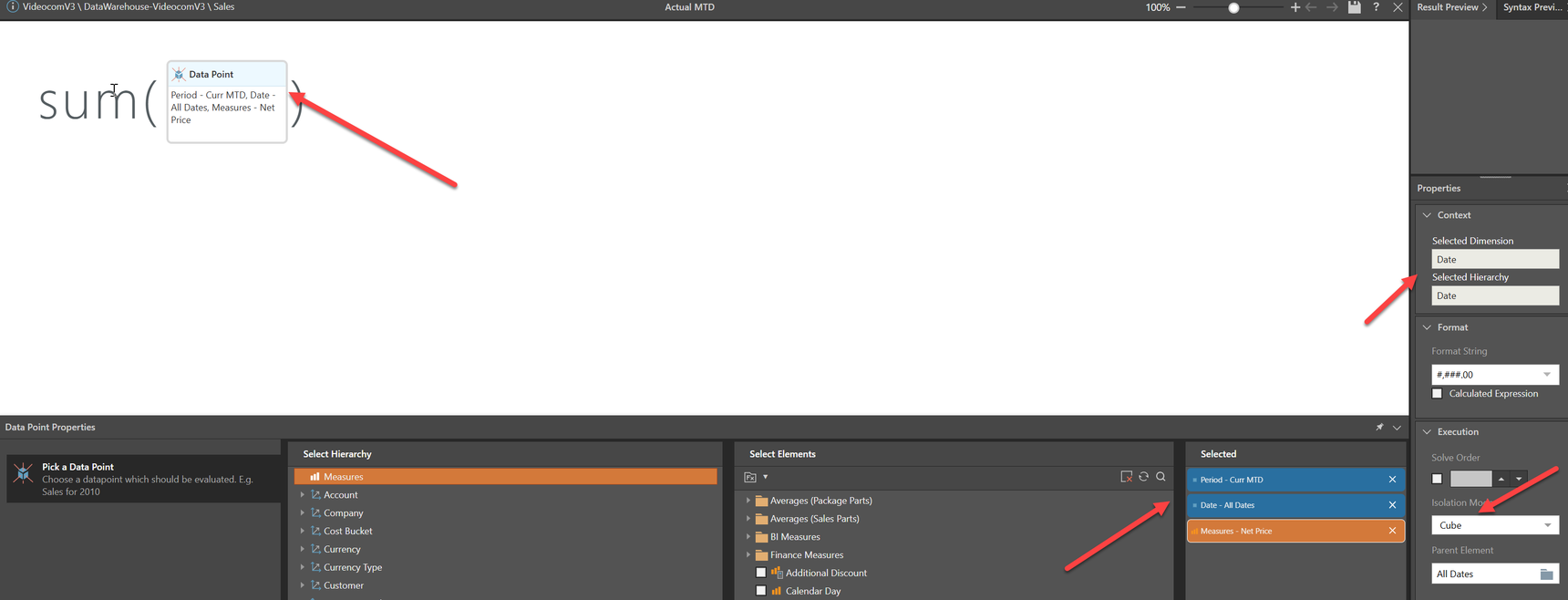
using your example i created Three New Fields Prev Year MTD, Current Year MTD and RF3 MTD from the Date field. Then sorted correctly exactly as i wanted!
Many thanks Ian
