
Hidden Tables Delete Relationships. Is this a bug or a feature?
Hello PA Team,
I’ve found that hiding tables in the data model causes their relationships to disappear. This may break existing content (reports, dashboards) that depend on those connections.
Details:
Example: using the "Training Models" database from "In-Memory".
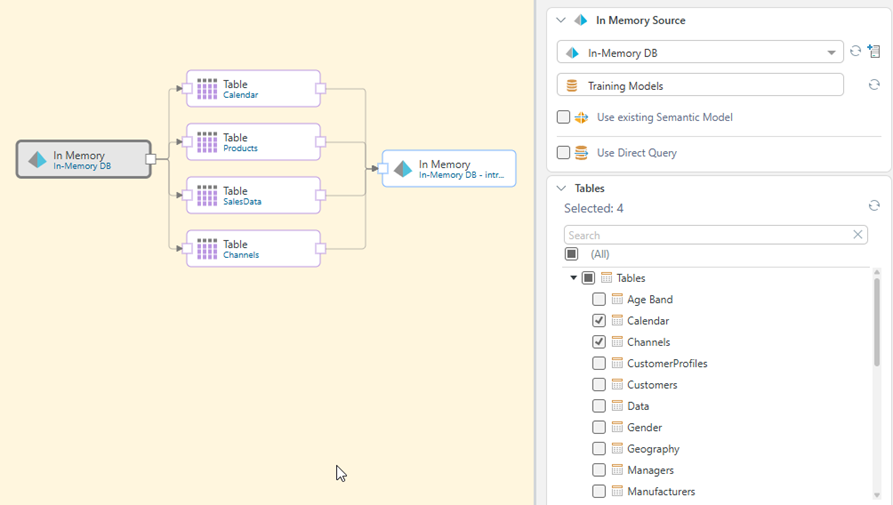
Added tables.
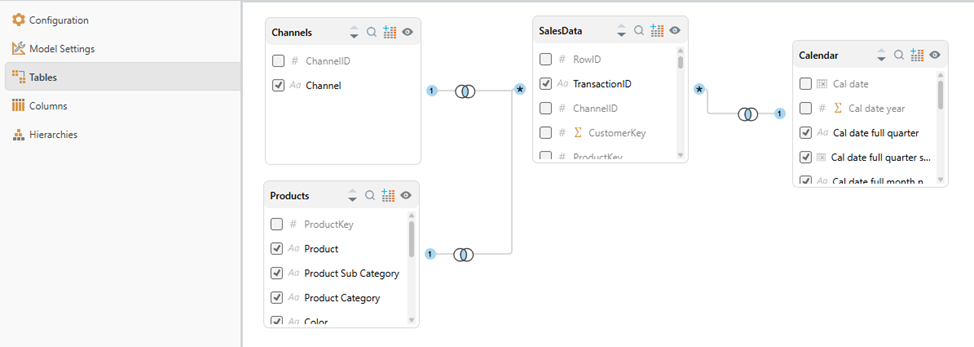
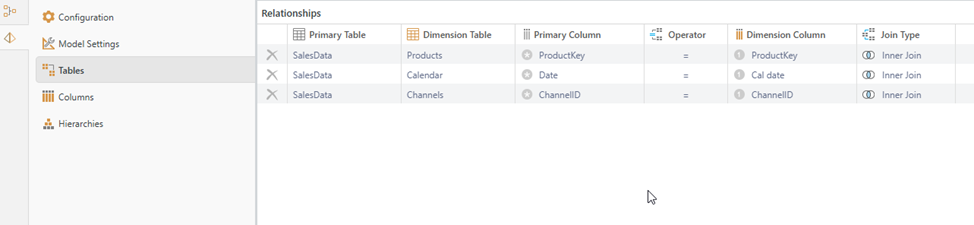
Set up relationships.
Created a discovery.
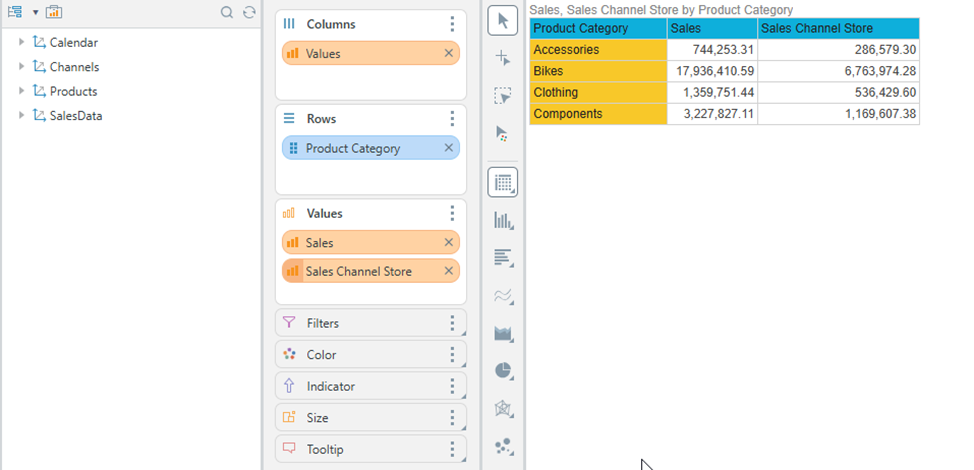
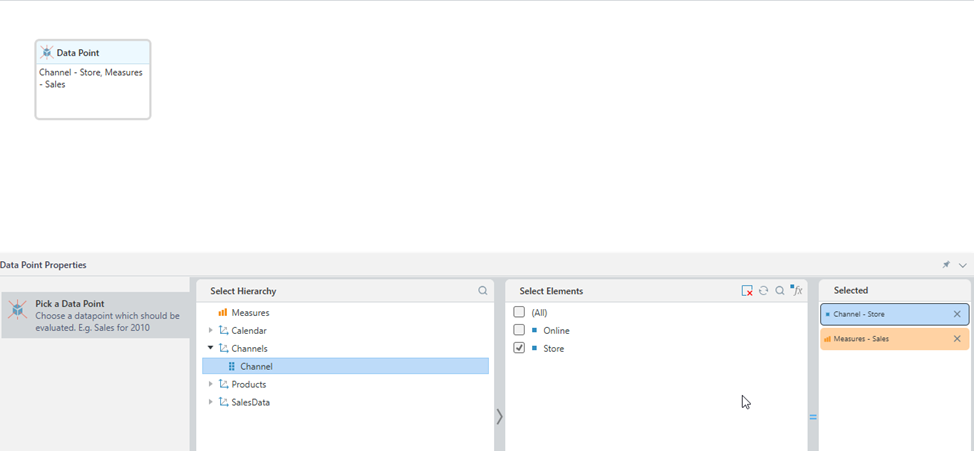
And added a formula, e.g., a data marker linked to the "Channels" table
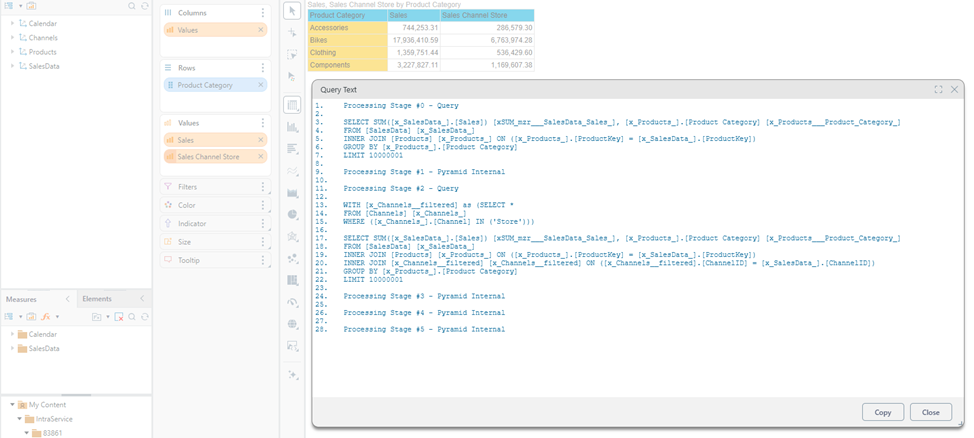
In the query preview, the formula works correctly.
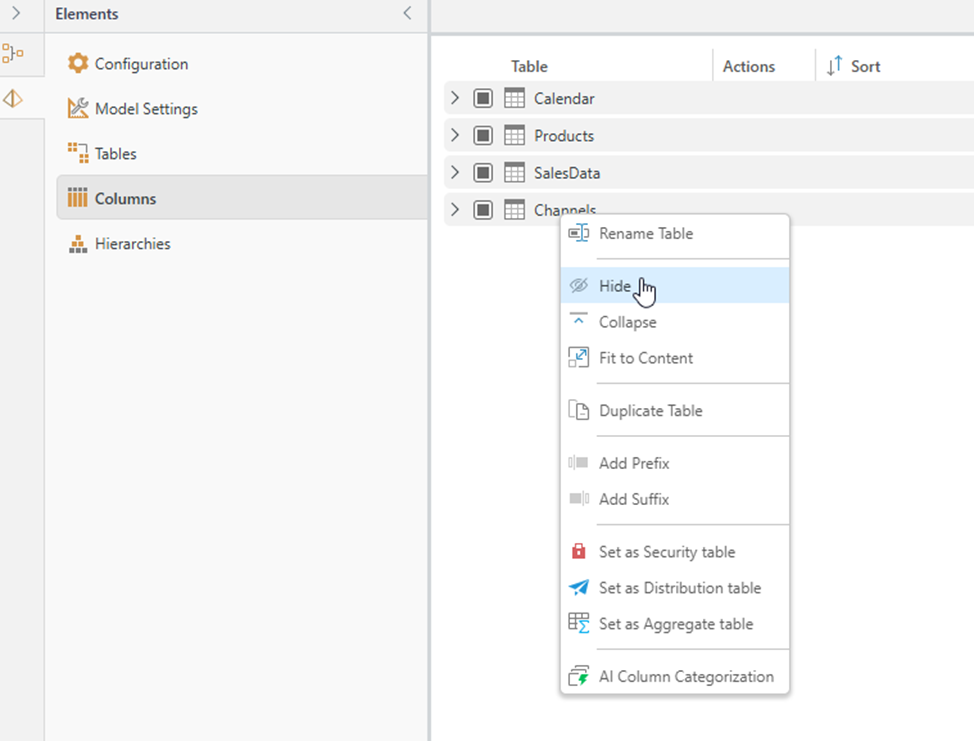
Go back to the model and hide the "Channels" table (e.g., in the "Columns" section).
Or hide it in the "Tables" section.
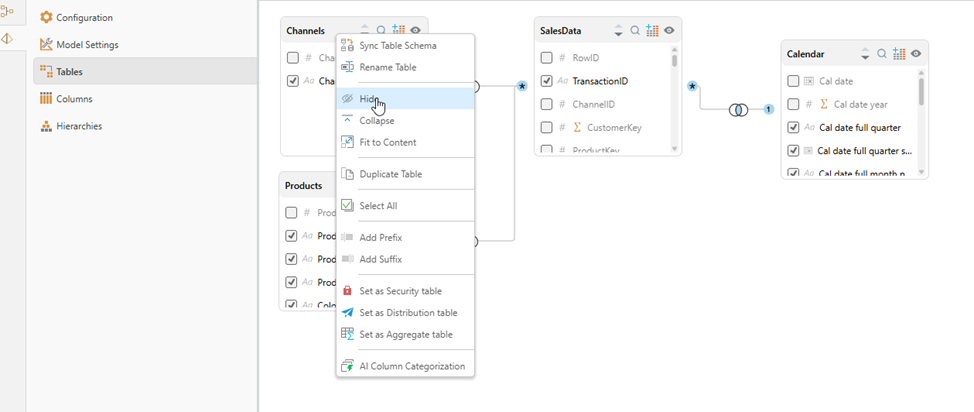
The table disappears from view.
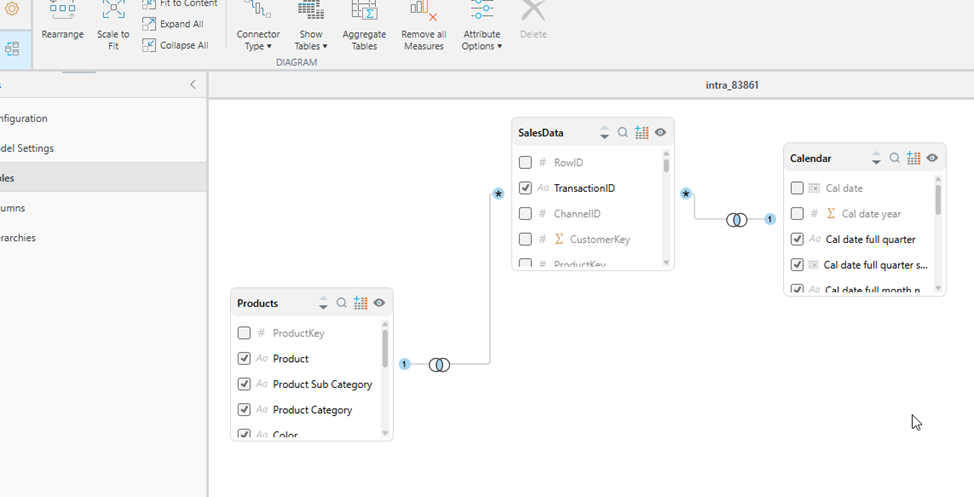
It reappears if you enable "Hidden Tables".
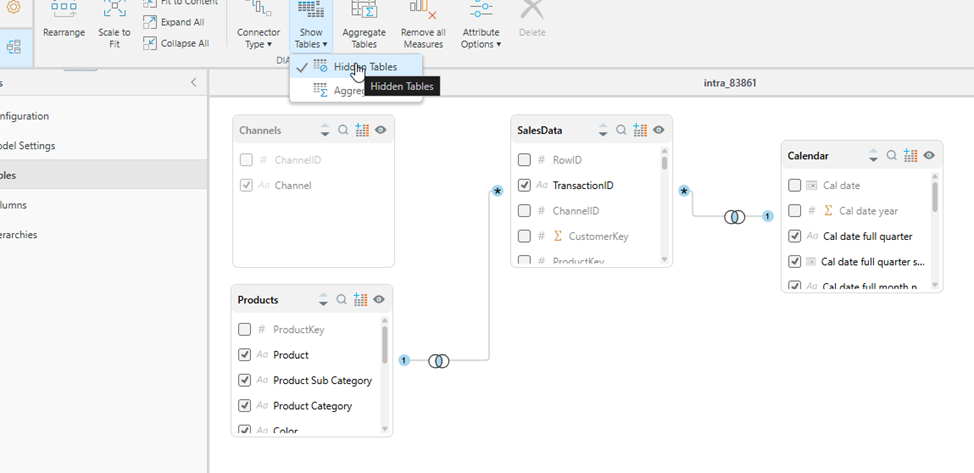
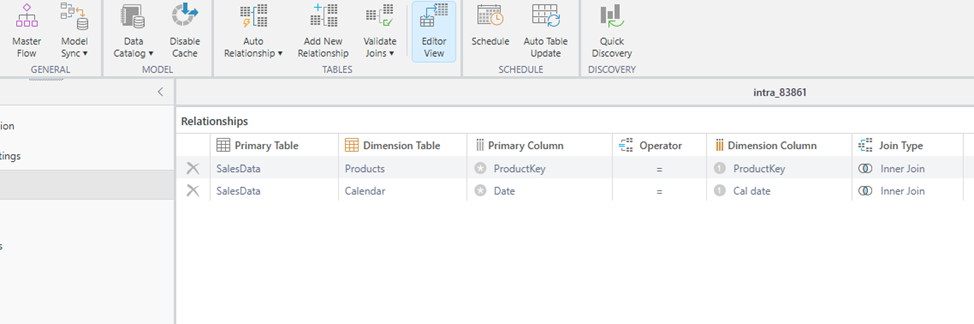
However, the previously established relationships between "Channels" and other tables are gone — they’ve been deleted.
Returning to the discovery, the table appears hidden in the dimensions section. The formula calculation is now incorrect.
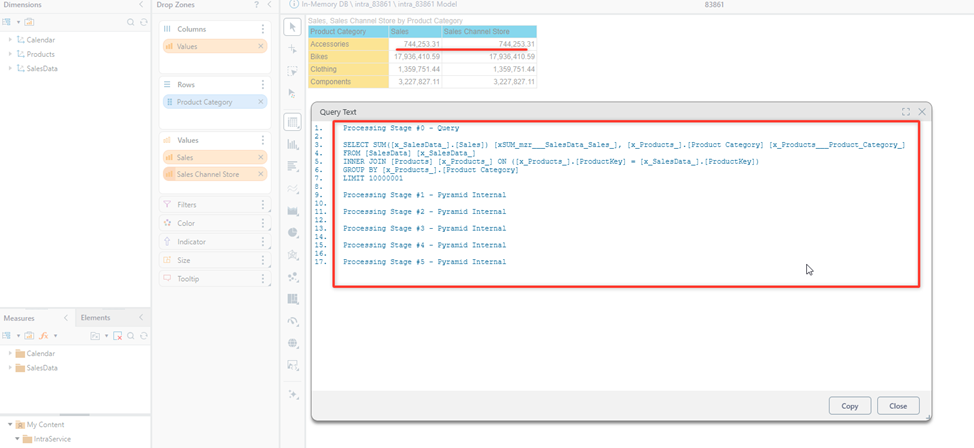
No errors show in the formula itself, but the result is wrong.
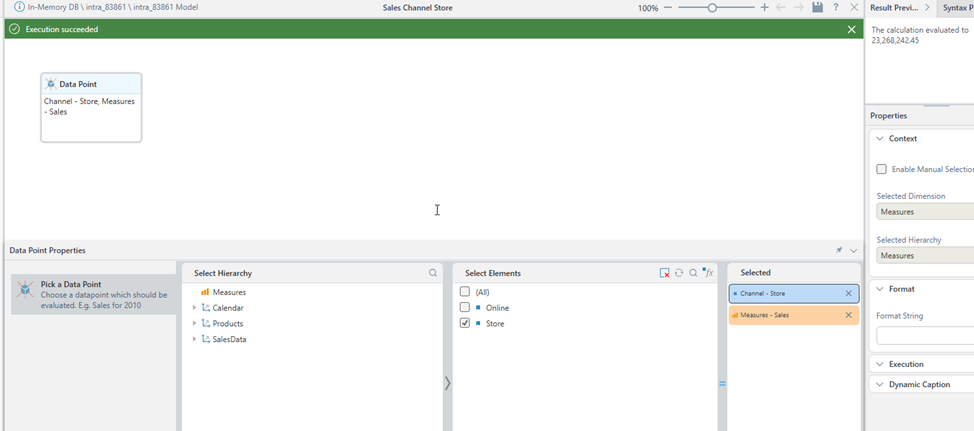
Is this a bug, or is it by design?
I don't fully understand the purpose of the table-hiding feature if it also deletes relationships. My use case is to hide certain tables from end users, but if existing relationships are removed, it breaks calculations in previously created content.
1 reply
-
Hiding a table, means removing it from the model.