
0
Adjust width for text indicator
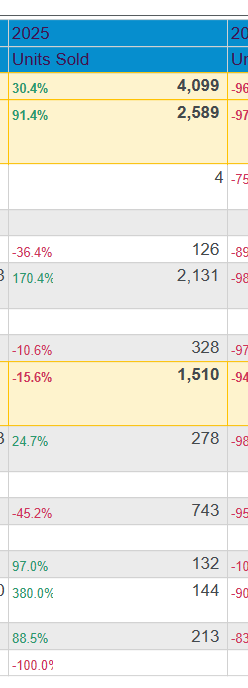
How do I adjust how much of the cell is for the indicator (text in this case) and how much is for the data? I get this block of empty space between my data and the indicator text that is a real pain. If I try to narrow the width of the column, the indicator gets cut off.
1 reply
-
Hi
Can you show more of your working, i.e. drop zones etc.?
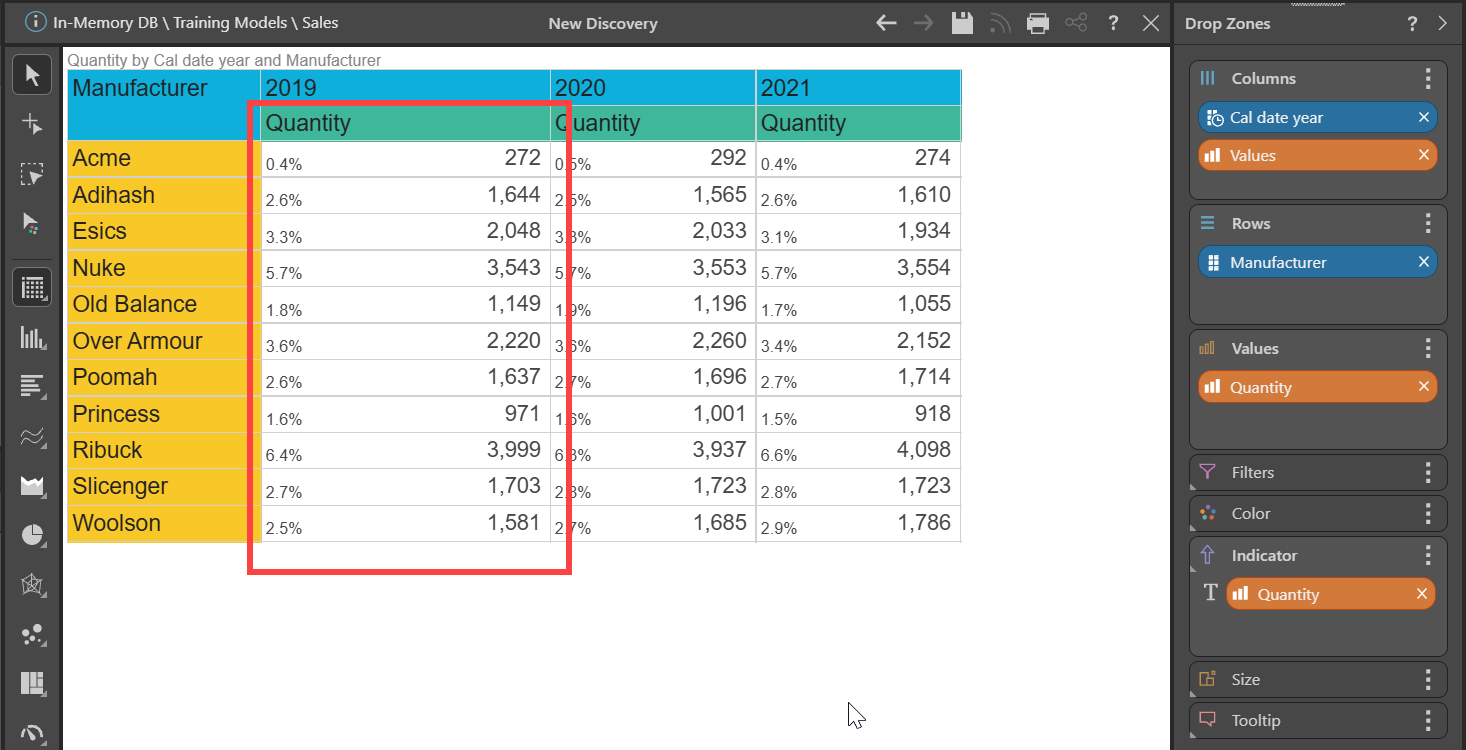
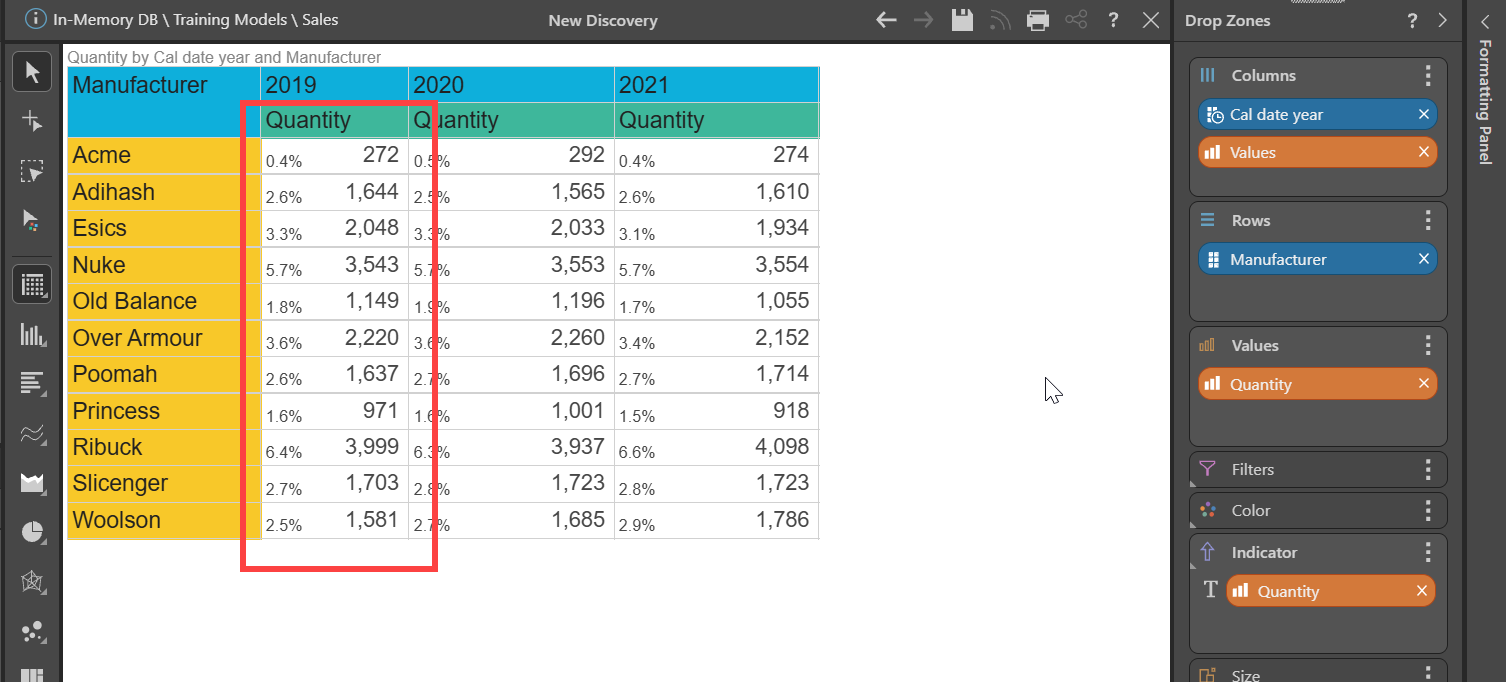
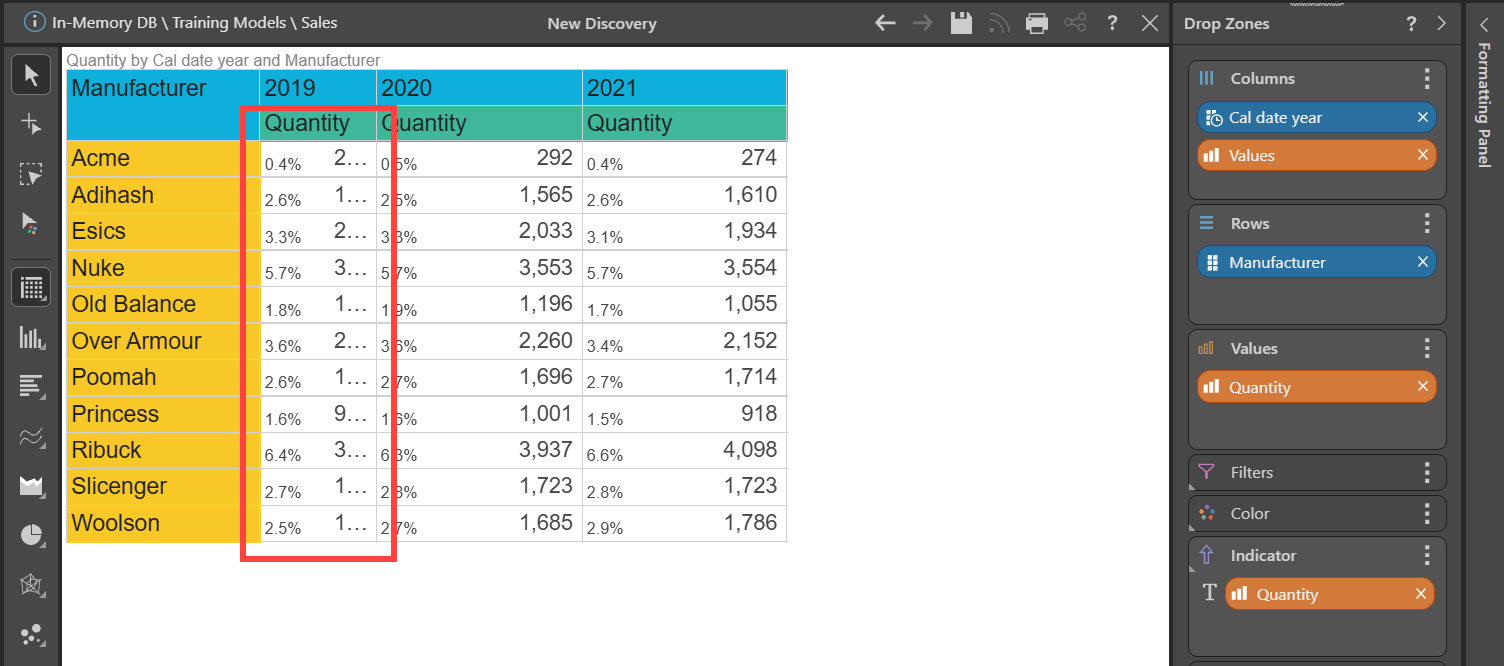
When I add Text indicator I can change the column width with no problem and if I make it too narrow, the actual Measure value gets truncated, not the indicator:
Thanks,
Ian