
Best Practice Question: Curated Hub on the Pyramid Home Page
We are looking for ideas on the best way to create a central Hub on the Pyramid Home page for viewers like C-Suite, Executives and Operational Leaders.
The Hub could have areas for Executive | Finance | Operations | Revenue Cycle | Quality | Workforce, with each area containing trusted, curated dashboards.
The goal is simple:
- Give users one standard easy place to go to find trusted dashboards.
- Give developers one standard place to add, update, and manage published dashboards.
- Avoid having users go to a separate Hub URL.
- Keep normal Pyramid features, such as filters, subscriptions, and exports, when users open a dashboard.
- Still allow Analyst and Pro users to use the additional features available with their licenses, including creating their own dashboards and doing more advanced work, while still having access to the same curated Hub.
Has anyone set up Pyramid this way? Can the Home/User Hub provide a common starting point for everyone, while still allowing different users to access the features available with their license? If so, what approach has worked best?
2 replies
-
Hi Wendi,
yes, we followed this approach and added one big dashboard/Present onto the Home Hub, which more or less looks like this: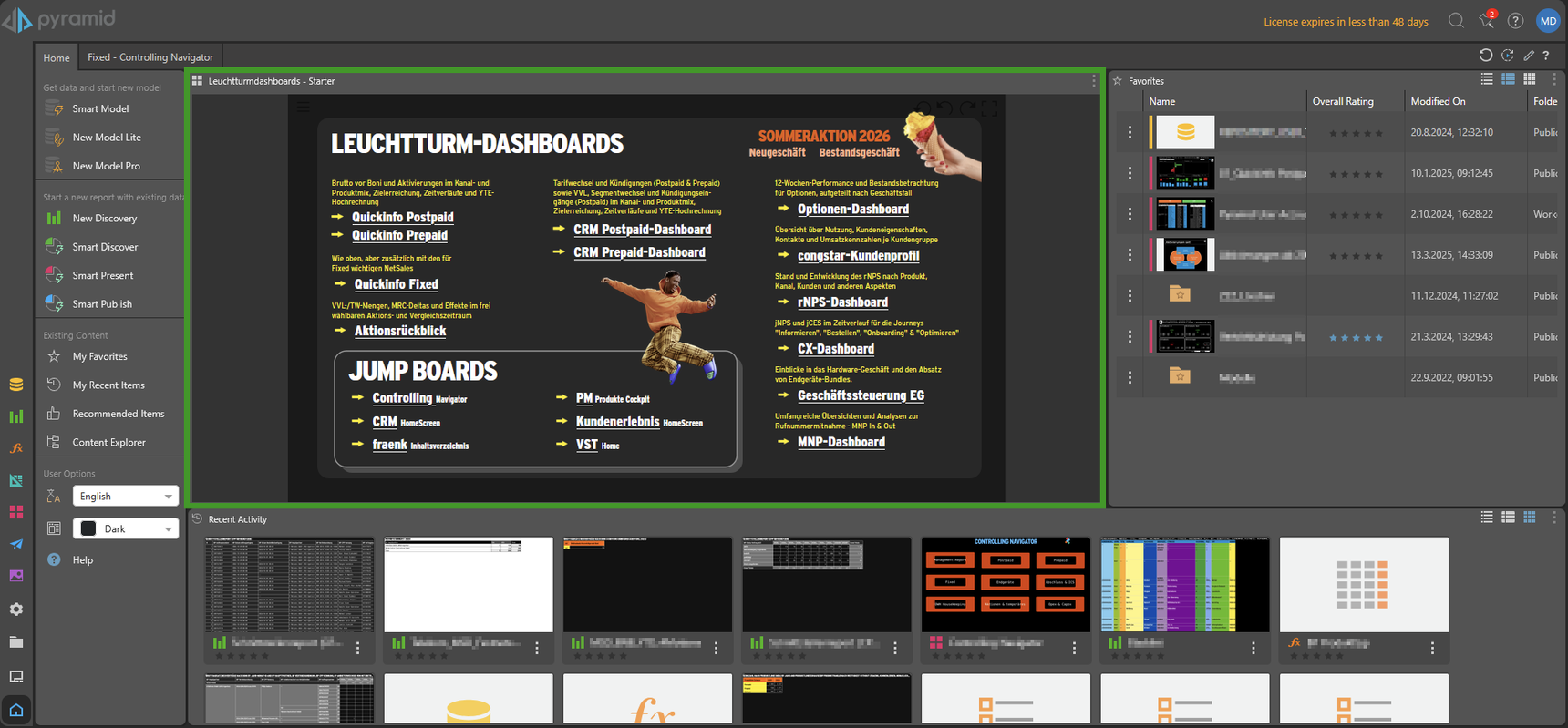
You see, beside the standard panels like "Favorites" or "Recent Activity" you have the standard navigation and buttons still available - and of course you have this Present which is nothing more that a couple of links to important/company-wide relevant dashboards. A small teaser text explains what the user will get when clicking the link.
The dashboard is static, changes may happen, but are seldom. In such a case the Present has to be modified manually, e.g. to bring in extra links for dashboards dealing with special events or activities like the "Summeraktion 2026" or something like "Black Friday/Week".
In the end it simply is an editorially curated and attractively designed list of links for our so-called "Leuchtturm-Dashboards", which means "Lighthouse Dashboards". Some of our departments like Controlling or CRM built such lists or dashboards of their own. We called these "Jump Boards" - and they are linked here with the main dashboards as well.
-
Sorry, I forgot one aspect:
A slightly different approach is that a dashboard or report itself is part of the hub - and not just the link to it! We implemented this for our admins and their daily monitoring of different processes like ETL loading times or license consumption.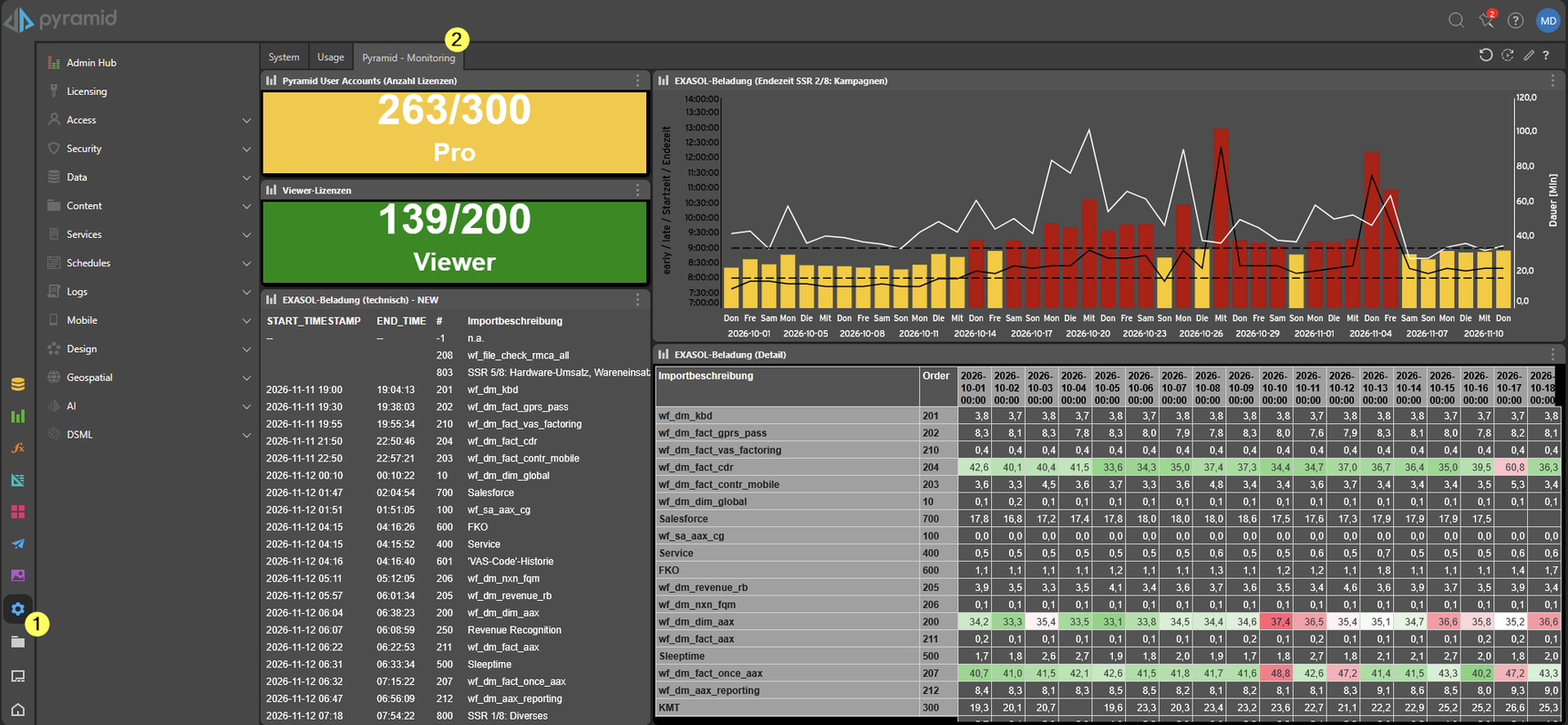
So, our admins do not need to open single reports or dashboards but directly can see the KPI or trends over time without extra-clicks!