0

Filter with numeric attribute

I'm trying to achieve the below: sum of transactions.sales by product where transactions.Sales > $32,000 (user can choose amount)
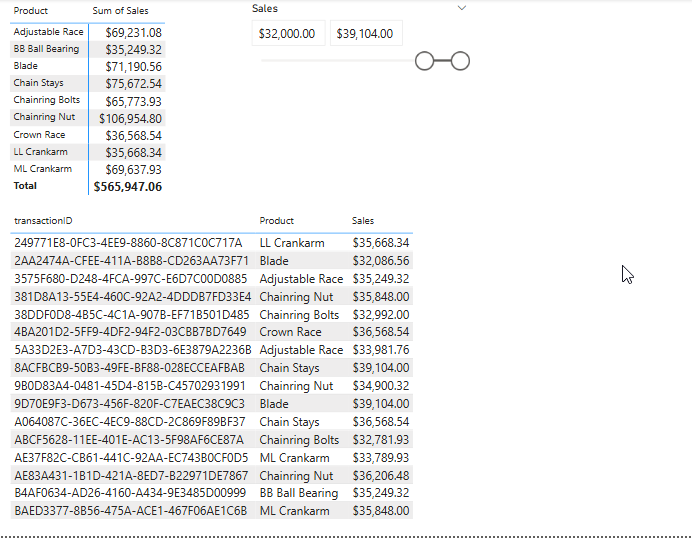
 

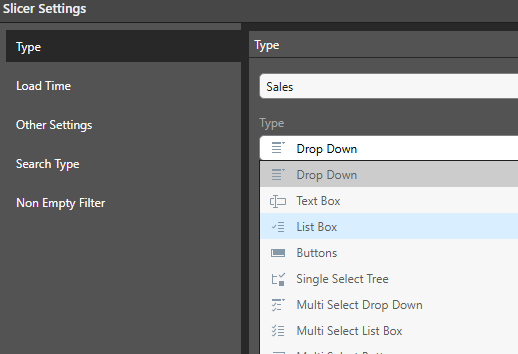
I can't find a slicer type for a numeric attribute, not sure what I'm missing.
10 replies

null
    • Customer Solutions Architect
    • Moshe_Yossef
    • 10 days ago
    • Reported - view

    Hi 

    Do you mean you want to filter All the transactionIDs that have a total sales > 32,000 for the bottom grid?

    That can be easily achieved by right clicking on the sales column and filtering "above @"

    This will create a parameter you can play with to filter:
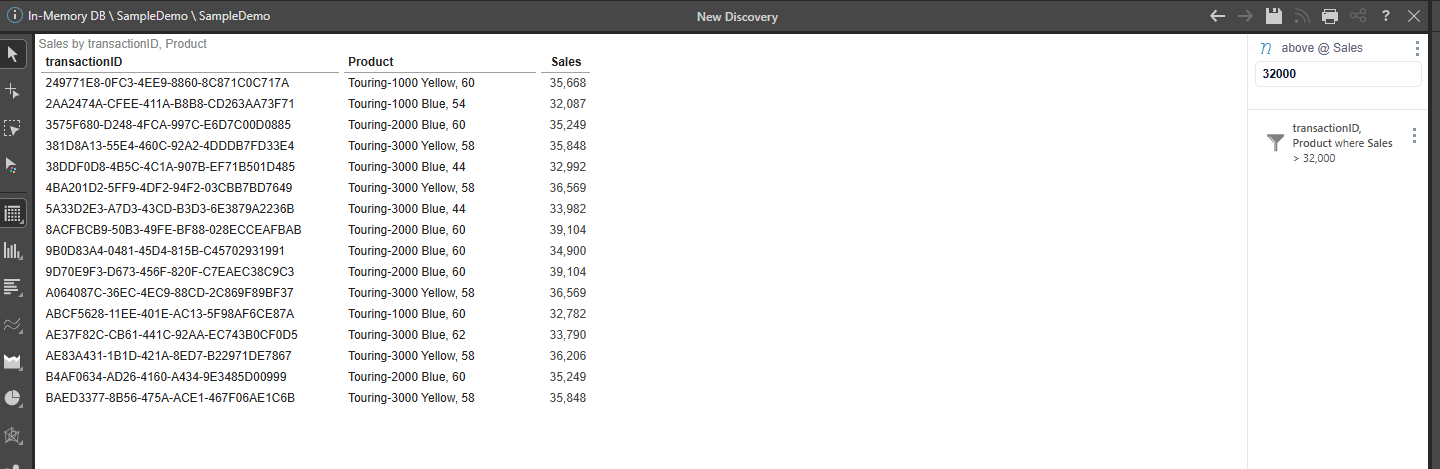
    Is this what you need? Or do you want the top grid to also show only transactions above a value?

      • Michael_Connelly
      • 10 days ago
      • Reported - view

       I am looking to apply this filter for both grids.  The top grid would sum the sales by product for transactions with sales > 32k and sales < 39104. 

        posted a possible solution for this but this seems to have disappeared

    • Hillel_Dor.3
    • 10 days ago
    • Reported - view


    (had some technical difficulties and had to repost)

    Hi   

    To achieve your goal, you need to do the following:

    1. Create a set containing all transactions above a user selected threshold (a Parameter)

    2. Add this set into your sales report to filter the sales according to the user's input.


    First,  we create a transactions set through the Formulation. It will contain a Standard List with an added Filter:
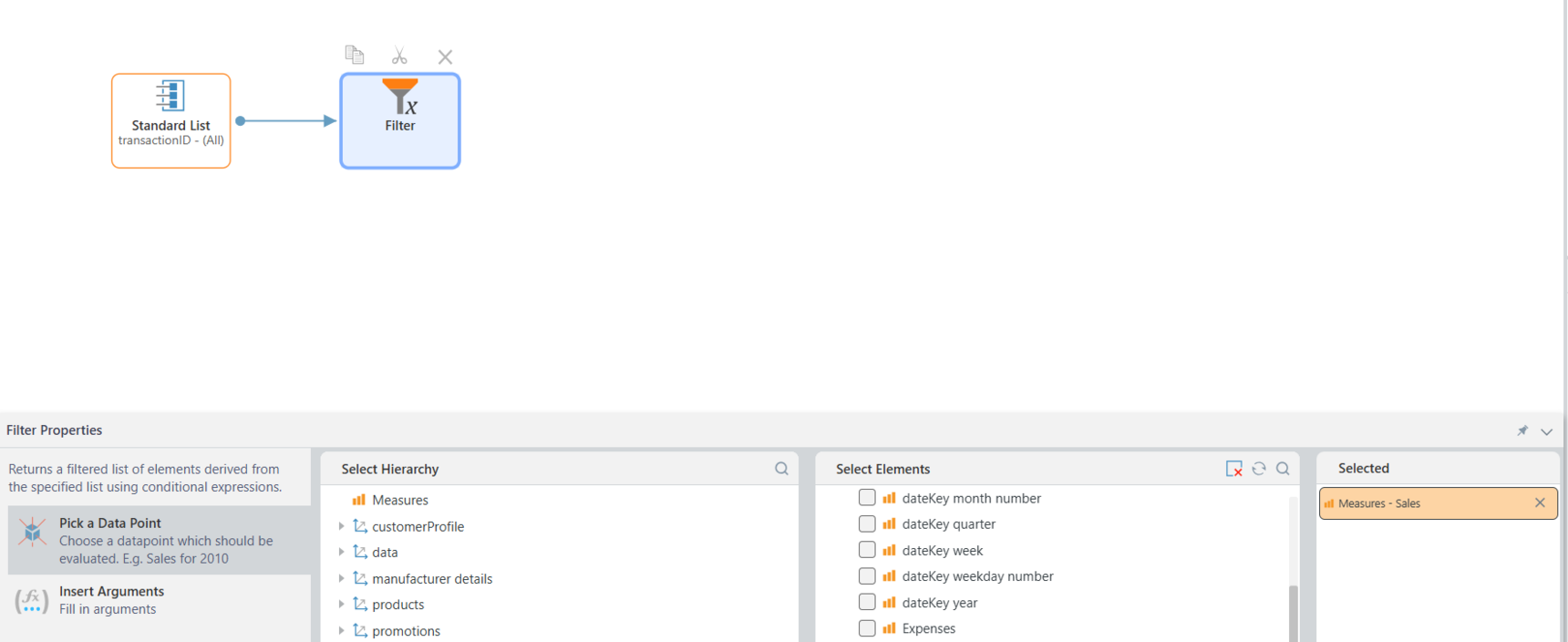
    • The list will contain all the transactions
    • In the filter properties:
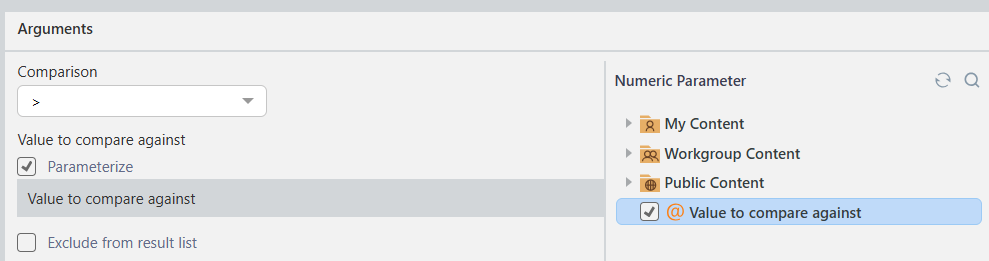
      • For Data Point we select the "sales" measure
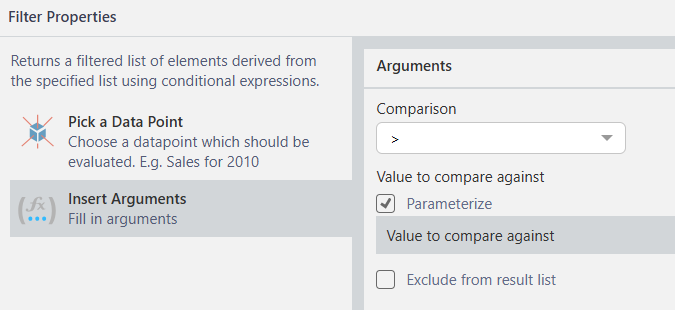
      • In the Argument we will mark "Parameterize"
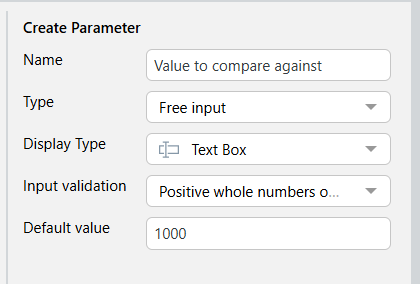
        • Click on "Create Parameter"
        • You can make it a Free input Text Box and add validation type and default value
    Save your set.


    Now, in your sales report, right-click on TransactionID and select View Elements

    From the Formulation window below, select your save set
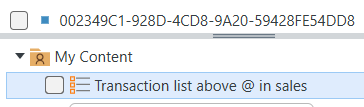
    It will be added to the Filter Drop Zone.

    Change its type to be "Combined Elements" so it will always filter with all the relevant transactions.

    On the Discover page you will now have the parameter box for the user to select the value, affecting the sales totals.
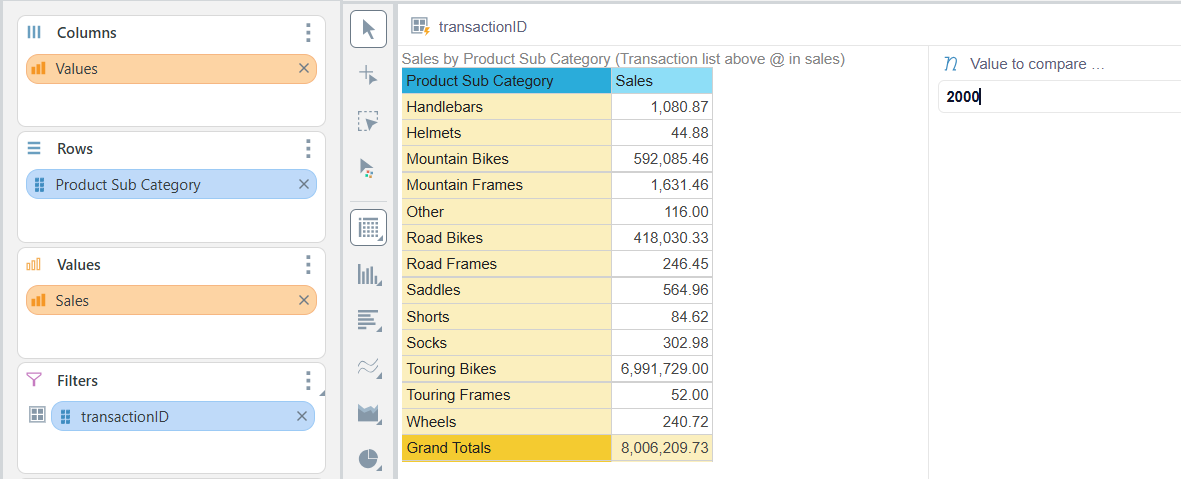
    NOTE: to do a "Between" selection, you can chain-link 2 filters to the set; first with "Lower then" parameter and the second "Greater then" parameter.


    Good luck :)
      • Michael_Connelly
      • 6 days ago
      • Reported - view

      Hi  .  Thanks for this, it works but it's very slow and freezes when low amounts are selected.  I looked at the query generated for this in the transaction log and the WHERE clause uses an IN with the transactionIds:

      WHERE ([x_vw_Transactions].[TransactionId] IN (104708, 104706, 104701, 104705, 104703, 104740, 187088, 187089, 187091, 104734, 104732, 187090, 104738, 104736, 104751, 104745, 104742, 104743, 104749, 104747, 187066, 187067, 187068, 187069, 187073, 187074, 187075, 187076, 104718, 187070, 187071, 104712, 104710, 104716, 104714, 104730, 187077, 187078, 187079, 187085, 187086, 104728, 187087, 187080, 187081, 187082, 187083, 104720, 104726, 104724, 128751, 128753, 36407, 36408, 36409, 85378, 128745, 36400, 36401, 36402, 85376, 128747, 104776, 36403, 85374, 128749, 36404, 36405, 36406, 85372, 128741, 128743, 85368, 85366, 128733, 128735, 85364, 128737, 85362, 128739, 85391, 104763, 128731, 104761, 104755, 85399, 128723, 85397, 104753, 104759, 85395, 128727, 104757, 85393, 128729, 85380, 104770, 104774, 104772, 128719, 104767, 85389, 128713, 104765, 85387, 85385, 85382, 104768, 128792, 128793, 128795, 128797, 128790, 128788, 128780, 128782, 128784, 128778, 128772, 128774, 128776, 128768, 128769, 128761, 128763, 128765, 128755...


      On the other hand, PowerBI uses the Sales field in the WHERE clause which makes it really fast

      WHERE
      ([x_vw_Transactions].[Sales] >=
      @Param1)
       ',N'@Param1 float',@Param1=100
      

      Is there any way to do this on the Sales column instead of the TransactionId column ?

      • imbarmarinescubar_pyram
      • 5 days ago
      • Reported - view

      Hi  

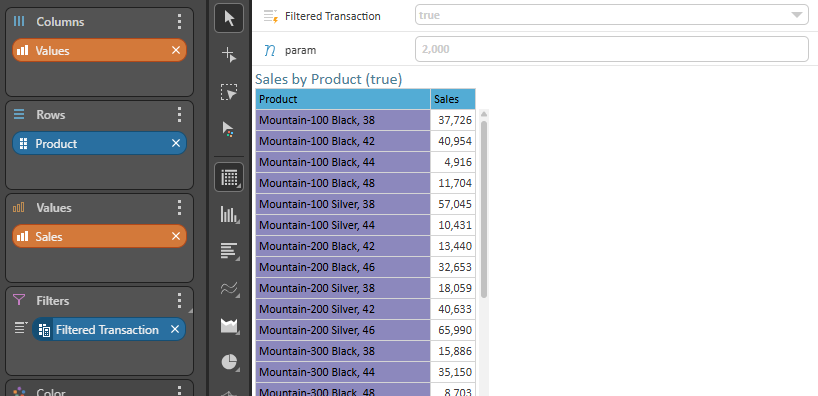
      You can create a custom column with the filter expression that you provided (this will create a column with true/false values)

      [Transactions].[Sales] > [global].#[7fb0a265-1294-4f26-97ee-7d2e6471fe48]
      

      And then filter this column to 'true':

      This should work alongside any other columns that you use in the report.
      Note that sales in the expression are the sales column not the sales measure (the non-aggregated column).

      • Customer Solutions Architect
      • Moshe_Yossef
      • 5 days ago
      • Reported - view


      Notice that you have an assumption that the transaction id is a key column for the fact table here. If it wasn't then Hillel's solution would be correct while the PBI example here would have to work very differently.

      • Michael_Connelly
      • 5 days ago
      • Reported - view

       thanks this works great in Discovery.  Is it possible to use this in Present as well ?  When I bring the custom column in as a slicer to the dashboard, it does not automatically add the parameter like it does in Discovery.  If I add the parameter manually to the dashboard, changing the number has no effect at run time.

      • Michael_Connelly
      • 4 days ago
      • Reported - view

       thanks for this.  Indeed, transaction id is the key column in this case.  If it weren't and we were trying to find, say, total Sales for Product Categories where the total Sales for each Product Subcategory was greater than x, this is where we would use  's solution, right?  

      PowerBI has numeric attributes so they function like  's solution at the row level.  Like you say, this wouldn't work for anything other than individual transactions.  Thanks again for the feedback.

      • imbarmarinescubar_pyram
      • 4 days ago
      • Reported - view

       
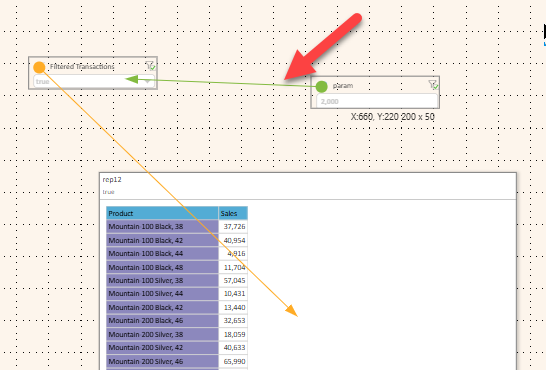
      Make sure you have an interaction from the numeric parameter into the filter:

      • Michael_Connelly
      • 4 days ago
      • Reported - view

      thanks, this was the key, the numeric parameter to the filter interaction.  

Content aside

  • Status Answered
  • 4 days agoLast active
  • 10Replies
  • 44Views
  • 4 Following