Filter with numeric attribute
I'm trying to achieve the below: sum of transactions.sales by product where transactions.Sales > $32,000 (user can choose amount)
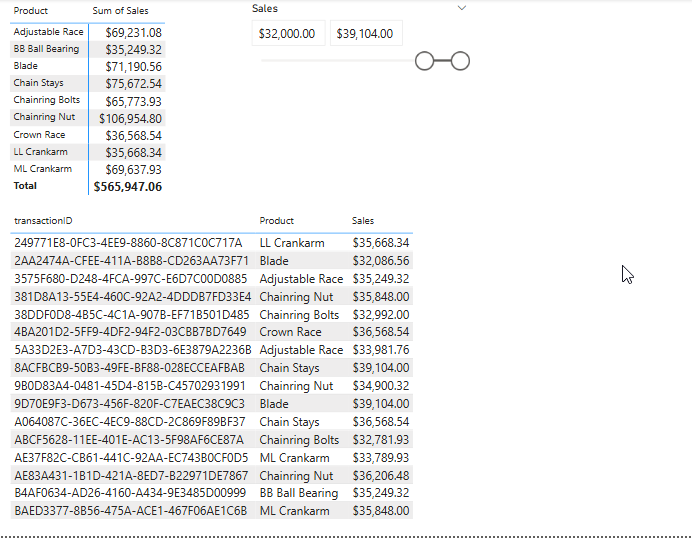
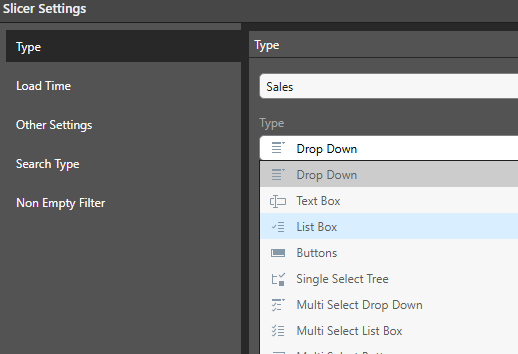
I can't find a slicer type for a numeric attribute, not sure what I'm missing.
10 replies
-
Hi
Do you mean you want to filter All the transactionIDs that have a total sales > 32,000 for the bottom grid?
That can be easily achieved by right clicking on the sales column and filtering "above @"

This will create a parameter you can play with to filter:
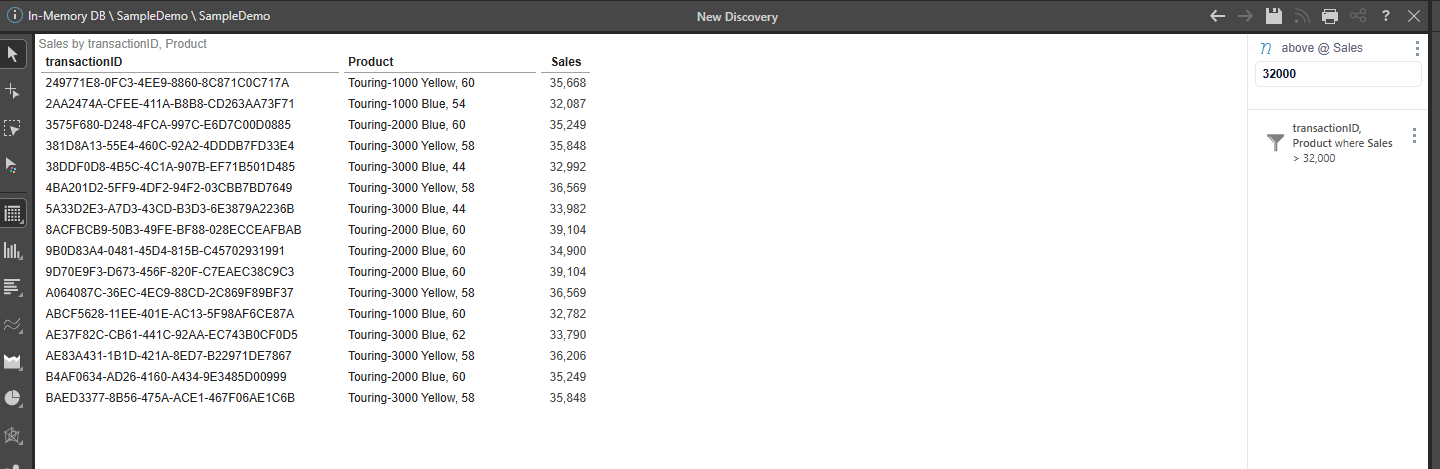
Is this what you need? Or do you want the top grid to also show only transactions above a value?
-
(had some technical difficulties and had to repost)
Hi
To achieve your goal, you need to do the following:
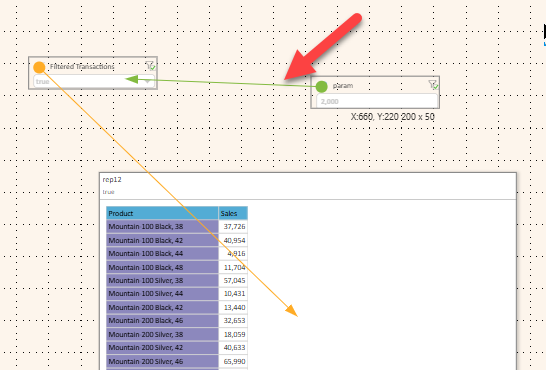
1. Create a set containing all transactions above a user selected threshold (a Parameter)
2. Add this set into your sales report to filter the sales according to the user's input.
First, we create a transactions set through the Formulation. It will contain a Standard List with an added Filter:
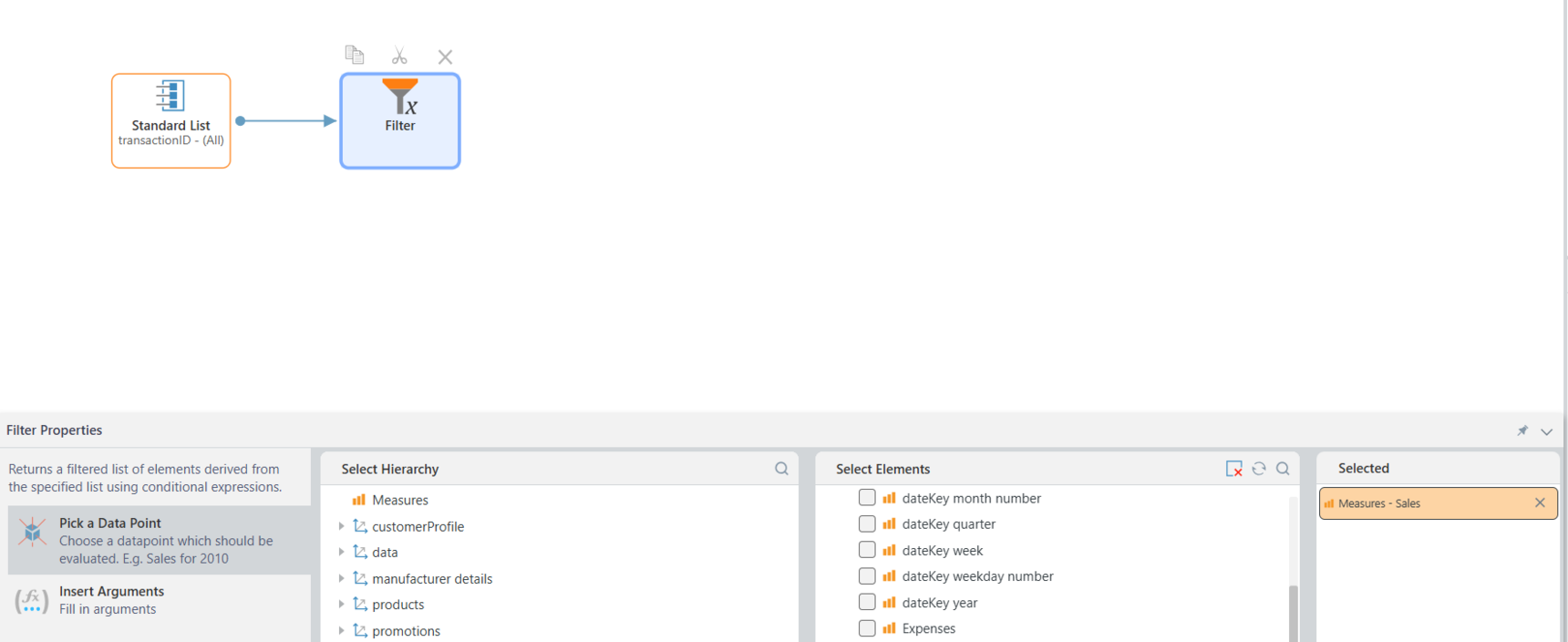
- The list will contain all the transactions
- In the filter properties:
- For Data Point we select the "sales" measure
- In the Argument we will mark "Parameterize"
- Click on "Create Parameter"
- You can make it a Free input Text Box and add validation type and default value
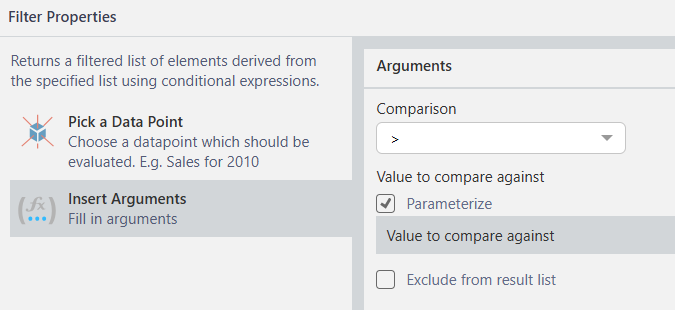
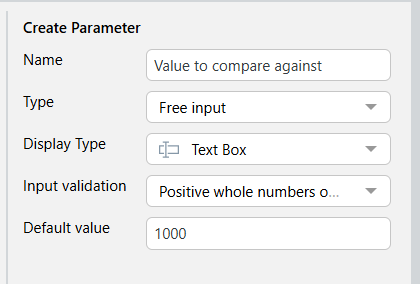
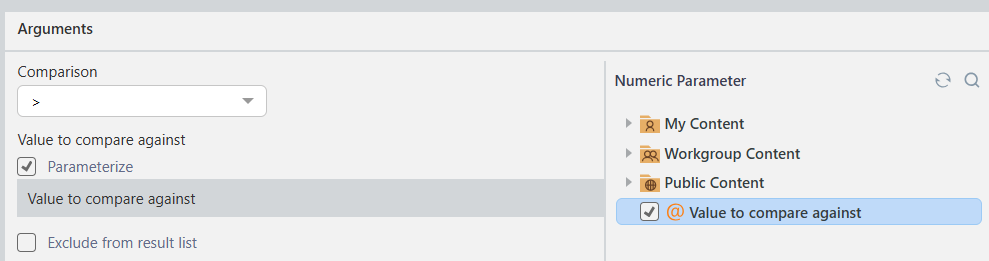
Save your set.
Now, in your sales report, right-click on TransactionID and select View Elements

From the Formulation window below, select your save set
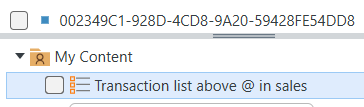
It will be added to the Filter Drop Zone.
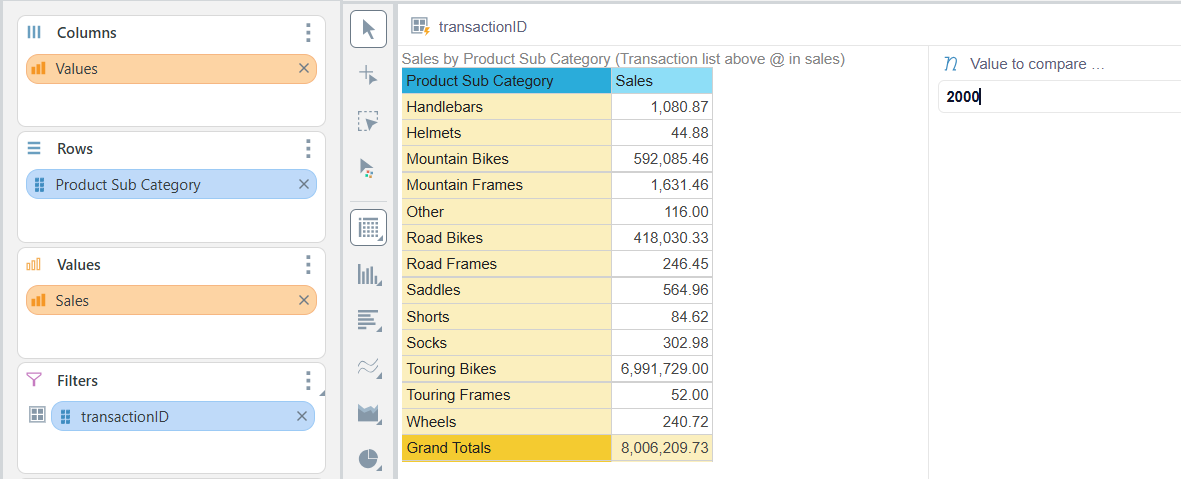
Change its type to be "Combined Elements" so it will always filter with all the relevant transactions.
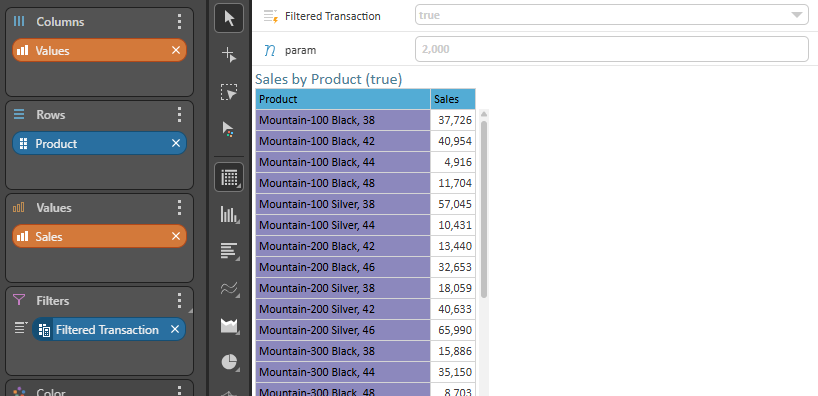
On the Discover page you will now have the parameter box for the user to select the value, affecting the sales totals.
NOTE: to do a "Between" selection, you can chain-link 2 filters to the set; first with "Lower then" parameter and the second "Greater then" parameter.
Good luck :)