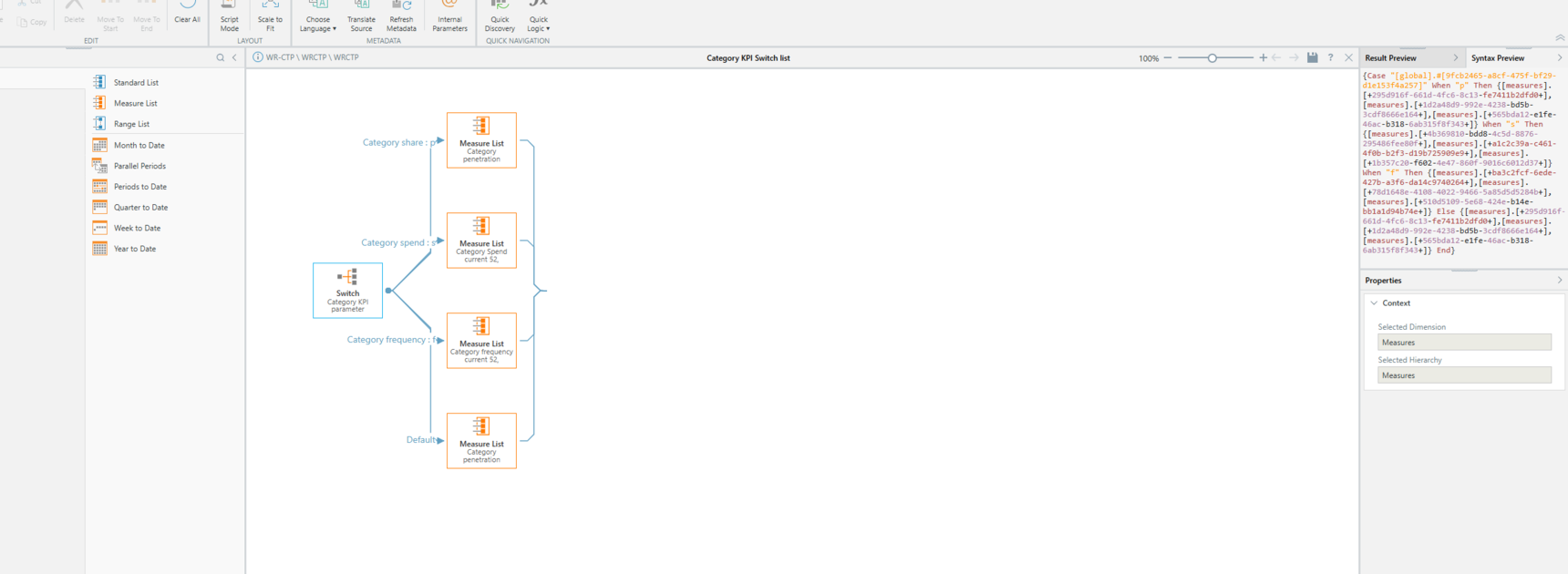
Conditional formatting on a switch list
I am trying to input conditional formatting on a switch list, but the conditional formatting won't dynamically update based on the measure selected from the switch list when the discovery is put into present
For example below i have 'spend on shop' selected- if i change to 'share', it will still have the conditional formatting for 'spend on shop'
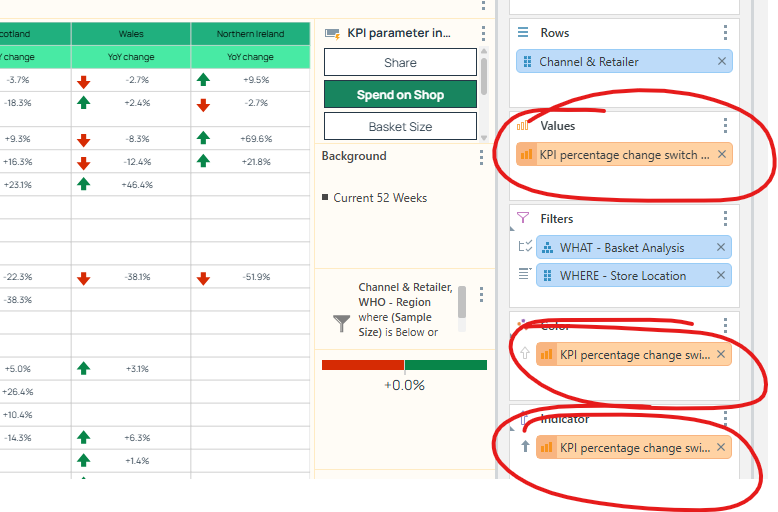
Is there anyway around this ?
Thanks,
4 replies
-
Hi
double click on the measure created for the conditional formatting, then go to measures and open it in forlmulate.
This should be a formula that uses "HasItem()".
it is possible that the switch list logic needs to be added to this conditional formatting.
Alternatively, you may want to use a calculation in formulate, and put the switch in the measure itself, then apply the custom formatting on this calculation.
You can also use the switch in the dynamic caption so that the title will change accordingly.
The caveat of the alternative is the measure format can't be dynamic (so if you have a measure that is percentage and one that is whole numbers it will not format dynamically.
If you need help - take a screenshot of the custom formatting calc and put it here, we'll try to help.