Incorrect SQL generation in Calendar Slicer (Formula Picker) when using Last with Date granularity
Hello PA Team,
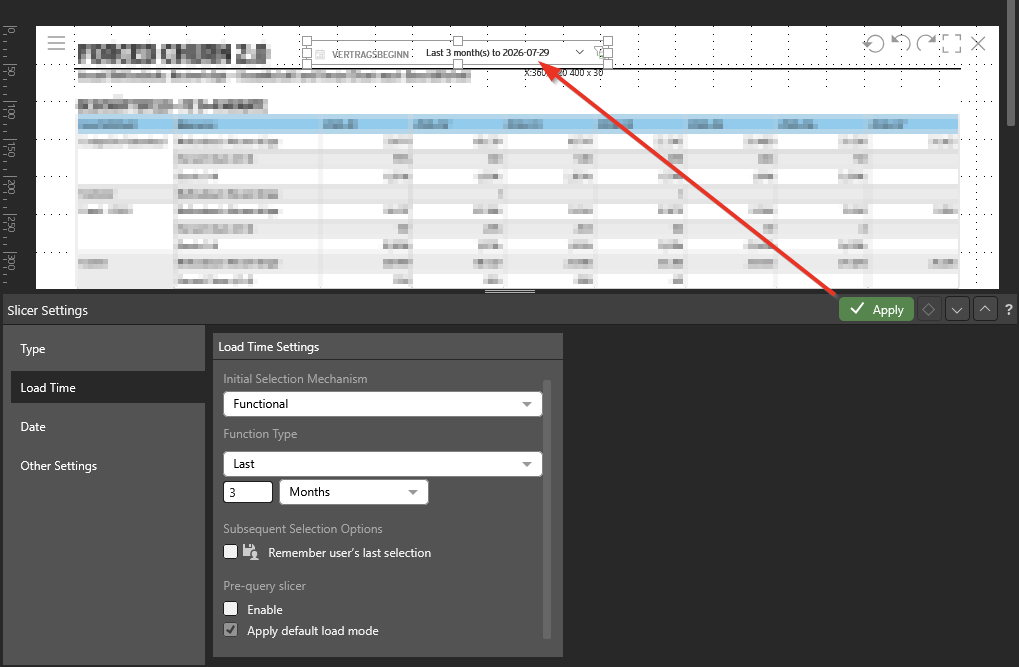
I’m seeing incorrect SQL generation in the Calendar Slicer when applying function "Last" with Date granularity. The filter produces single-day matches per period instead of a full range, which severely distorts aggregated results.
Details
You can reproduce this issue using the "Training Models - Sales" dataset. Simply build a table grouped by month with sales amounts.
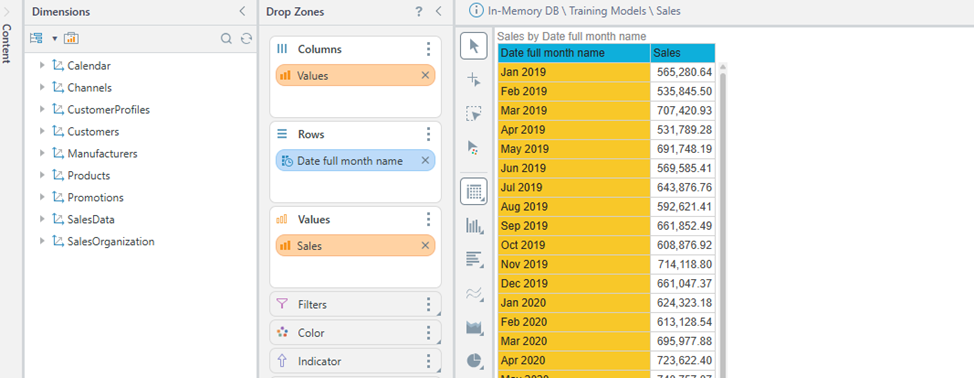
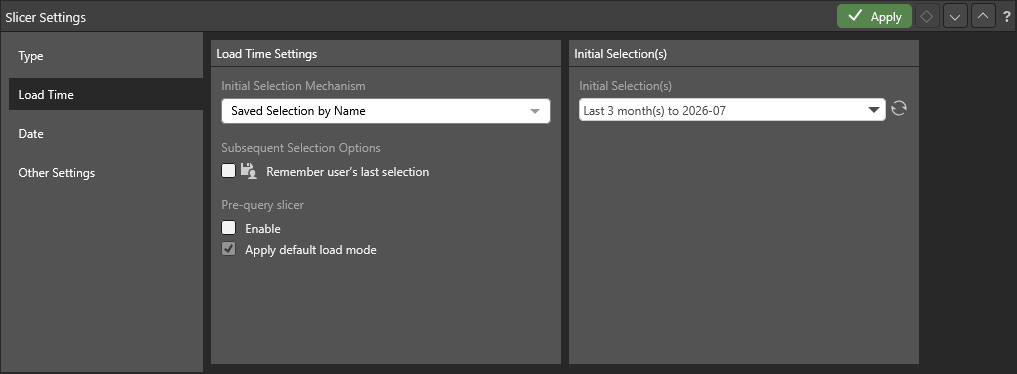
Save this table. Create a dashboard and add the table to it. Also add a slicer "Date", and in its settings set:
· Initial Selection Mechanism → Functional
· Function Type → Last
· Value → 3 Months
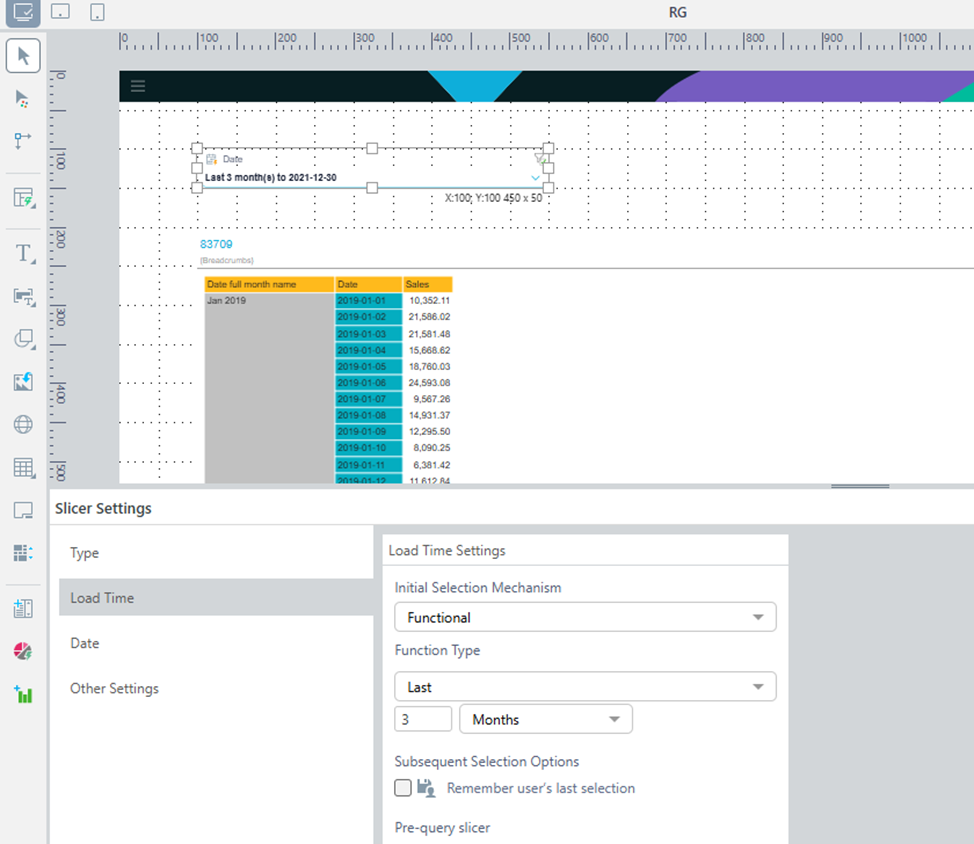
You will see data for the last 3 months, but the figures will be incorrect.
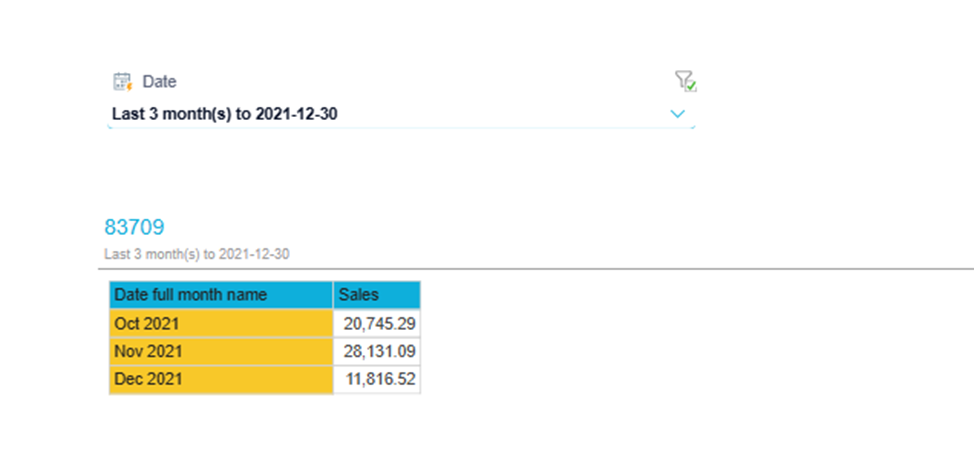
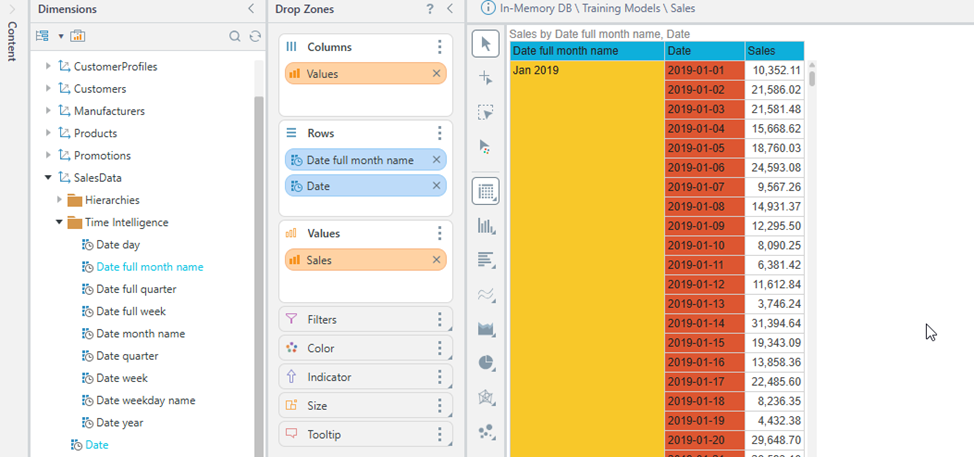
This can be easily verified by adding the "Date" dimension to the table rows.
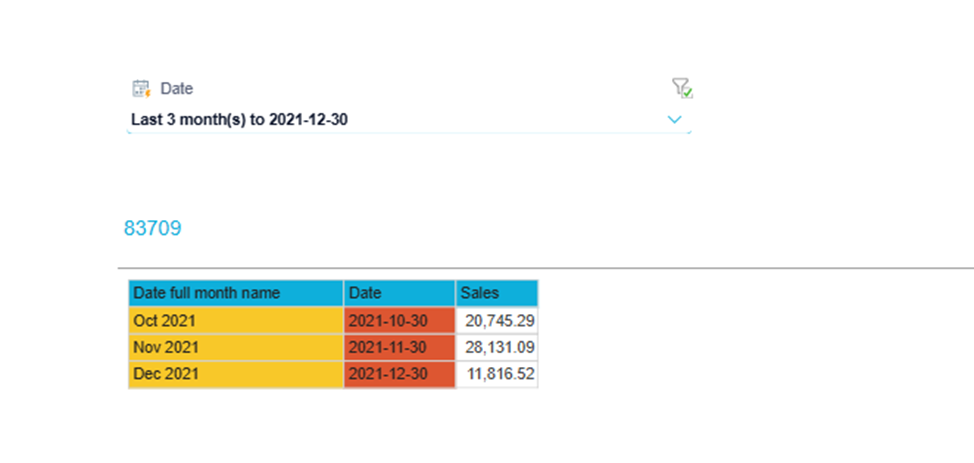
In the dashboard, you will see that the slicer leaves only one date per month in the table.
I expected to see data for the last 3 months relative to the date specified in the filter.
I am aware that changing the granularity from Date to Month in the calendar settings makes the calculation work correctly. However, this is not very convenient, as it would require manually adjusting the granularity setting each time.
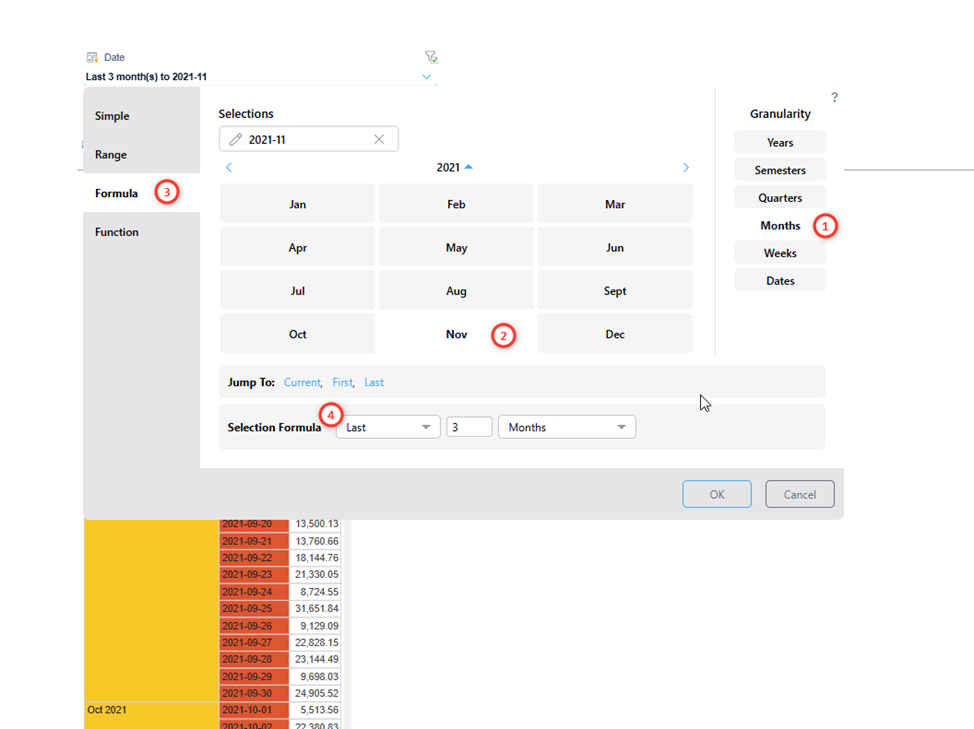
Could you please clarify whether this behavior of the Calendar Slicer is considered correct by design, or is it a bug? Also, are there any workarounds that would allow me to configure the slicer to behave as expected — i.e., selecting a full date range rather than individual dates?
3 replies
-
Hello
This is indeed the designed outcome.
The result of last X is based on 3 ingredients: amount, hops and granularity.
1 - Amount: How many periods to select
2- Hops: Each period should jump backwards by year/month etc
3 - Granularity: Each period should be of this timespan
So if you do last 3 months at the month level you'll get May-Jun-Jul.
But if you do last 3 months at the day level you'll get 21th of each month.
If you do last 3 years at the month level, you'll get Jul of 2026,2025 and 2024.
This allows for more flexibility instead of always linking the hops and the granularity together.