
Unable to Validate Data Flow Because of the SQL Script Node
Hello PA Team,
I encountered an issue with SQL Script node in the Master Flow.
Steps to reproduce:
- Create new model and dataflow
In our case it’s a simple dataflow from excel file to an In-Memory database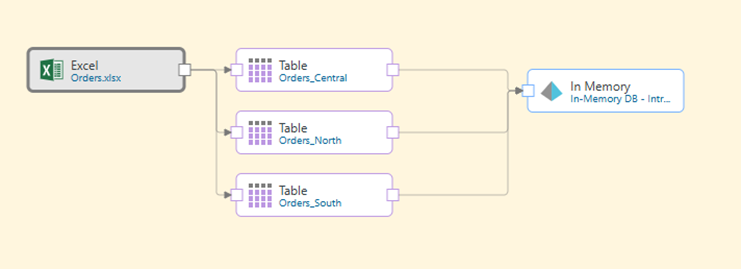
Open Master Flow
Add “SQL Script” and “Data Model” nodes and connect them to the Data Flow

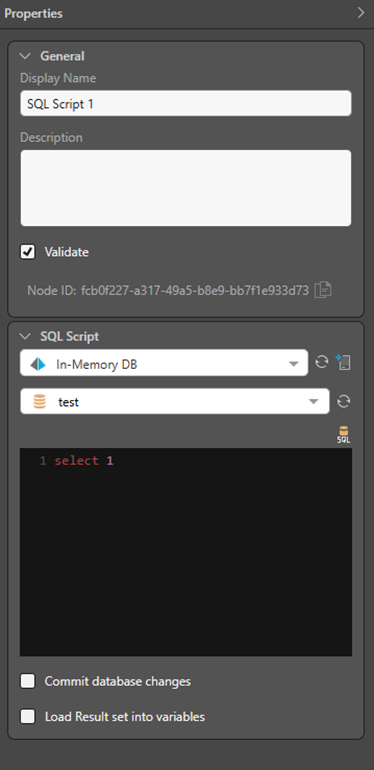
Configure SQL Script node to access In-Memory DB and choose any available DB
In the SQL Script node write query: “SELECT 1”
Add new Variable in the following manner:
Change Data Type to “Date” and activate checkbox “List”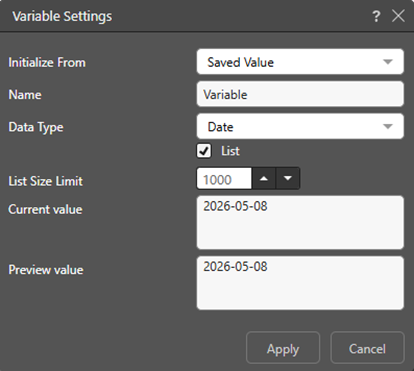
Press Validate or Process Model
I get an error: «java.lang.NullPointerException: Cannot invoke "java.time.LocalDate.format(java.time.format.DateTimeFormatter)" because "date" is null»
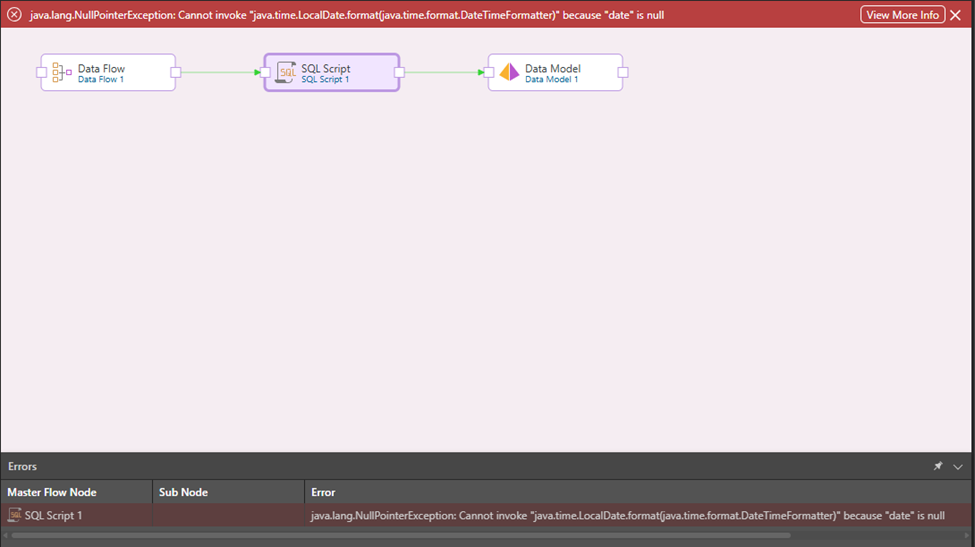
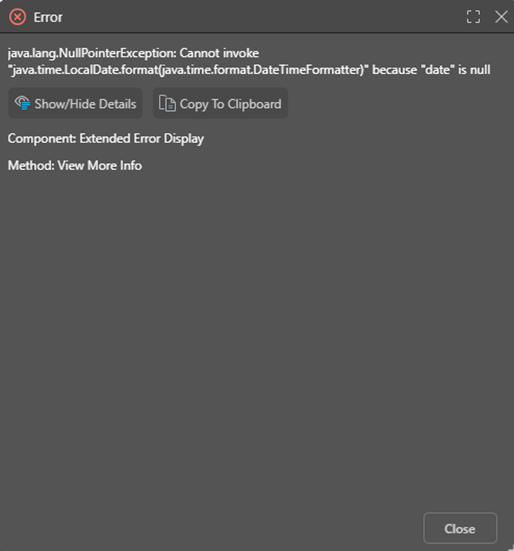
If I remove the variable, or deactivate the "List" checkbox, or delete the SQL Script node, the flow is considered correct.
Thanks!
3 replies
-
You're attempt to change a "1" to a date time value. It correctly fails in Java. This is not a useful test.