How do I categorize a column into groups?
I am trying to build a formulate to categorize our bank products and bucket them together. What syntax or method should I use?
CASE(
CONTAINS([product], “Checking”), “Checking”,
CONTAINS([product], “Savings”), “Savings”,
CONTAINS([product], “CD”), “CD”,
CONTAINS([product], “Auto”), “Auto Loan”,
CONTAINS([product], “Loan”), “Loan”,
CONTAINS([product], “Fixed”), “Loan”,
CONTAINS([product], “Business”), “Business”,
“Other”
)
2 replies
-
The better approach is to use a "custom column" - found in the Formulate module. Use the same idea you have by scanning all the elements in the product column of your table and resolving them accordingly. You can then use your new column like any other attribute.
If you need to use this column globally, you can also add this logic as a "virtual column" into your semantic model. (Custom columns are identical, but can be secured and limited to certain users. Virtual columns are globally available to all users of a semantic model.)
-
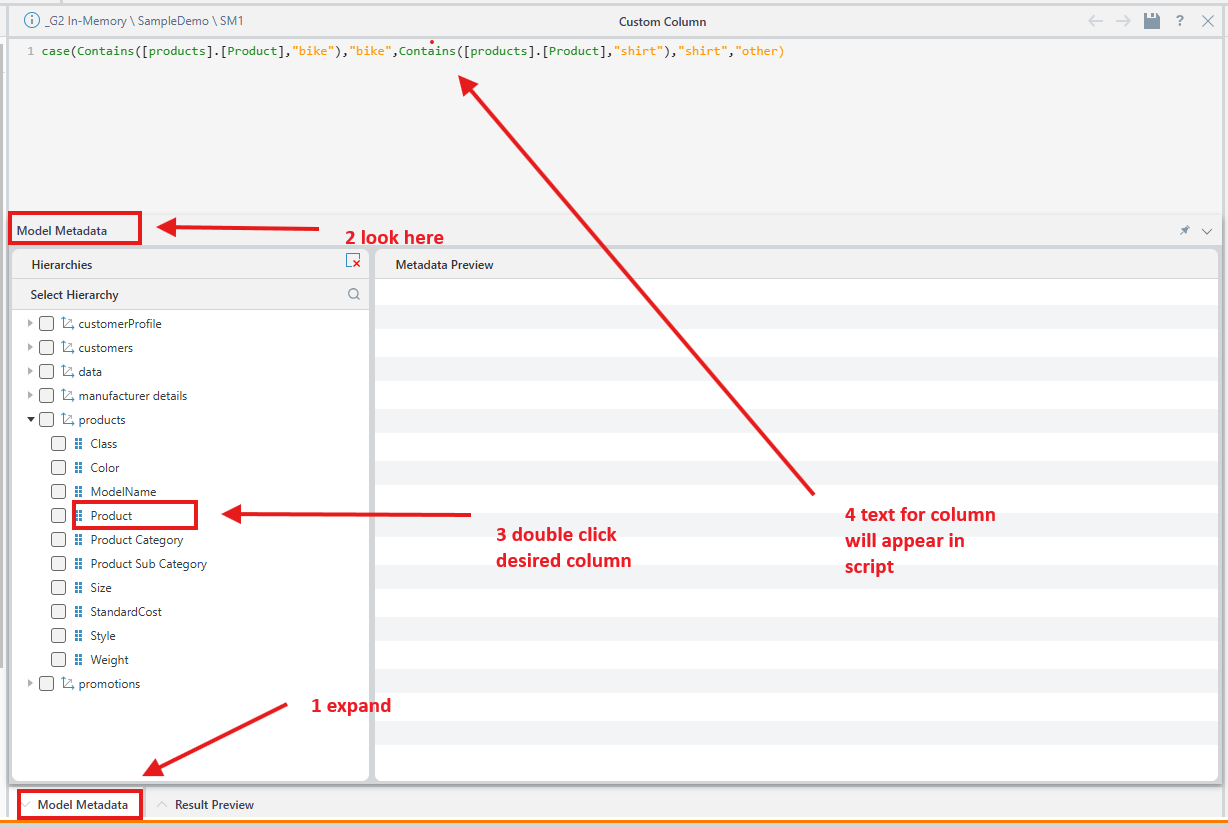
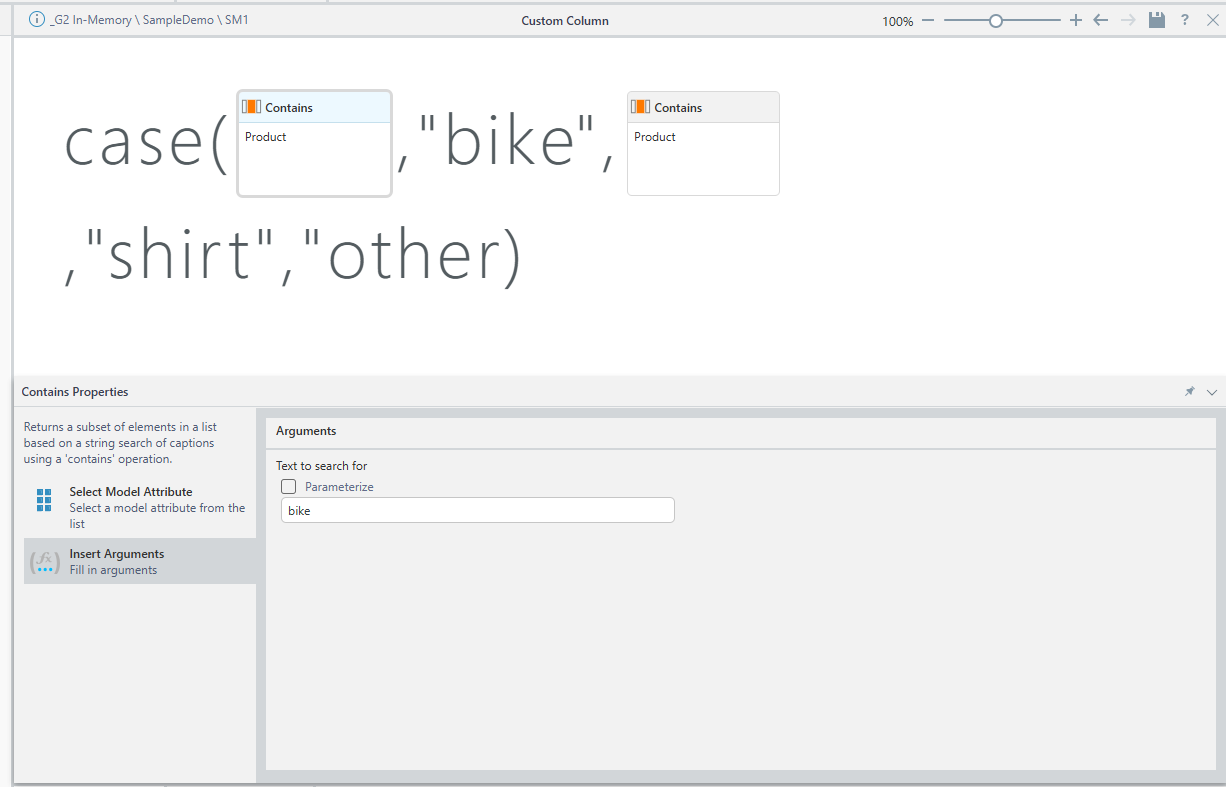
This syntax for a custom column is correct, however you need to use the full name of the column - should be something like [table_name].[calumn_name], but the best way is to either use components from the formula wizard:
or use script and double click on the desired column: