
How to create dynamic range slicers that change min/max values based on another parameter?
Hi everyone,
I'm trying to create a range slicer system where the slider's min/max values change dynamically based on a period type selection.
My Use Case:
- I have a Rank column (integer) in my data that represents either week rank or month rank
- I have a Period Display column that indicates whether the data is "Weekly" or "Monthly"
- Weekly data: rank ranges from 1-102
- Monthly data: rank ranges from 1-24
What I Need: I want to create an interface where:
- User selects "Weekly" or "Monthly" (via buttons or dropdown)
- Based on that selection, range sliders appear showing:
- If Weekly: Start Rank (1-102) and End Rank (1-102)
- If Monthly: Start Rank (1-24) and End Rank (1-24)
- These slider values filter my data by the Rank column
thanks in advance!
1 reply
-
Hi
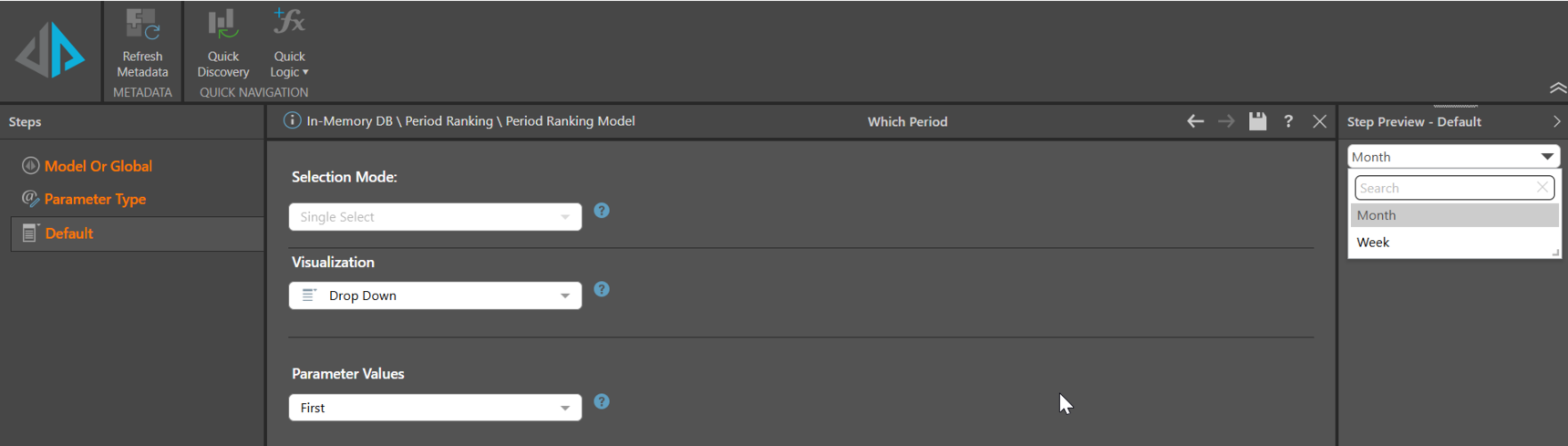
Create a parameter based on your Period Column, having the values of Month or Week.
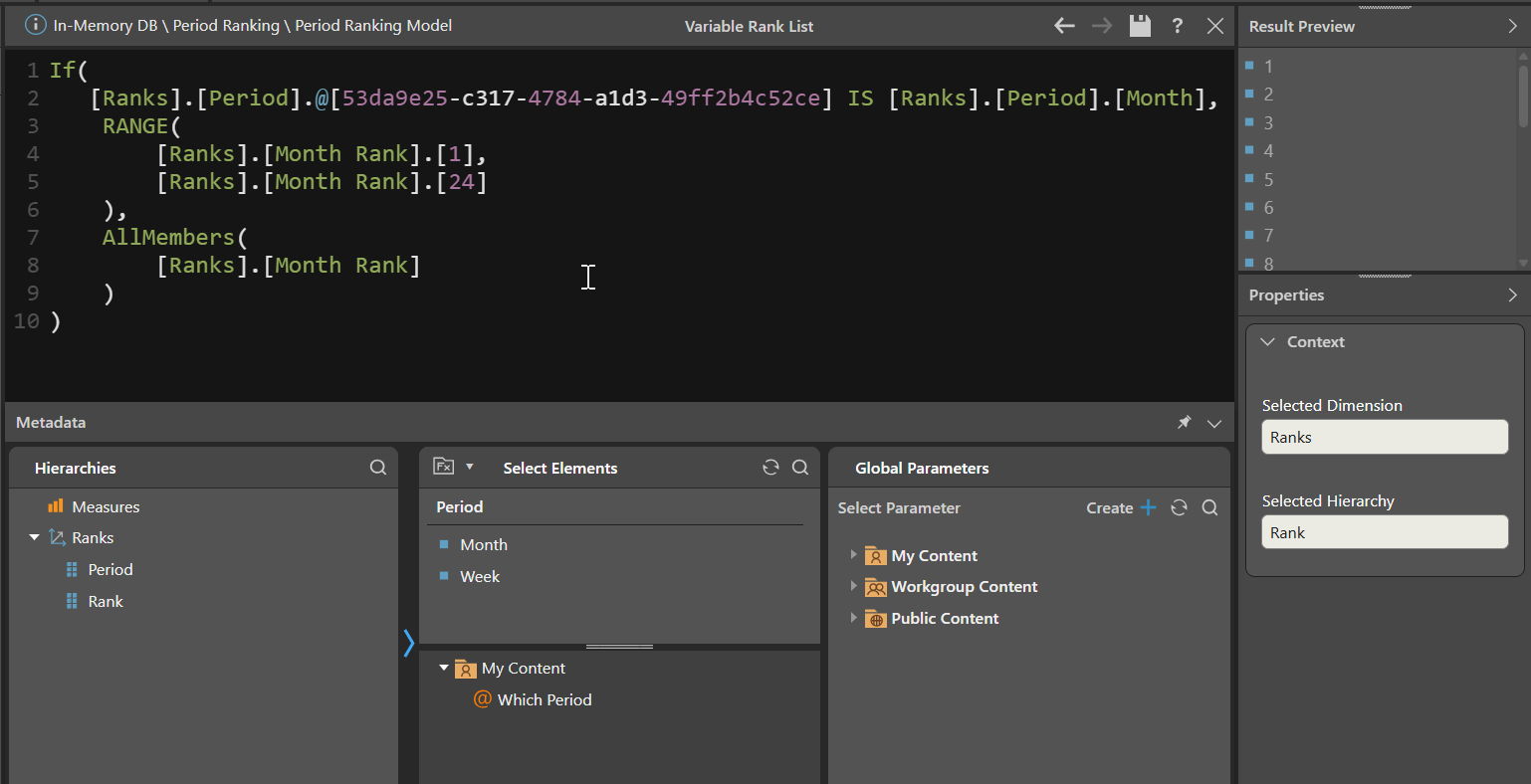
Create a dynamic list of the Rank column (note: it is defined as an attribute / dimension, not a Measure) such that of the Period parameter is month, it selects Ranks from 1 - 24 and if not, then all the ranks:
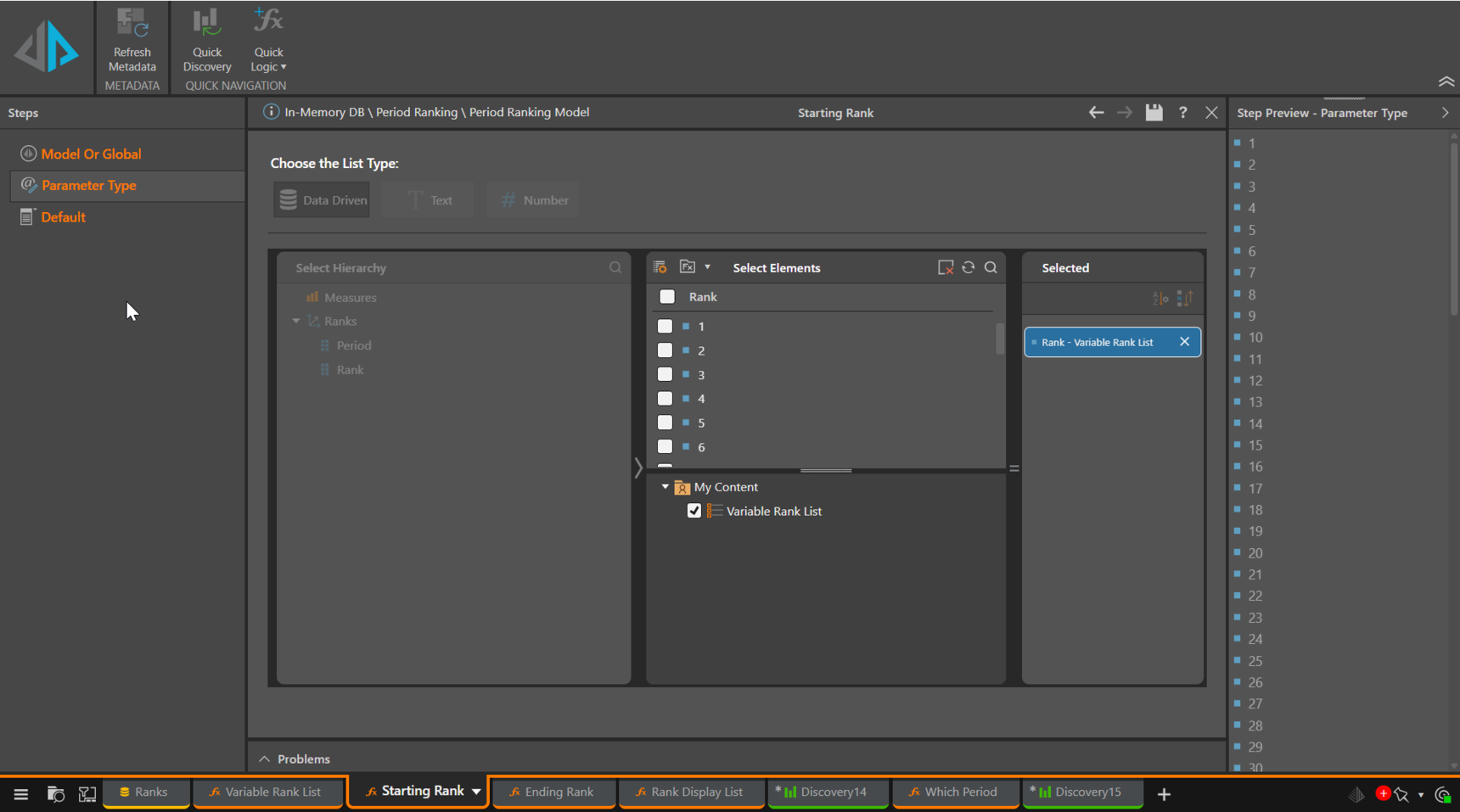
Create two parameters, Start and End that are based on the dynamic Rank list:
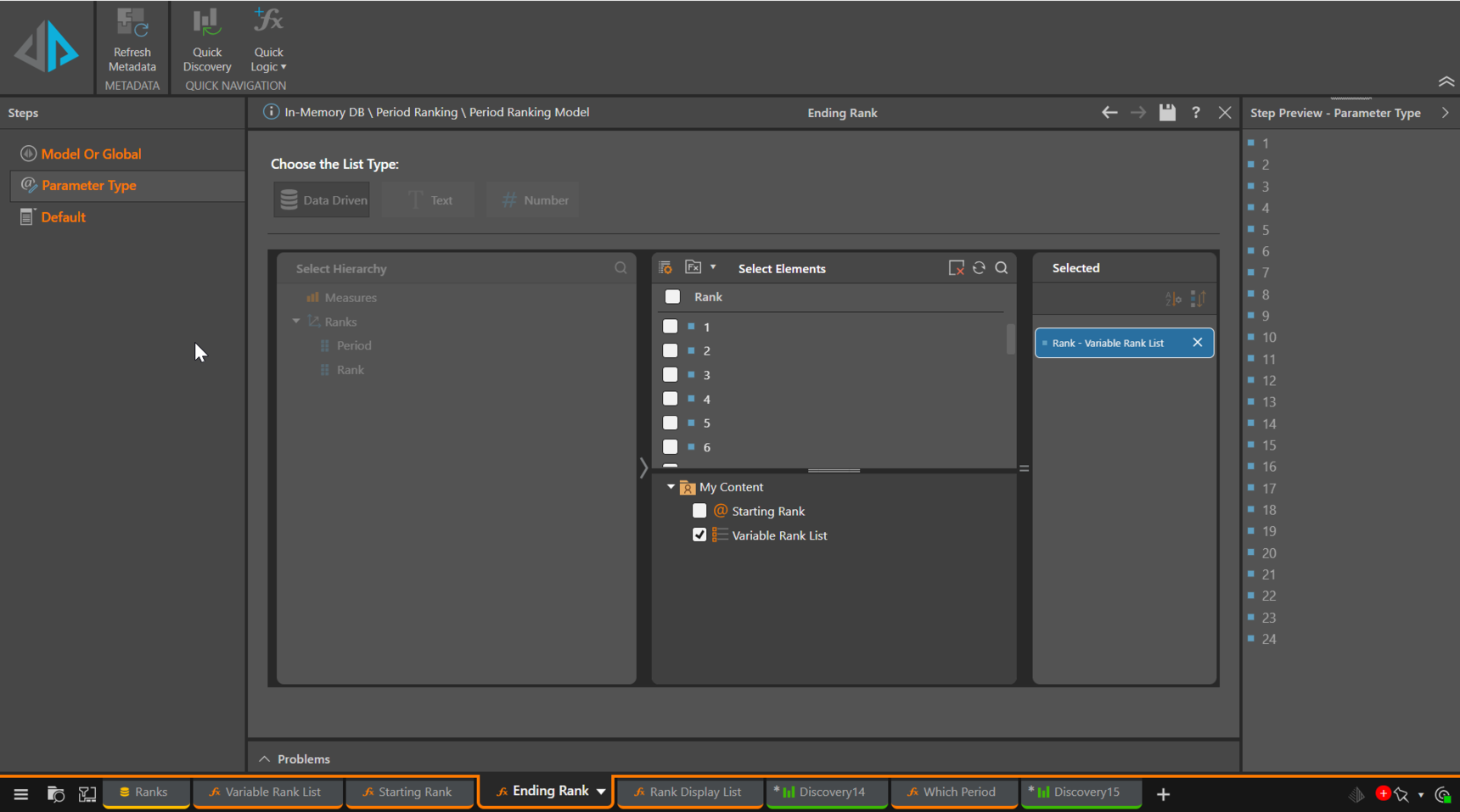
Create a Rank Display List defined as a Range, starting with the Start parameter and ending with the End parameter.
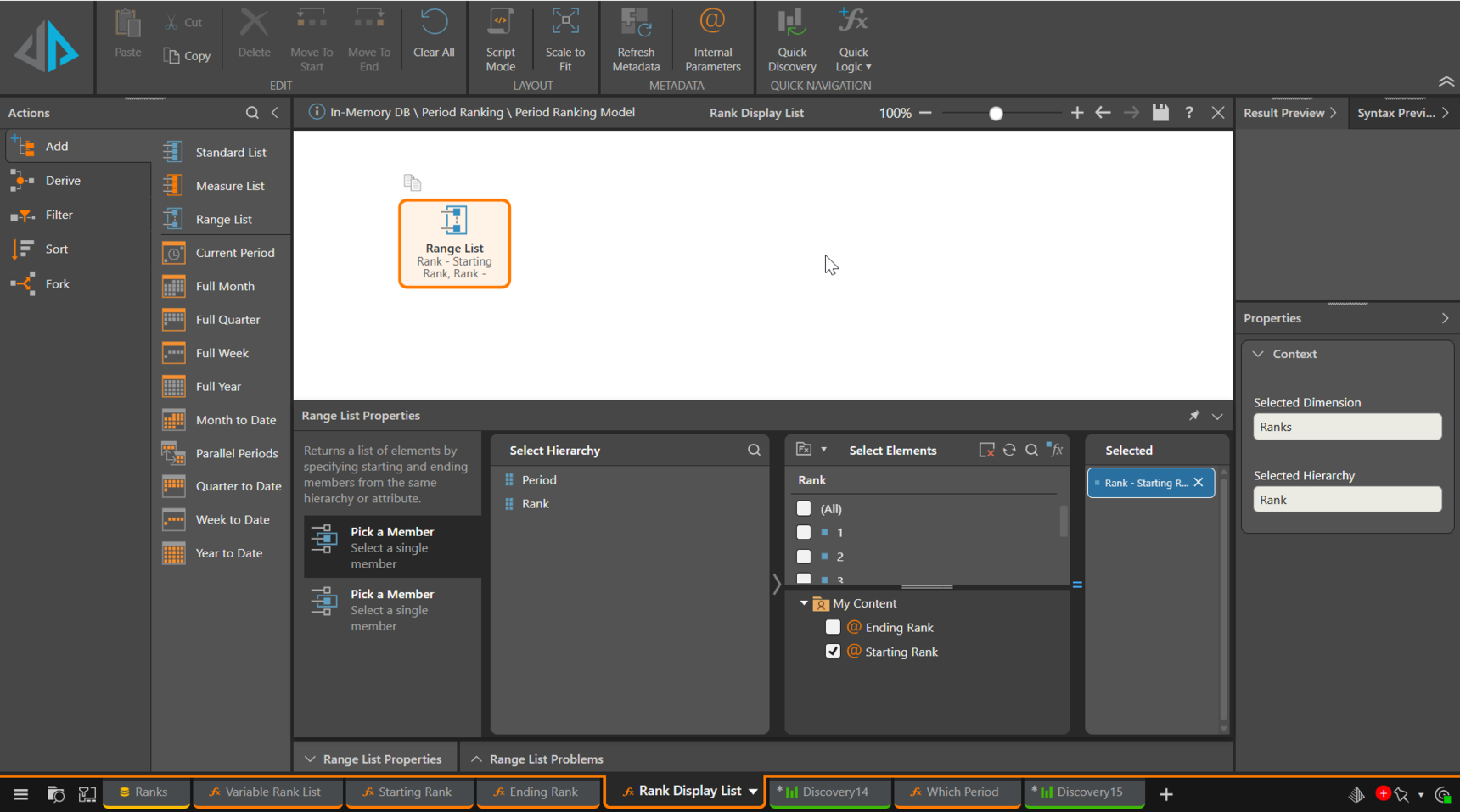
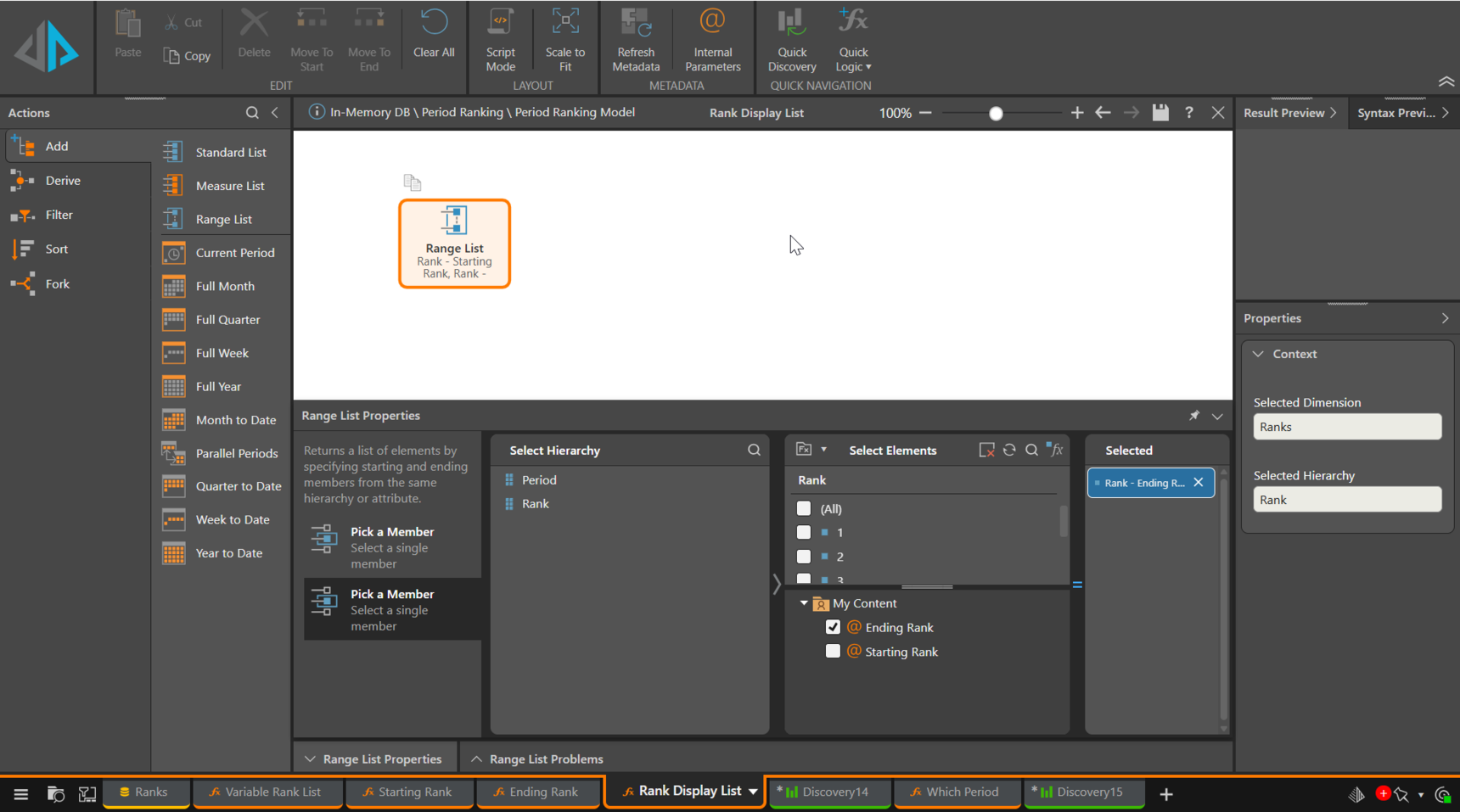
At run time, as the Period parameter is set from Month to Week, the list of Ranks is changed from 24 to 106 (in my case I have 53 week years), reflected in the upper Bound on the Range parameters.
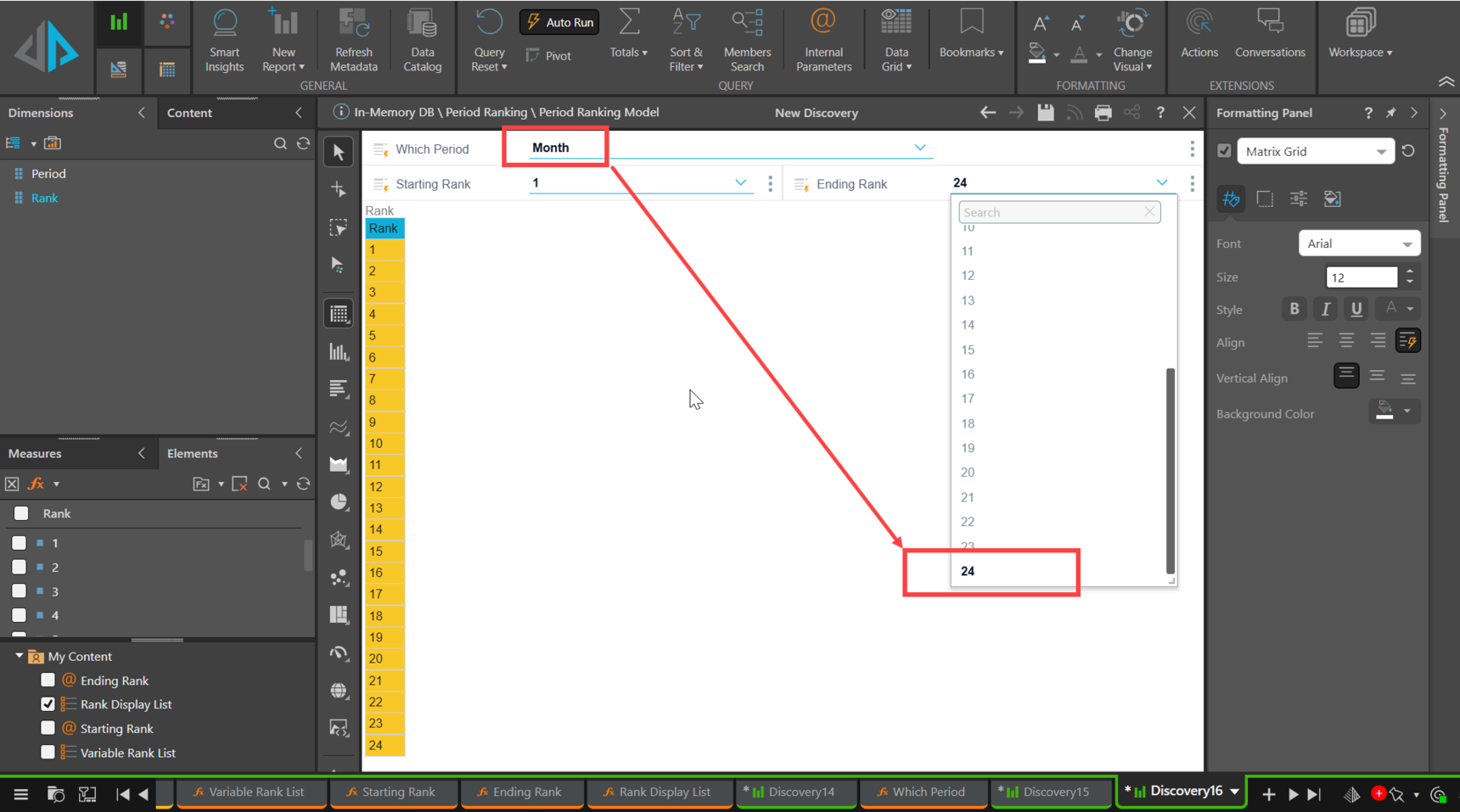
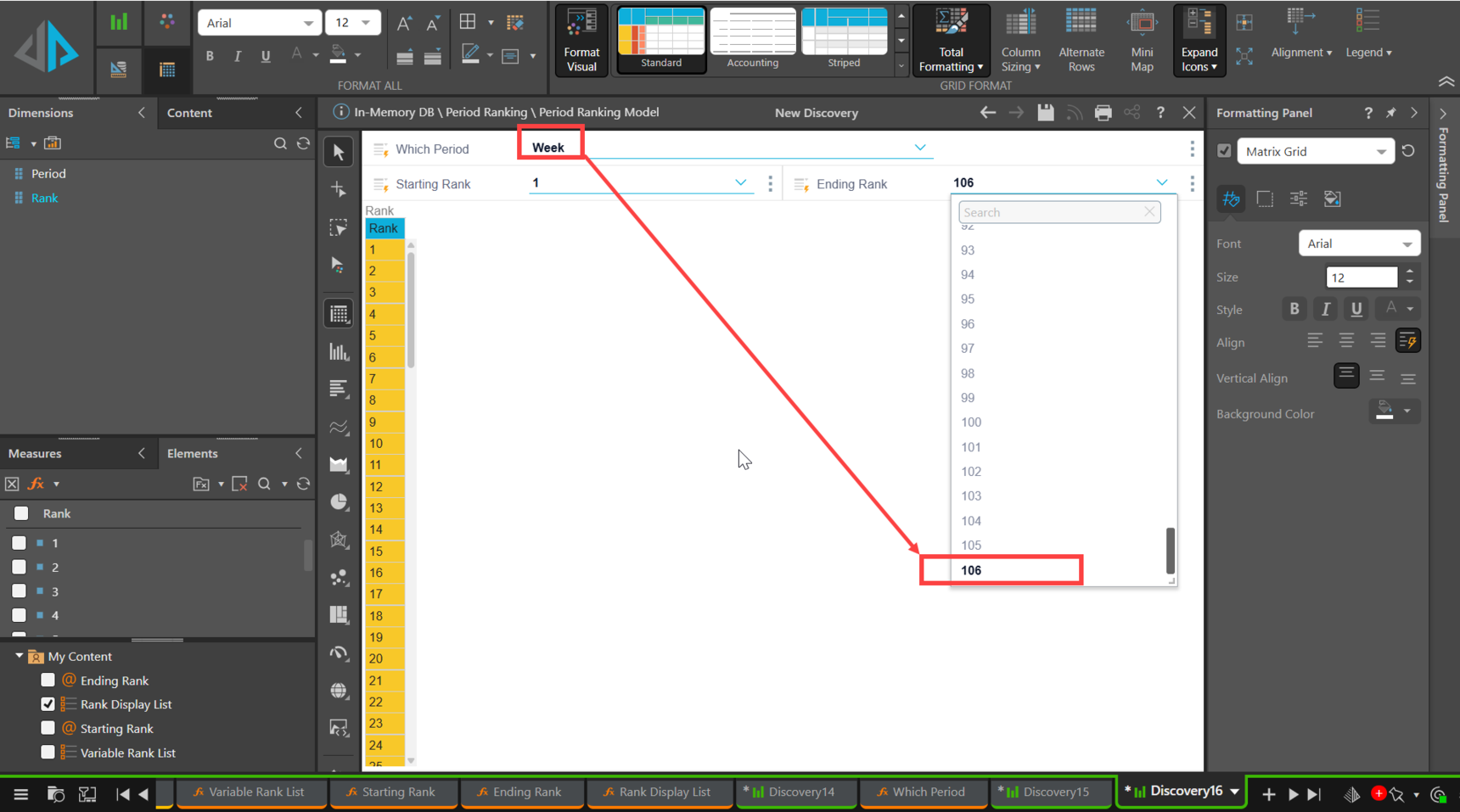
Unfortunately, because we have to deal with Rank as an attribute to make the parameterised list work, numeric sliders are not available to select the start and end of the Rank range. Conversely, if we used numeric parameters for the Rank range if it was a Measure, there's no way to dynamically assign the upper range from 24 to 106 or whatever.
Hope that helps.
Ian