
A question regarding the possibility to add or remove columns
Subject: Dynamic Column Visibility in Tables - Control via Slicer/Parameter?
Hi Pyramid Community,
I'm looking to create a dynamic table visualization where users can control which columns appear in the report through a slicer or parameter selection on the dashboard.
What I want to achieve:
- A multi-select slicer with options like: "Sales", "Market Share", "Growth %", "Distribution", "Units"
- Users check/uncheck which metrics they want to see
- The table dynamically shows/hides columns based on their selection
- Ideally without creating multiple separate table visuals
Use case: I'm building retail analytics dashboards where different stakeholders need different metric combinations. Rather than creating 10+ separate views, I want users to customize their view on the fly.
Questions:
- Is dynamic column visibility based on user selection possible in Pyramid (Presentation or Discover)?
- If yes, what's the recommended approach - Presentation Parameters, Formulate logic, conditional visibility, or something else?
- Are there any limitations I should be aware of (performance, export behavior, etc.)?
I'm working primarily in Pyramid Presentations with Formulate-based data models.
Any guidance or examples would be greatly appreciated!
Thanks, Oren
2 replies
-
Hi ,
Thank you for bringing this up. I believe many will find this useful.
I've consulted with & for the optimal solution.
To achieve what you need, we will do the following:
- Create a Binary Parameter for each measure we want to "show" or "hide" (it can also be done with regular Text Parameter)
- Create a dynamic Set (List) of these measures
- Add this set into a discover
From our demo model, we will take Cost, Sales & Price.
This is how they are represented in Formula:
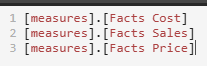
We will now create 3 Binary Parameters for these measures, that will return the measure name if "On", or return Null for "Off".
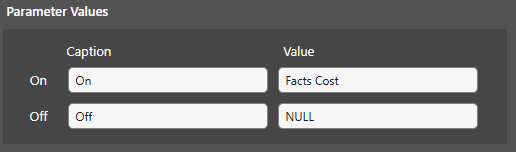
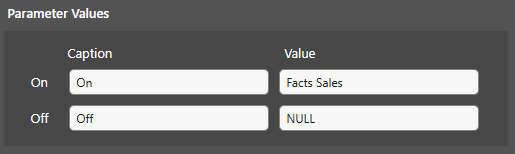
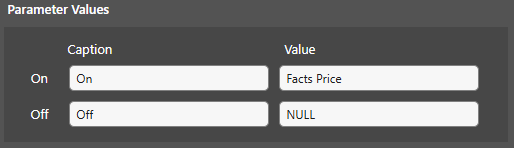
NOTE: the value of the measure name must be an exact match to the name in your model.
Now, we will create our Dynamic Measures Set:
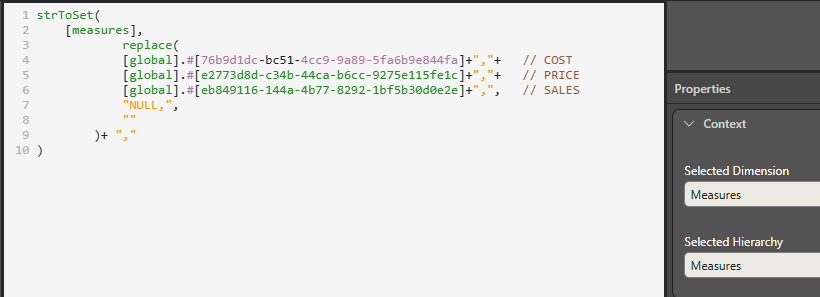
What we see here is as follows:
- strToSet: converts a string of measure names into a measures set (list). It appends each string name it finds with "[measures]" to create the full measure hierarchy name.
- replace: to replace all the "unselected" measures, which are returned as Null, with ""
After saving this list we can add it into our Discover, and the user will be able to select which measures to show:
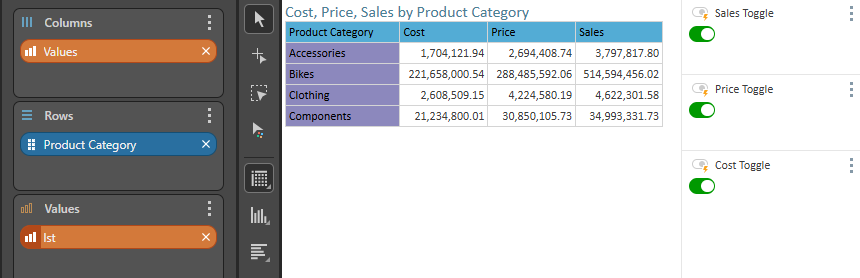
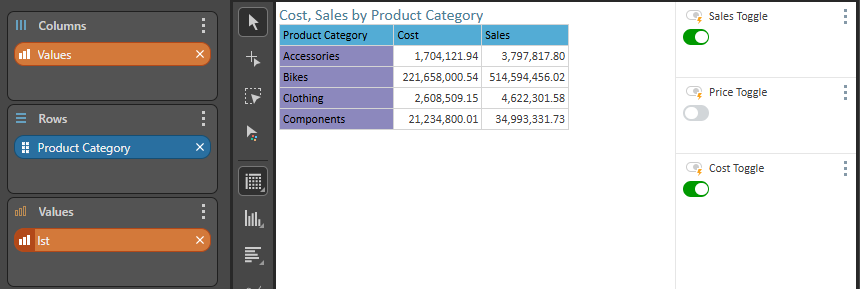
Hope this answers your need :)
-
is it applicable on regular columns too ? not only metrics