
Custom bucketing for a measure field
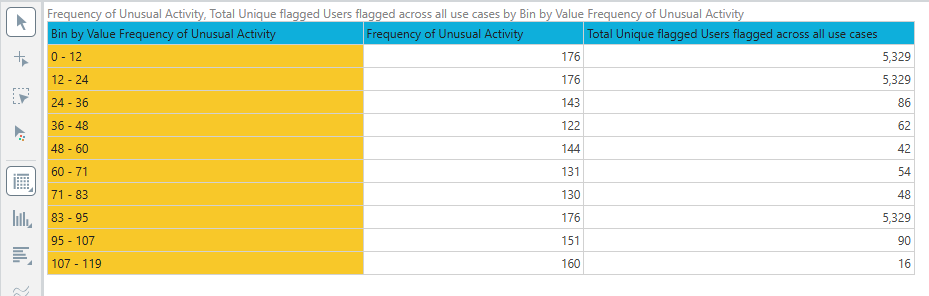
I have a measure called Frequency of Unusual Activity, which represents the number of times a user has been flagged.
I am currently using Bin by Value in Pyramid to create frequency buckets. Pyramid is generating ranges like:
0 - 12
12 - 24
24 - 36
36 - 48
I want the buckets to be displayed as:
0 - 12
13 - 24
25 - 36
37 - 48
I also tried creating a calculated measure in Formulate, but since the source is already an aggregated measure, I am not able to use the calculated result as a categorical bucket on Rows in the required way.
My expected output is something like:
Frequency Range Unique Users
| 0–12 | 250 |
| 13–24 | 180 |
| 25–36 | 95 |
| 37–48 | 60 |
What is the recommended approach in Pyramid for creating these custom non-overlapping integer buckets from an aggregated measure? Can this be achieved through Bin by Value configuration, or should it be implemented using a Custom List / Filter-based calculation / calculated set?
1 reply
-
Hi,
Basically you should use Aggregated Lists:
Let's define it in words before we actually solve this:
I want to Aggregate all the users for whom the Frequency of Unusual Activity is Between 1 and 12
I want to Aggregate all the users for whom the Frequency of Unusual Activity is Between 13 and 24
etc.
So let's start:
First we need a list should be All Users Filtered By Frequency of
Unusual Activity on values Between 1 and 12.
See here an example doing it with Emails that have sales between 0 and 12: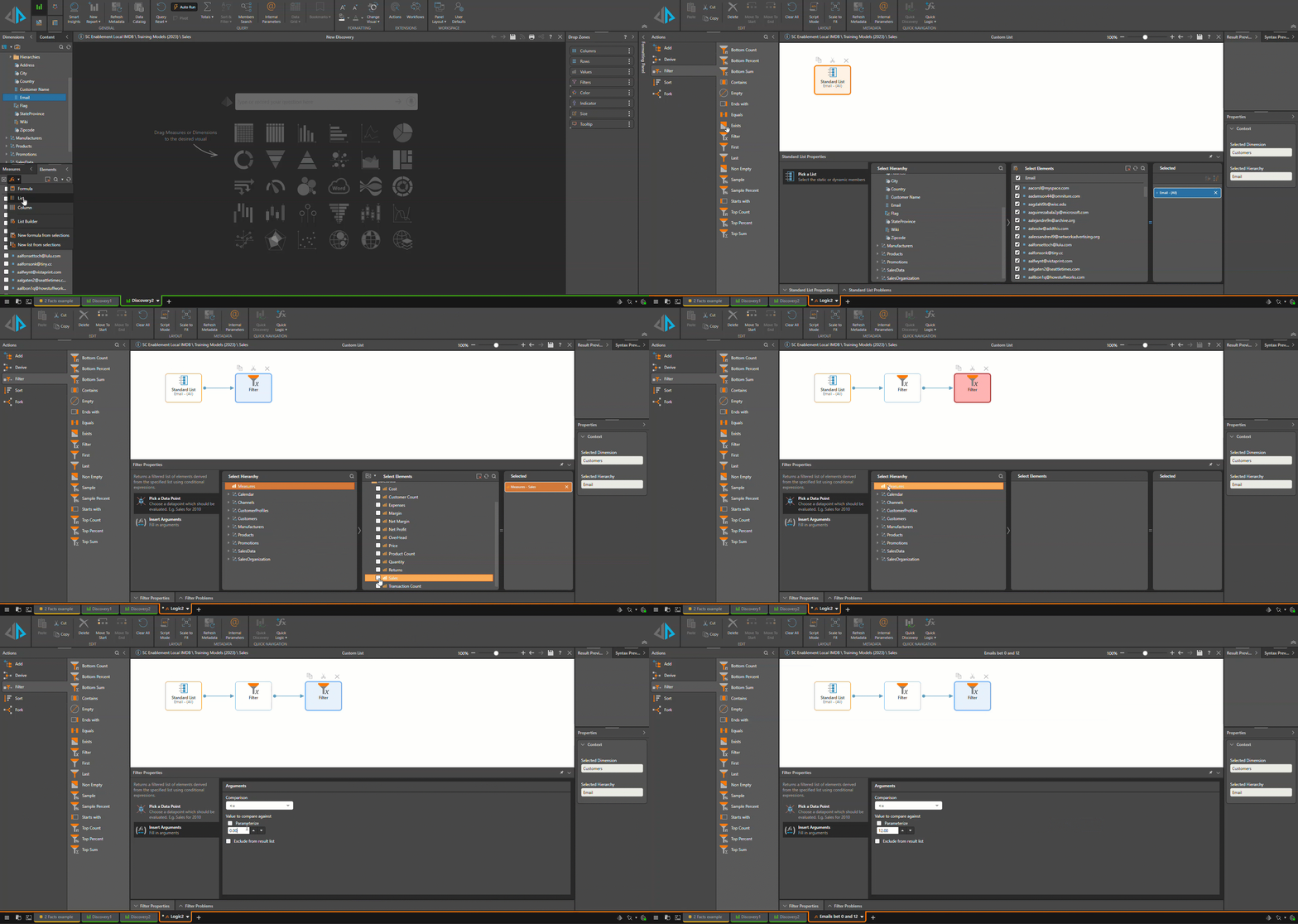
Or in PQL:
{Filter(
    {AllMembers([Customers].[Email])}
    ,
    [measures].[SalesData Sales]>=0 && [measures].[SalesData Sales]<=12
)}
Next step is Creating the aggregate of this list as an element in the context of the users (Pyramid will likely select it automatically):
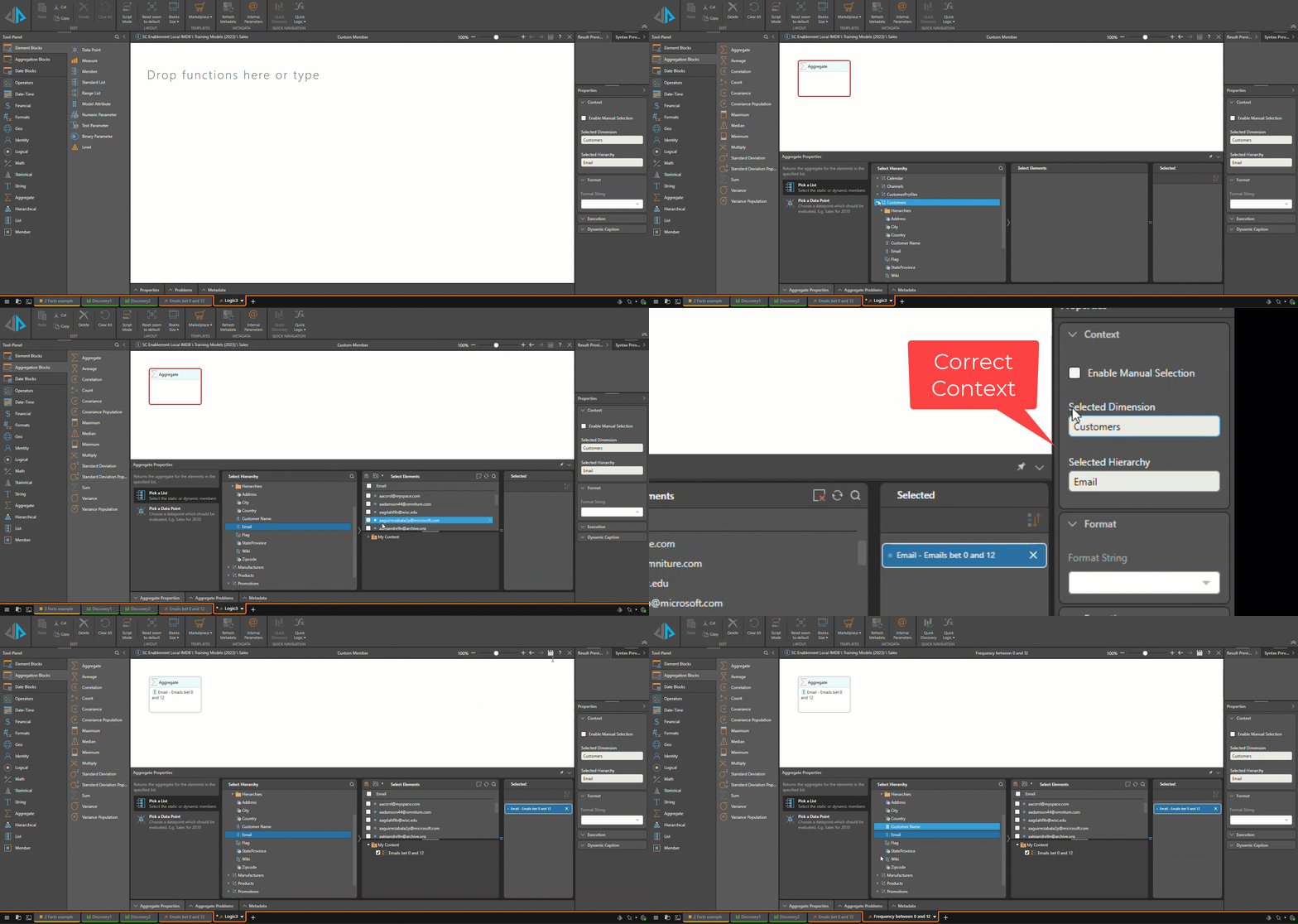
Or in PQL:
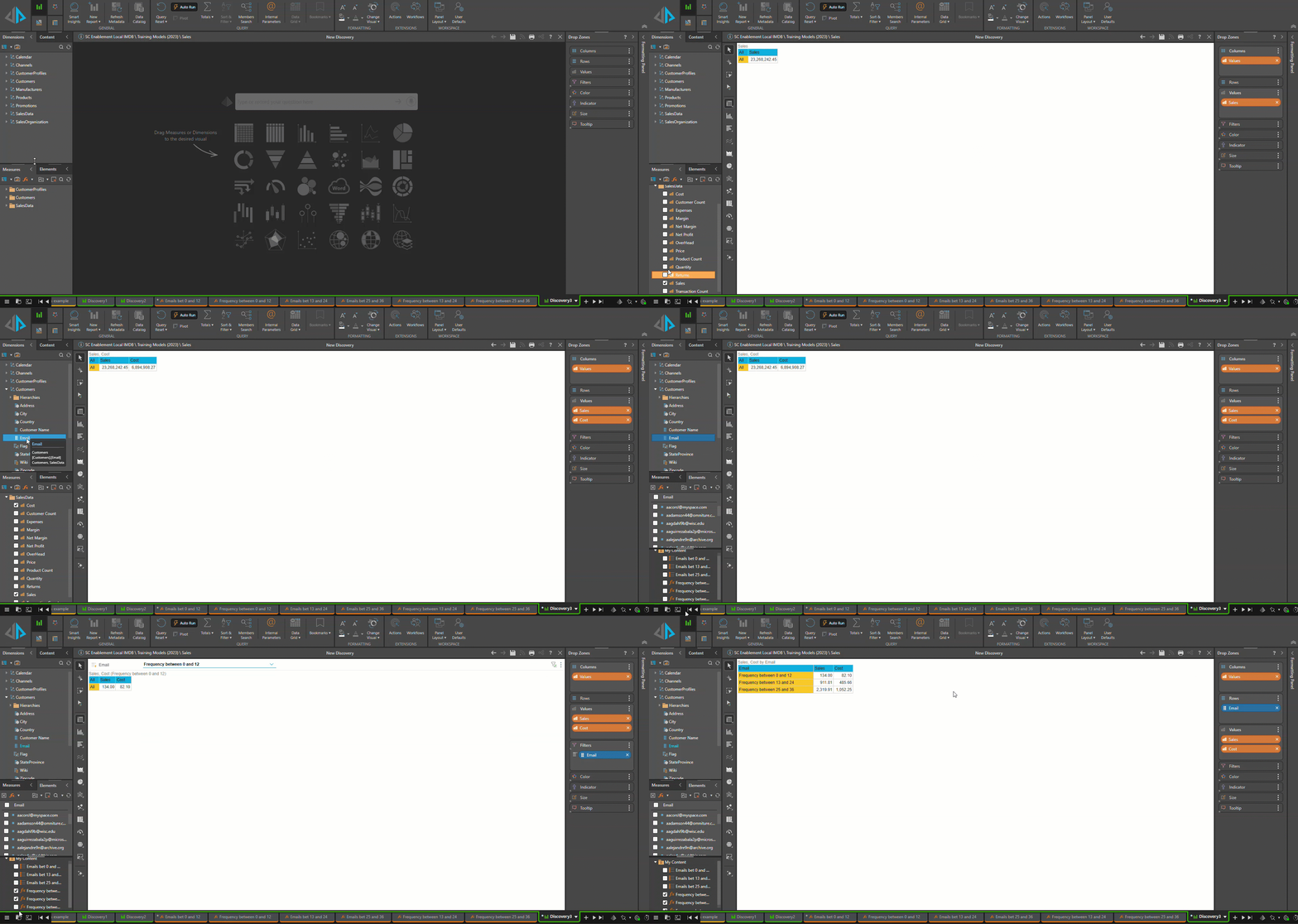
Aggregate({[Customers].[Email].*[1e409ae9-ed50-4085-9e87-bfe6d4a96ed4]})Now you can repeat this for all other groupings, and then use them in a discover. To select them, choose the relevant dimension (in my example, the email). notice this works within the context of the discovers - so after filters are applied.
Good Luck