
How can we be able to get the recipient list in the email (Subscription and Publication)
Hi,
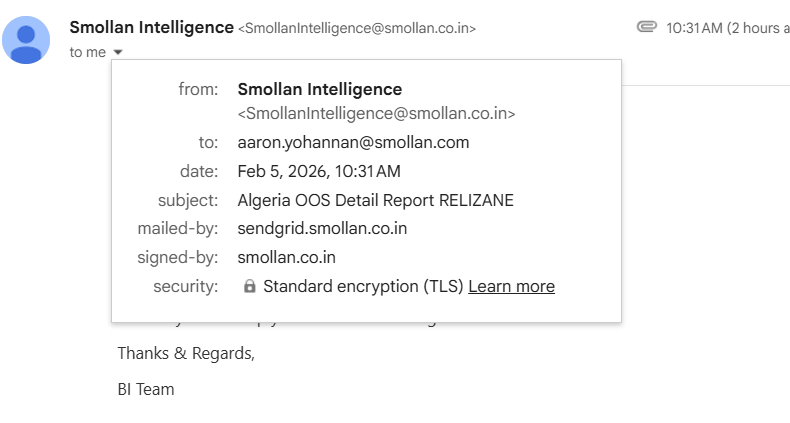
Currently , while sending an email from Subscription and publication, we are unable to see the email recipients . Its difficult for the team to check with the teams whether the mail is received or not.
Is there any option to enable the all email recipients list (to/cc/bcc) in the email send from Pyramid, not just single individuals (Both Subscription and Publication).
Regards,
Aaron Y
5 replies
-
You should use the logging mechanics of your email provider to monitor email distribution. For example with SendGrid - you can use its extensive email logging system to monitor your email flows.
-
I agree that it would sometimes be useful to see directly who emails have gone to. If I send from my own email address I'd for example send it to multiple people. And they would all be able to see just there, who else have received the email. No need for 3rd party tools to create other reporting.
Maybe you could raise this as a feature request?
-
There are obvious downsides to this - you don't always want to share the full list with everyone, potentially exposing certain addresses you didn't mean to expose or that didn't want to be exposed.
If you're the admin then obviously you can see the list for the schedule:
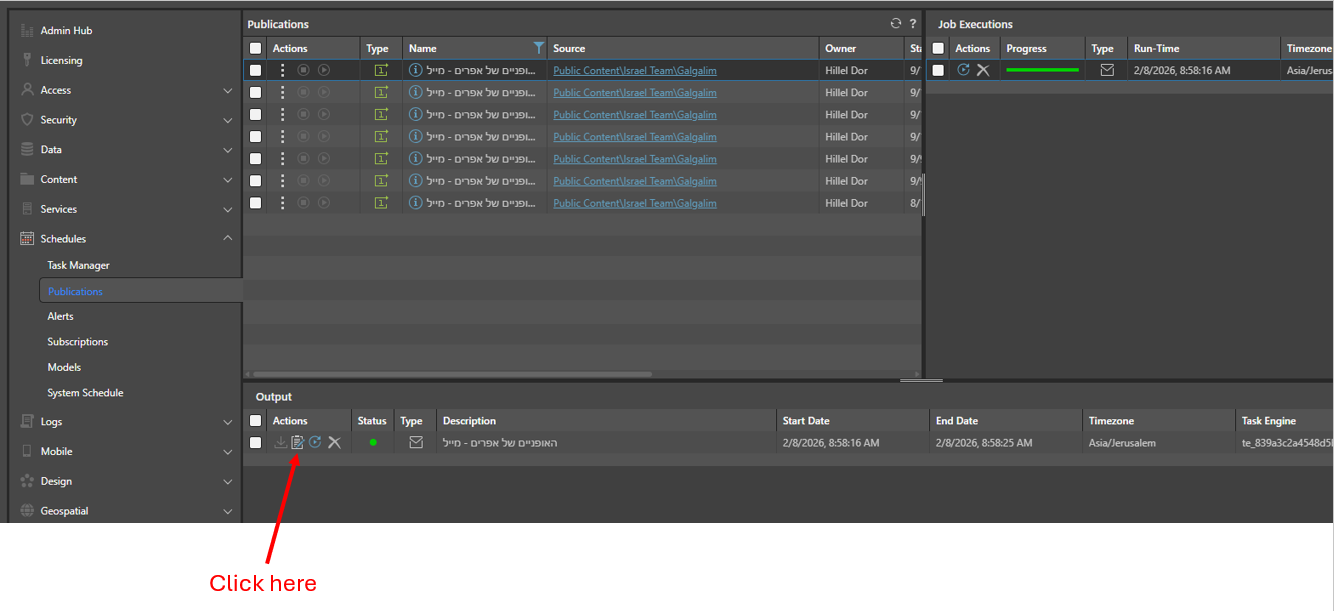
and then:
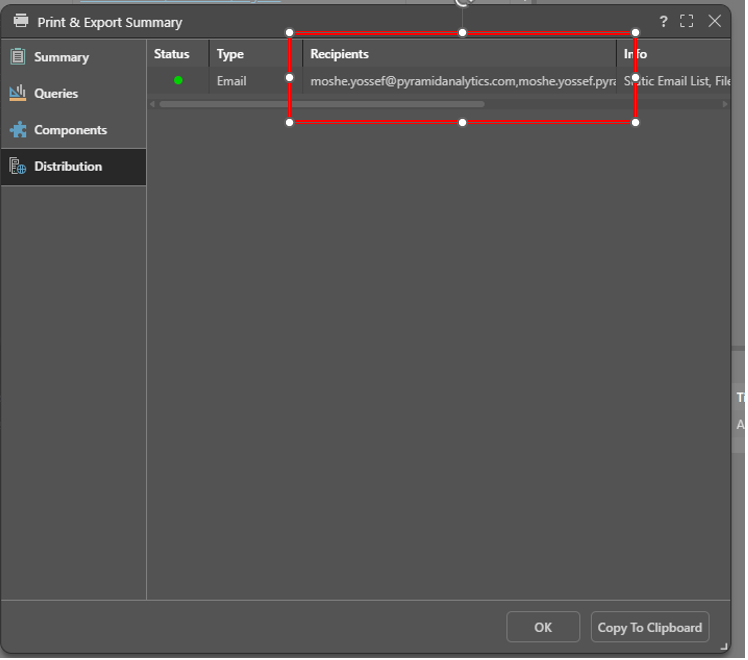
If the goal is for a team to see the same email it should be done through mailing lists.
-
Thanks for sharing the insights on the above scenario.
Here , I want to iterate that the client themselves are providing the email list , so it makes no sense we are keeping it only to single recipient. And again, from send grid and pyramid as well , it is time -consuming to check and a resource need to manage to maintain logs file and share with the teams.
It is good if we have the feature will raise this feature request.
Regards,
Aaron Y
-
Hi,
You could turn on the email retention in the sender email account and emails will be visible in the "Sent" folder.
Please not that by default this setting may not be turned on.
In addition you could also include your email in the distribution list ( multiple email separate by ";" ), so you have a copy of the email in your "Inbox".